
AI Agents in Developer Workflows: Beyond Code Completion
AI coding tools have been around for a few years now. Copilot autocompletes your functions. Cursor edits files when you ask. Claude Code generates whole features from descriptions.
But most developers are still using these tools like fancy autocomplete. Type a comment, accept a suggestion, move on. That's fine, but it misses the point.
The interesting shift happening right now isn't about smarter code generation. It's about AI agents that participate in your entire development lifecycle, not just the typing-code part. Planning, testing, debugging, deploying, monitoring. The gap between "AI that writes code" and "AI that helps you ship software" is wider than people assume.
Here's what that actually looks like in practice.
Where most devs stop
The typical AI-assisted dev workflow in 2026:
- You have a task
- You open your editor with AI features
- AI suggests code or generates a file
- You review, tweak, commit
This works for small tasks. It falls apart the moment your work involves anything beyond writing new code in a single file.
And most real engineering work is exactly that. Debugging a weird production issue across three services. Figuring out why a test passes locally but dies on CI. Migrating a database schema without breaking the 47 things that depend on it.
Code generation doesn't touch those problems. You need something that reads logs, checks environments, runs commands, and remembers what it already tried.
Agents that stick around
The shift — and what we built UniClaw around — is agents that stay running and do sustained work, not just respond to one-off prompts.
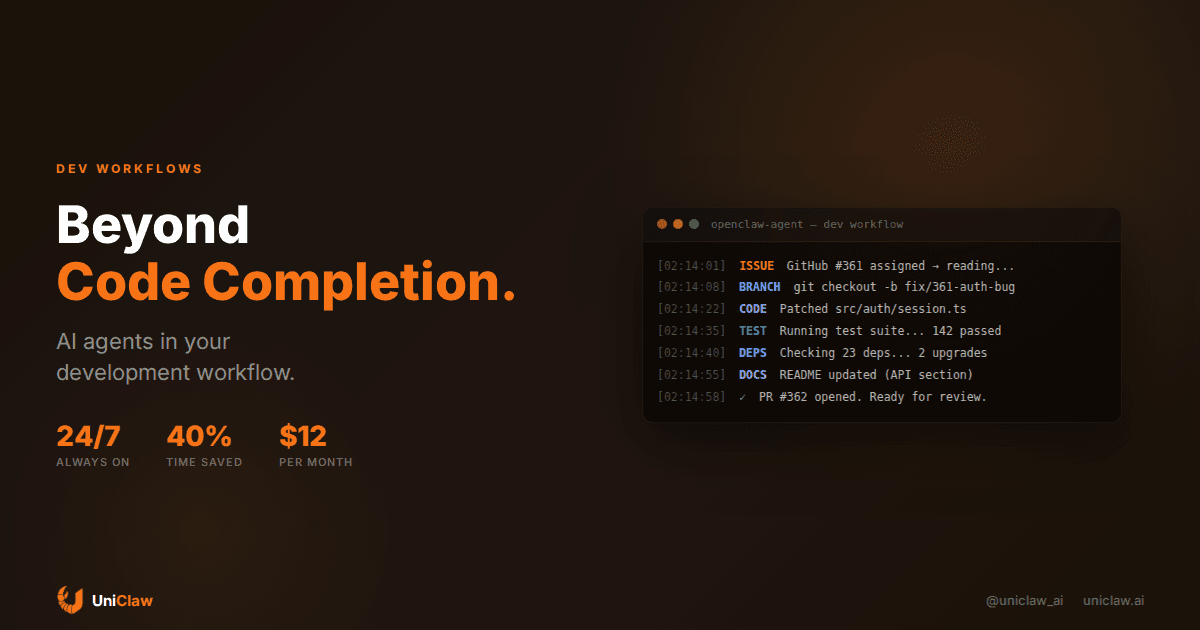
Concrete example. One of our users has an OpenClaw agent integrated with their GitHub workflow. When an issue gets assigned, the agent reads the issue and related code, creates a branch, writes a first-pass implementation, runs the test suite, and if tests fail, reads the errors and iterates. Then it opens a PR with a description of what changed and why.
The developer reviews the PR instead of writing the code. Sometimes the agent nails it outright. Sometimes it's 80% there and needs a few edits. Either way, an hour or two of grunt work evaporates.
That's still the simple case, though.
The more interesting workflows are the boring ones nobody writes blog posts about. An agent that monitors your dependencies, creates upgrade PRs with test results attached, and flags breaking changes before you discover them during a Friday deploy. An agent watching production logs that doesn't just say "error rate up 5%" but tells you "error rate up 5%, and here are three stack traces that started showing up 20 minutes before the spike." An agent that notices your README drifted out of sync after a refactor and just... updates it. Nobody wants to talk about docs, but having an agent that maintains them is weirdly freeing.
"Always-on" beats "really smart"
There's a widespread assumption that the main value of AI in development is generating clever code.
It's not. The value is in the tedious, repetitive work that quietly eats your week.
Think about how much of your time goes to things that aren't writing code. Triaging bugs. Updating configs. Writing migration scripts. Reviewing automated alerts. Keeping docs current. Answering routine questions in team Slack.
An agent that reliably handles 60% of that work is worth more than one that writes brilliant code 90% of the time but can't do anything else.
This is why the always-on part matters. A coding assistant that activates only when you tab to your editor is useful. An agent running on its own machine, checking repos, monitoring services, handling maintenance while you're asleep — that's a different category. It catches things before they become incidents. It does the work that "I'll get to it later" never gets to.
Peter Steinberger, the creator of OpenClaw, described his approach in a recent interview: instead of writing code yourself and asking AI to help, you set up the validation loop (tests, linting, type checking) and let the agent build against those constraints. Your job is defining what "correct" means. Not implementing it line by line.
The practical setup
If you want to move beyond AI autocomplete to AI as an actual development team member, here's what the setup looks like.
Give the agent its own environment. Don't run agents on your laptop. They need their own machine to install packages, run tests, and access your infrastructure without stomping on your local setup. UniClaw handles this — each agent gets a dedicated cloud VM with its own filesystem, network access, and persistence.
Define clear validation. The agent needs to know when its work passes muster. Tests, lint rules, type checking — anything automated that it can run to verify its own output. Better validation means less manual review on your end.
Connect it to your tools, not just your code. Through MCP (Model Context Protocol), agents plug into GitHub, monitoring dashboards, databases, deployment pipelines. The agent needs these connections to do real work. Generating code in a vacuum only goes so far.
Start with the boring stuff. Don't jump straight to asking the agent to architect your next microservice. Start with dependency updates, test generation, doc maintenance, log analysis. Low-risk tasks where the time savings show up immediately.
Let it learn your codebase. Agents with memory — like OpenClaw's file-based memory system — improve over time. They pick up your patterns, your naming conventions, your project structure. The first week feels rough. By week three, it's more like a junior developer who actually bothered reading the onboarding docs.
What this changes about being a dev
The shift from "AI writes my code" to "AI is on my team" changes the day-to-day in ways that sneak up on you.
You spend less time typing and more time reviewing. Less time on routine maintenance, more time on architecture and system design. The "10x developer" idea gets reframed. It's not about writing code 10x faster. It's about maintaining 10x more surface area because the agent handles the upkeep.
Developers who adapt fastest tend to be the ones already good at writing tests, defining clear specs, and breaking problems into small pieces. Those skills map directly onto managing agents well.
The weird part is that some traditionally strong skills become less of a differentiator. Holding an entire complex system in your head and writing in flow state is still valuable, but less rare when the agent can hold more context than you and iterate faster than your fingers move.
Getting started
If you want to try this:
- Spin up an agent on UniClaw — about 2 minutes, and you get a dedicated VM with OpenClaw pre-installed
- Connect it to your GitHub repos via MCP
- Give it a low-stakes first task: write tests for an untested module, update a stale README, triage open issues
- Review the results, give feedback, repeat
The goal isn't handing over your codebase. It's finding the 30-40% of your development week that's routine maintenance and getting it off your plate.
The developer with a well-configured agent doesn't outperform you because they're smarter. They just never waste Tuesday afternoon manually bumping dependency versions again.
Ready to deploy your own AI agent?
Get Started with UniClaw