
Self-Hosted AI Agent or Cloud? How to Pick Without Overthinking It
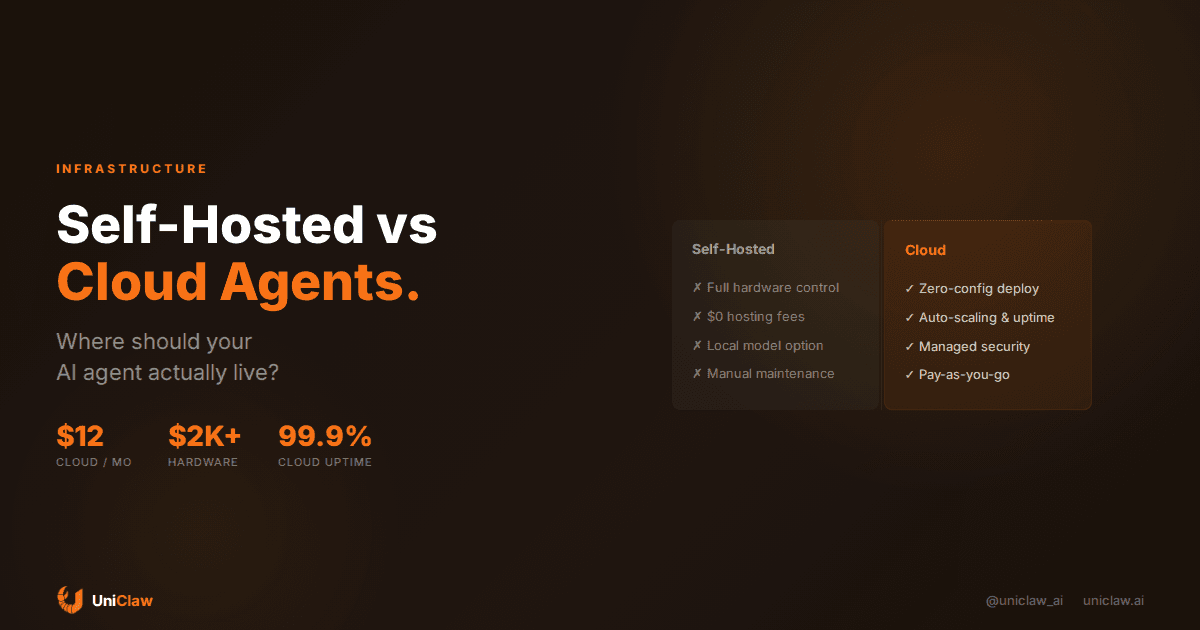
Self-Hosted AI Agent or Cloud? How to Pick Without Overthinking It
Everyone building with AI agents hits this question eventually: do I run this thing on my own hardware, or do I pay someone to host it?
The answer depends on what you actually care about. Not what sounds cool on Twitter.
I've seen both sides play out. Developers running fleets of agents on Mac Studios in their living room. Solo founders spinning up managed cloud instances and forgetting about infrastructure entirely. Both approaches work. Both have tradeoffs that people understate when they're selling you on their choice.
What "self-hosted" actually means
When people say they self-host an AI agent, they usually mean one of two things:
- Running the agent runtime (like OpenClaw) on a local machine — a Mac Mini, a Linux box, a Raspberry Pi, an old laptop
- Running it on a VPS they manage themselves — a $5-20/month Hetzner or DigitalOcean box where they SSH in, install dependencies, configure everything
Both count as self-hosted. You own the server. You manage updates, security patches, firewall rules, SSL certs, uptime monitoring. If it goes down at 3am, that's on you.
The appeal is obvious. You control everything. Your data never leaves your network (except API calls to the model provider). You can run local models if you have the hardware. And once the machine is paid for, the ongoing cost is just electricity and internet.
What "cloud" means here
Cloud-hosted AI agents run on managed infrastructure. A service like UniClaw gives you a dedicated VM, pre-configured with OpenClaw, connected to your messaging platforms, behind a zero-exposure firewall. You don't SSH into anything. You don't install packages. You talk to your agent through Telegram or Discord and it works.
The tradeoff: you pay a monthly fee ($12/month on UniClaw's starter plan). You don't control the underlying OS. And your agent's files live on someone else's server — though with proper encryption and isolation, that's functionally similar to running any other SaaS.
Where the conversation usually goes wrong
People compare hardware costs to subscription fees and call it a day. The actual differences are more interesting than that.
Uptime
This is the one that bites self-hosters.
An AI agent is most useful when it runs around the clock. Triaging your email at 6am. Monitoring prices while you sleep. Responding to messages at midnight.
If your agent runs on your laptop, it stops when your laptop sleeps. If it runs on a home server, it stops when your internet goes out, or when you accidentally pull the power cable, or when your ISP assigns you a new IP and your dynamic DNS takes 10 minutes to catch up.
I'm not saying home servers can't be reliable. They absolutely can. But reliable home infrastructure takes effort — UPS backup, monitoring, redundant DNS. Most people underestimate how much work "always on" really is when it's their own hardware.
Managed cloud instances handle this for you. UniClaw runs agents on dedicated VMs with automatic health checks and restart policies. The agent comes back if it crashes. You don't get paged.
Security
Self-hosting means your agent can reach your local network. That's either an advantage (it talks to your NAS, your home automation, local databases) or a risk (if the agent gets compromised, the attacker is inside your house).
Cloud hosting isolates the agent. UniClaw runs each one on its own VM with zero open ports and encrypted tunnels. No SSH by default. Small attack surface.
But there's a real flip side. Self-hosting means your data physically stays in your building. For people who are genuinely privacy-sensitive — journalists, lawyers, anyone handling confidential client work — there's something to that. Even if the cloud provider encrypts everything and pinky-swears they won't peek.
(We wrote more about this privacy tradeoff in a previous post.)
Cost over time
Let's do actual math.
Self-hosted on hardware you own (old laptop, Pi, Mac Mini):
- Hardware: $0-200 (stuff you already have)
- Electricity: ~$5-10/month
- Model API calls: $10-80/month depending on usage
- Your time maintaining it: hard to quantify, but nonzero
Self-hosted on a VPS:
- Server: $5-20/month
- Model API calls: $10-80/month
- Maintenance time: less than option one, still not nothing
Cloud-managed on UniClaw:
- Subscription: starts at $12/month
- Model API: included credits, or bring your own key
- Maintenance time: basically zero
The hardware path looks cheap until you factor in the hours. If you spend a Saturday afternoon getting everything configured and 20 minutes a month keeping it updated, that's real time. Whether it's "cost" depends on whether you'd rather be doing something else.
If you genuinely enjoy configuring Linux boxes and tweaking systemd unit files? Then that time isn't a cost at all. It's Saturday well spent.
Flexibility
Self-hosting wins here. You can install anything. Run local LLMs on your GPU. Connect to every device on your network. Mount any filesystem. Run arbitrary scripts with no platform restrictions.
Cloud hosting is more boxed in. UniClaw gives you a full OpenClaw instance on a dedicated machine — you can add MCP servers, write custom skills, hit external APIs — but you can't plug in a physical GPU or access your home printer through it.
Running multiple agents
This is becoming more common. People want separate agents for research, coding, communication, and monitoring.
Self-hosting multiple agents on one machine works until they start fighting over CPU and RAM. You can do it, but you'll spend time tuning resource limits and untangling port conflicts.
On UniClaw, each agent gets its own isolated VM. Adding another is just clicking a button and paying for another slot. No resource contention, no configuration overlap.
The thing nobody mentions: run both
Here's what I actually think works best for most people.
Keep your experimental agents local. Testing a new skill? Trying out a local model? Building something weird with your smart home APIs? Do that on your own machine. The feedback loop is faster, you can break things freely, and you learn how everything fits together.
But the agent that handles your real email, manages your calendar, monitors your projects? Put that somewhere reliable. Because that one needs to be up at 3am whether you are or not.
Alex Finn — who recently went viral on X for running an entire company with 6 AI agents — does something like this. Four agents run locally on Mac Studios for development and research (heavy compute, high throughput). Two run on cloud APIs for strategy and coordination (the always-on, always-reachable stuff). He gets the best of both.
So which one?
If fiddling with servers is actively stopping you from using your agent, skip it. Get on UniClaw, have your agent running in five minutes, and spend your brain cycles on the stuff that actually matters — what skills to build, what workflows to automate, what problems to solve.
If you already have a solid server setup and the infrastructure part is fun for you, self-host. You'll get more control and probably learn a lot doing it.
The wrong answer is spending three weeks agonizing over hosting decisions instead of building the agent.
UniClaw handles the hosting so you can focus on the agent. Dedicated cloud machines, zero-config security, multi-platform messaging. Plans start at $12/month at uniclaw.ai.
Ready to deploy your own AI agent?
Get Started with UniClaw