
How to Give Your AI Agent a Web Browser
How to Give Your AI Agent a Web Browser
Most AI agents are blind.
They can read your emails, check your calendar, query databases. But ask one to look up a product on Amazon, fill out a web form, or check if your site is actually loading? Nothing. The web—the place where most of your actual work happens—is off-limits.
That's starting to change. Browser agents have quietly become the most interesting development in the AI agent world, and if you're running a personal or business agent, you're probably missing out.
Your agent can't use most of the internet
Here's the problem nobody talks about when they demo AI agents: APIs cover maybe 5% of the internet.
Your bank doesn't have an API. Your insurance portal doesn't have one. That government form you need to file? Definitely not. The restaurant you want to book? Maybe, if they're on OpenTable. Most of the world's useful information and services live behind web interfaces designed for human eyeballs and mouse clicks.
So when your AI agent needs to do something on the web, it hits a wall. It can call APIs that exist, and that's about it. Everything else requires you to open a browser and do it yourself—which kind of defeats the purpose of having an agent.
What a browser agent actually does
A browser agent is your AI agent controlling a real web browser. Not scraping HTML. Not calling hidden APIs. Actually navigating pages, clicking buttons, filling forms, reading content, and taking screenshots.
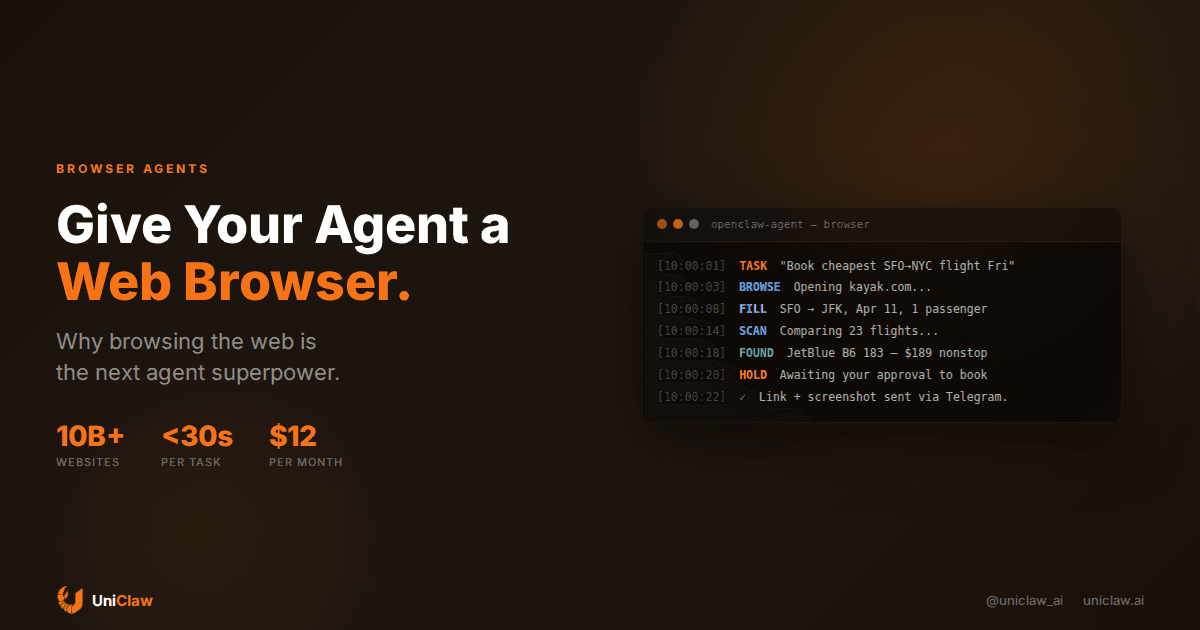
Think of it like this: you tell your agent "find me the cheapest flight from SFO to NYC on Friday." Instead of apologizing that it doesn't have access to a flight API, it opens Kayak, types in the search, waits for results, compares prices, and sends you the best option with a screenshot.
The technical stack looks something like this:
- Playwright or Puppeteer runs a headless (or headed) Chromium instance
- The AI model interprets the page by reading a snapshot of the DOM, accessibility tree, or screenshot
- The agent framework converts high-level instructions ("search for flights") into low-level browser actions (click this element, type into that field, wait for this to load)
Projects like Browser Use (78K+ GitHub stars), OpenAI's Operator, and frameworks like Stagehand have made this accessible. You don't need to build it from scratch anymore.
What this actually looks like day to day
I want to get specific here, because "browser agent" sounds abstract until you see what it replaces.
Price comparisons. You ask your agent to check prices for a specific laptop across Best Buy, Amazon, and Newegg. It opens all three sites, searches for the model number, extracts prices, and gives you a comparison. Took 45 seconds. Would have taken you 10 minutes of tab-switching.
Form submissions. Your agent fills out that expense reimbursement form on your company's internal portal every week. Same fields, same flow, every Friday at 5pm. You haven't thought about expense reports in months.
Competitive monitoring. Your agent checks three competitor websites every morning, screenshots their pricing pages, and flags anything that changed. You wake up to a summary in Telegram.
Research that actually goes deep. Instead of getting a summary from the model's training data (which might be months old), your agent can browse current pages, read actual articles, and pull real numbers. The difference between "I think the pricing is around $50" and "their pricing page says $49/mo for the Pro plan, updated March 2026" is the difference between useful and useless.
The security part matters more than you think
Here's where it gets tricky. A browser agent that can log into your bank can also leak your credentials if it's compromised. A browser that can fill forms can fill the wrong forms. An agent that can click "Buy Now" can buy things you didn't ask for.
You need guardrails.
Isolated execution. The browser should run in a sandboxed environment, not on your personal machine. Cloud-hosted browser infrastructure (like the setup UniClaw provides with OpenClaw) means the browsing happens on an isolated VM with zero open ports and encrypted tunnels. If something goes wrong, it's contained.
Approval gates. For anything involving money, credentials, or irreversible actions, the agent should pause and ask you first. "I found a $189 JetBlue flight. Want me to proceed to checkout?" is the right pattern. Silently booking a flight is not.
Session isolation. Each browsing task should get a fresh browser context. No lingering cookies from Task A leaking into Task B. No shared sessions across unrelated workflows.
Credential management. Your agent shouldn't store passwords in plaintext. Use a credential vault or OAuth flows where possible. For sites that don't support that (most of them), at minimum keep credentials encrypted at rest on the agent's dedicated machine.
How to set this up with OpenClaw
If you're running an OpenClaw agent (whether self-hosted or on UniClaw), adding browser capabilities is straightforward.
OpenClaw already includes browser control as a built-in tool. Your agent can:
- Open URLs and navigate pages
- Take snapshots (DOM + accessibility tree) so the AI can "see" the page
- Click elements, type text, fill forms
- Take screenshots for visual verification
- Handle popups, dialogs, and multi-tab workflows
The setup requires Playwright (already installed on UniClaw machines), and the agent framework handles the coordination between the model and the browser instance.
For common workflows, you can write them as agent skills—small instruction files that tell your agent how to handle a specific site or task. A "check-competitor-pricing" skill might be 20 lines of instructions that the agent follows each morning.
# skill: check-competitor-pricing
1. Open https://competitor.com/pricing
2. Take a snapshot
3. Extract plan names and prices
4. Compare with our current prices in ~/data/our-pricing.json
5. If any competitor price dropped >10%, send alert via Telegram
6. Save snapshot to ~/data/competitor-{date}.json
Your agent reads the skill, controls the browser, and handles the whole flow autonomously. You set it up once.
Where this is headed
The space is moving quickly, and two developments are worth paying attention to:
Computer use is getting native. Anthropic's computer use, Google's Project Mariner, and OpenAI's Operator are all moving toward models that natively understand screens. Right now, most browser agents convert pages to text and let the model reason over that. Soon, models will look at screenshots directly and decide what to click. This makes agents faster and more reliable on weird, JavaScript-heavy pages.
Anti-bot detection is an arms race. Websites are getting better at detecting automated browsers. Browser fingerprinting, CAPTCHAs, and behavioral analysis all try to block non-human traffic. Managed browser infrastructure (like Browserbase and Hyperbrowser) exists specifically to handle this, rotating fingerprints and mimicking human-like interaction patterns. For personal agent use on your own accounts, this is less of an issue. For scraping at scale, it's a real challenge.
Longer term, expect specialized browser agents for different domains, coordinated by an orchestrator. We covered multi-agent orchestration previously, and browser agents fit right into that model. A travel agent that knows how to navigate airline sites, a research agent that can dig through academic databases, a shopping agent that compares prices—each doing what it's good at.
Should you actually do this?
Depends on what your agent does.
If your agent mostly works with APIs—Slack, email, databases, code—browser capabilities are a nice-to-have. You probably won't need them daily.
If your agent handles anything that involves web research, price monitoring, form filling, or interacting with services that don't have APIs (which is most services), then yes. Browser access turns your agent from a tool-caller into something that can actually navigate the real world.
The gap between "my agent can check my calendar" and "my agent can book a restaurant, compare insurance quotes, and monitor my competitors" is the browser. That's the missing piece.
Want to run an AI agent with built-in browser capabilities? UniClaw gives you a dedicated cloud machine with OpenClaw pre-installed, browser tools ready to go, and zero-config security. Plans start at $12/month.
Ready to deploy your own AI agent?
Get Started with UniClaw