
Vibe Coding Is Everywhere. Your IDE Copilot Isn't Enough.
Vibe Coding Is Everywhere. Your IDE Copilot Isn't Enough.
Everyone's talking about vibe coding. Andrej Karpathy coined the term, and within months it went from meme to mainstream. 72% of developers now use AI coding tools daily. 41% of new code is AI-generated. The numbers are real.
But here's what nobody's saying: most people are doing vibe coding wrong.
They're using a copilot inside their IDE. They type a comment, hit tab, and accept whatever autocomplete spits out. That's not vibe coding. That's autocomplete with better marketing.
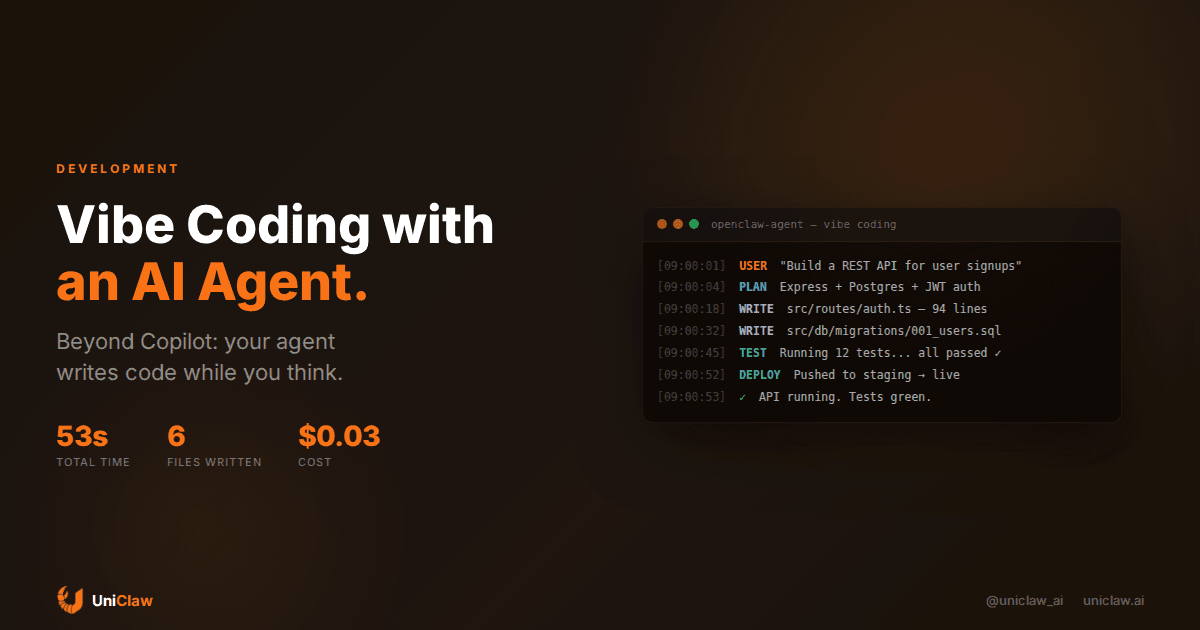
Real vibe coding is when you describe what you want in plain language, and an AI agent builds it end-to-end. It scaffolds the project, writes the files, runs the tests, fixes the failures, and deploys. You think, the agent codes.
The gap between "autocomplete in your editor" and "an agent that actually builds things" is enormous. And an always-on AI agent is the missing piece that most vibe coding setups don't have.
What vibe coding actually looks like
Andrej Karpathy's original description was simple: you describe what you want, the AI writes the code, and you mostly just approve or redirect. You "give in to the vibes" and let the AI handle implementation details.
In practice, this splits into two camps.
Camp 1: IDE copilots. Cursor, GitHub Copilot, Windsurf. You sit in your editor, the AI suggests code, you accept or reject line by line. You're still driving. The AI is a fast passenger who sometimes grabs the wheel.
Camp 2: AI agents. You send a message like "build me a signup API with email verification." The agent plans the architecture, creates files, writes tests, runs them, and reports back when it's done. You review the output, not the process.
Camp 2 is where things get interesting. And it's where an always-on AI agent changes the game.
The problem with copilots
I'm not here to trash Copilot or Cursor. They're good tools. But they have a limitation that people keep ignoring: they only work when you're at your computer, in your IDE, actively coding.
Think about that for a second. You have access to an AI that can write code. But it only works during the 4-6 hours a day you're sitting at your desk with VS Code open. The other 18 hours? Nothing happens.
That's like hiring a contractor who only works when you stand behind them watching.
Copilots are also reactive. They wait for you to type something, then suggest a completion. They don't go off and research the best approach, scaffold the boilerplate, or figure out why the test suite broke at 2am. You have to be the engine. The copilot is just the turbo.
For quick edits, that's fine. For building entire features from a description? You need something different.
An AI agent that codes while you're away
The idea behind using an always-on AI agent for vibe coding is straightforward: you describe what you want, the agent builds it, and you review the result on your own schedule.
Here's a concrete example. Say you're building a SaaS product and you need a webhook handler for Stripe events. With a copilot, you open your editor, create the file, start typing, and the copilot fills in pieces. You probably spend 30-45 minutes getting it right, looking up the Stripe docs, writing tests.
With an AI agent, you send a message from your phone: "Add a Stripe webhook handler for subscription events. Use the existing PaymentService. Write tests." Then you go make coffee. Or go to bed. The agent reads your codebase, checks the Stripe API docs, writes the handler, adds error handling, writes the tests, runs them, and pushes a commit. When you check back in, there's a PR waiting.
That's vibe coding with an agent. You described the vibe, and the agent handled the rest.
What makes agent-based vibe coding different
There are a few things that separate this from just using a chatbot with a code interpreter.
The agent has your codebase. An agent running on UniClaw has persistent access to your project files. It knows your directory structure, your naming conventions, your existing code patterns. It doesn't start from zero every conversation.
It runs on its own machine. This matters more than you'd think. The agent can install dependencies, run build tools, execute test suites, spin up local servers. It has a real shell, not a sandbox. When it writes code, it can immediately verify that the code actually works.
It's always on. You can message it at 11pm with "fix the failing CI pipeline" and go to sleep. The agent investigates, finds the issue, commits a fix, and verifies CI passes. You wake up to a green build.
It remembers context across sessions. Tell the agent about your architecture decisions, your preferred patterns, which libraries you like. It writes that to memory files and references them next time. Your coding partner remembers your preferences, which is more than you can say about most human coworkers.
The security question nobody asks
Here's something that bothers me about most vibe coding setups: where is your code going?
When you use a cloud-based AI coding tool, your entire codebase gets sent to someone else's servers. Every file, every API key that accidentally ended up in a config, every proprietary algorithm. It all goes over the wire.
With an agent running on a dedicated machine (like a UniClaw instance), the code stays on that machine. The only thing that leaves is the prompt to the AI model. Your codebase, your environment variables, your database credentials don't get shipped to a third party.
Georgia Tech's Vibe Security Radar tracked 35 CVEs attributed to AI-generated code in March 2026 alone. That's up from 6 in January. The security risks of vibe coding are real, and they get worse when your code is bouncing between cloud services. Keeping the execution environment isolated and under your control is the minimum baseline.
Setting up vibe coding with an AI agent
If you want to try this, here's what a real setup looks like.
1. Give your agent access to your repo. Clone your project into the agent's workspace. On UniClaw, this is just the standard workspace directory. The agent can read, write, and execute anything in there.
2. Set up your toolchain. Make sure the agent's machine has your language runtime (Node, Python, Go, whatever), your package manager, and any build tools you use. UniClaw machines come with most common runtimes pre-installed.
3. Connect your messaging. The whole point is that you message the agent from wherever you are. Telegram, Discord, Slack, WhatsApp. Pick whatever you actually use. The agent reads your message and starts working.
4. Give it your conventions. Write an AGENTS.md file (or whatever your agent supports) that describes your coding standards. Preferred frameworks, testing approach, commit message format, PR conventions. The agent reads this before every task.
5. Start small. Don't ask it to rebuild your entire backend on day one. Start with "add input validation to the signup endpoint" or "write unit tests for the PaymentService class." Build trust incrementally.
What works and what doesn't
After a few months of using this workflow, here's my honest assessment.
Works well:
- Boilerplate and scaffolding. New endpoints, CRUD operations, migration files. The agent knocks these out in under a minute.
- Test writing. Especially when the code already exists. The agent reads the implementation and writes matching tests. This alone saves hours per week.
- Bug investigation. "The /users endpoint returns 500 sometimes." The agent reads logs, traces the issue, and often fixes it without help.
- Documentation. README updates, API docs, inline comments. Tedious work that the agent handles happily.
Doesn't work well:
- Complex architecture decisions. The agent can suggest approaches, but it shouldn't be deciding your database schema or service boundaries solo. That's still your job.
- Performance optimization. It can profile and identify bottlenecks, but the tradeoffs involved in optimization require context the agent doesn't have.
- Anything touching production data. Let the agent code and test. Don't give it write access to your production database. Obvious? You'd be surprised.
The cost math
People ask about cost, so here's a real breakdown. An AI agent running on UniClaw starts at $12/month for the hosting. Model costs depend on usage, but for a typical vibe coding workflow (maybe 20-30 coding tasks per day), you're looking at $30-60/month in API spend with Claude Sonnet or a similar model.
Call it $50-70/month all-in.
Compare that to how much developer time you save. Even if the agent only handles the boring 30% of your coding work, and you bill at any reasonable rate, it pays for itself in the first day of each month.
The real shift
Here's what I think people miss about vibe coding: it's not about writing code faster. It's about changing when and how code gets written.
With a copilot, code gets written when you sit down to write it. With an always-on agent, code gets written when you think of something that needs building. Walking the dog and realize you forgot to add rate limiting? Message the agent. Lying in bed and remember the API needs pagination? Send a text.
Your ideas turn into code at the speed you have them, not at the speed you sit down at your desk. That's the actual vibe shift.
The tools are ready. The models are good enough. The remaining bottleneck is deployment: getting an AI agent running somewhere persistent, secure, and always on. That's exactly what UniClaw does. Set up an agent, connect your repo, and start coding by vibes.
Or keep hitting tab in your editor. Your call.
Ready to deploy your own AI agent?
Get Started with UniClaw