
How to Monitor Your AI Agent (Without Watching It 24/7)
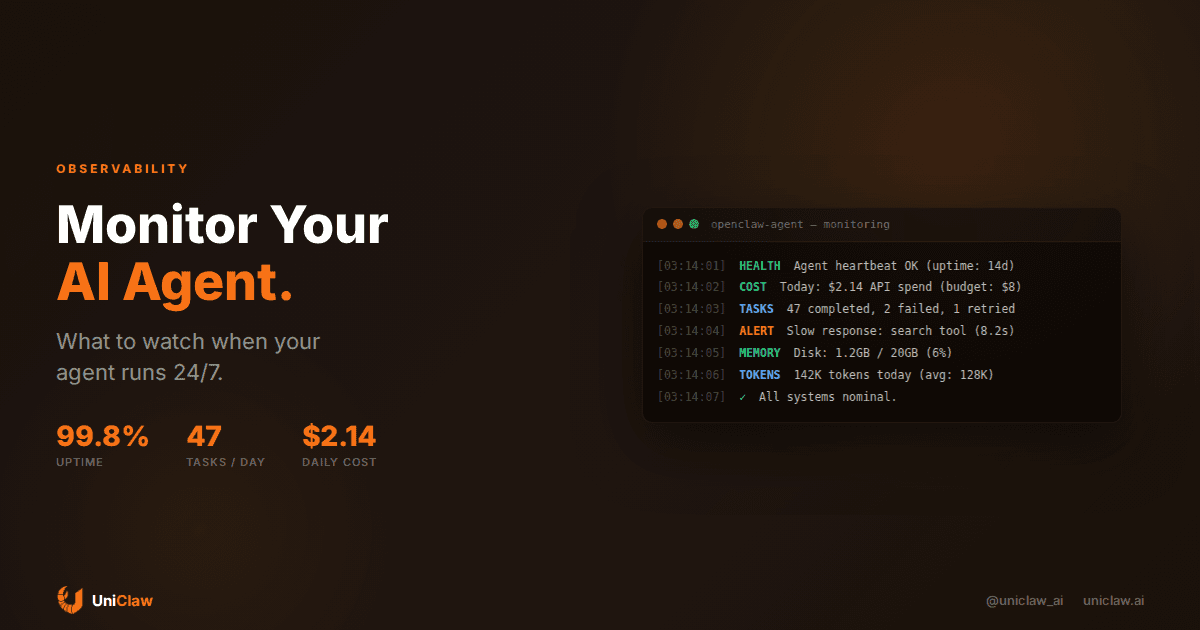
Your AI agent runs 24 hours a day. It checks your email at 3 AM, deploys code while you eat lunch, and answers customer questions on a Saturday. You set it up, walked away, and now you're wondering: how do I know it's actually doing a good job?
This is the problem nobody talks about when they sell you on AI agents. Setting one up is the easy part. Knowing whether it's working well, burning money, or quietly making mistakes? That's where it gets interesting.
I've been running always-on agents for months now. Here's what I actually track, what I ignore, and what almost bit me because I wasn't paying attention.
The difference between monitoring and babysitting
If you're checking your agent every hour, you don't have an autonomous agent. You have a chatbot with extra steps.
Real monitoring means setting up signals that tell you when something is off, then ignoring the agent the rest of the time. You want to know about the exceptions, not the routine. Think of it like smoke detectors in your house: you don't stand in the kitchen staring at the ceiling, but you want to know if something starts burning.
The goal is confidence, not control. You should be able to go about your day knowing that if something goes wrong, you'll hear about it.
What to actually watch
After running agents in production for a while, I've landed on five things that matter. Everything else is noise.
1. Cost per day
This is the one that sneaks up on you. API costs for language models are usage-based, and an agent that's doing its job will use tokens all day long. That's fine, until it gets stuck in a loop or starts retrying a broken tool call fifty times.
I set a daily budget threshold. If my agent's API spend crosses $8 in a day when the average is $2-3, something is wrong. Maybe a tool is timing out and the agent keeps retrying. Maybe a conversation went sideways and the context window ballooned.
The fix is simple: track daily spend and set an alert. Most model API dashboards (OpenRouter, OpenAI, Anthropic) have usage pages, but those are account-wide. For per-agent tracking, you want your hosting platform to break it down. UniClaw's dashboard shows per-agent cost in real time, which saves you from spreadsheet forensics.
2. Task success and failure rates
An agent does things: sends emails, writes files, searches the web, runs code. Some of those actions succeed and some fail. A healthy agent has a failure rate under 5%. If that number creeps up, something changed.
Common causes: an API key expired, a website changed its layout, a tool server went down, or the agent's prompt drifted after a model update. You won't catch these by reading logs manually. You catch them by watching the ratio.
I look at this weekly. A sudden spike means something broke. A gradual climb means the agent's environment is degrading, maybe an MCP server is getting flaky or a rate limit got tighter.
3. Heartbeat and uptime
Is the agent alive? Sounds basic, but it matters more than you'd think. Agents can crash silently. The process dies, the machine runs out of memory, or a dependency update breaks something.
A heartbeat is just a periodic check-in. The agent pings a health endpoint, or runs a scheduled task, or writes to a log. If the heartbeat stops, you get alerted.
On UniClaw, this is handled automatically: the platform monitors agent processes and restarts them if they go down. If you're self-hosting, you need to set this up yourself with something like systemd watchdogs or a cron-based health check.
4. Response latency
How long does your agent take to respond? If it usually replies in 3 seconds and suddenly takes 30, something is wrong. Maybe the model API is slow, a tool call is hanging, or the agent's context has gotten so large that every request is expensive.
I don't obsess over milliseconds. I care about order-of-magnitude changes. 2 seconds to 4 seconds? Fine. 2 seconds to 20 seconds? Investigate.
Latency creep is also a sign of growing context. If your agent's memory files are getting huge, every session loads more data, and responses slow down. Periodic memory cleanup helps here.
5. What the agent is actually doing
This one is less about metrics and more about occasional spot-checks. Every week or two, I read through a few of my agent's recent task logs. Not every task, just a sample.
I'm looking for: Did it interpret my instructions correctly? Did it take reasonable actions? Did it stop when it should have? Is it sending messages I wouldn't want sent?
This is the qualitative side. Numbers tell you if something is broken. Reading the logs tells you if the agent is being good at its job. There's a difference between an agent that completes a task and one that completes it well.
What I don't bother tracking
Some things sound important but aren't worth the effort:
Token counts per request. Unless you're doing cost optimization at scale, the daily total is enough. Individual request token counts are noise.
Model version changes. If your agent works, it works. I only investigate model-level changes when behavior shifts noticeably, not preemptively.
Every single log line. Agents generate a lot of output. Reading it all is a waste of time. Set up alerts for errors and anomalies, then ignore the happy path.
The mistake that almost got me
About two months in, I noticed my agent's daily cost had been creeping up slowly over three weeks. From $2 to $2.50 to $3.20 to $4.80. Nothing dramatic enough to trigger my alert threshold, but clearly trending up.
Turns out the agent's memory files had grown significantly. Every session was loading more context, which meant more input tokens, which meant higher costs. The agent was working fine, doing exactly what I asked. It was just getting more expensive because it was accumulating memories without pruning old ones.
The fix was adding a periodic memory cleanup: the agent now reviews its own memory files every few days and removes things that aren't relevant anymore. Costs went back to normal.
Watch for slow trends, not just sudden spikes. A 10% daily increase doesn't look like much until you check back after a month.
Building a monitoring setup
If you're using a managed platform like UniClaw, most of this is built in. You get uptime monitoring, cost tracking, and process management out of the box. The agent runs on a dedicated machine with automatic restarts, and the dashboard shows you what you need without digging through raw logs.
If you're self-hosting, here's the minimum viable setup:
Cost tracking: Use your model provider's API to query daily usage. Write a script that runs every morning and sends you a summary. Set a threshold alert in whatever notification system you use (email, Slack, Discord).
Uptime monitoring: Run your agent under a process manager (systemd, PM2, or Docker with restart policies). Add a cron job that pings a health endpoint every 5 minutes. If it fails three times in a row, alert.
Task logging: Have your agent write structured logs: timestamp, task type, success/failure, duration, cost. Store them in a file or simple database. A weekly summary script can flag anomalies.
Spot checks: Put a recurring reminder on your calendar. Every week, spend 10 minutes reading recent agent activity. That's it.
This whole setup takes maybe two hours to build. After that, you spend about 15 minutes per week on monitoring. The rest of the time, your agent just works.
You probably don't need an observability platform
There's a growing industry around AI agent observability. Specialized dashboards, trace viewers, evaluation frameworks, governance platforms. If you're running forty agents across an enterprise, sure, some of that tooling earns its price.
But for one to three agents in a personal or small-team setup? A $249/month observability product is overkill. You need a cost alert, an uptime check, and the discipline to read your agent's logs once a week.
Monitoring an AI agent is not that different from monitoring any background software: is it up, is it working, is it costing what I expect? That's it.
Trust isn't binary
People ask me "how do you trust your AI agent?" as if it's a yes-or-no question. It's more like trusting a new employee. You watch their work, verify results, and gradually hand off more responsibility as they earn it.
Monitoring is what makes that possible. Without it, you're either micromanaging (which defeats the purpose) or crossing your fingers (which is how you get a surprise $400 API bill).
The best version of this is forgetting about your agent for days, then checking in and seeing that everything ran fine. And when something isn't fine, you find out quickly enough to fix it before anyone notices.
Start with one metric
If you're running an AI agent and not monitoring it at all, start with cost tracking. Just that. It will catch most problems because cost anomalies are downstream symptoms of almost everything that can go wrong: loops, broken tools, bloated context, runaway retries.
Add uptime checks when you get around to it. Then weekly log reviews. Build up from there.
Or skip the DIY route: UniClaw runs your agent on a dedicated cloud machine with built-in health monitoring, automatic restarts, and cost tracking in the dashboard. Starts at $12/month. Setup takes a couple minutes.
Your agent works the night shift. Least you can do is check in once in a while.
Ready to deploy your own AI agent?
Get Started with UniClaw