
How to Deploy an AI Agent to the Cloud in 2026: The Complete Guide
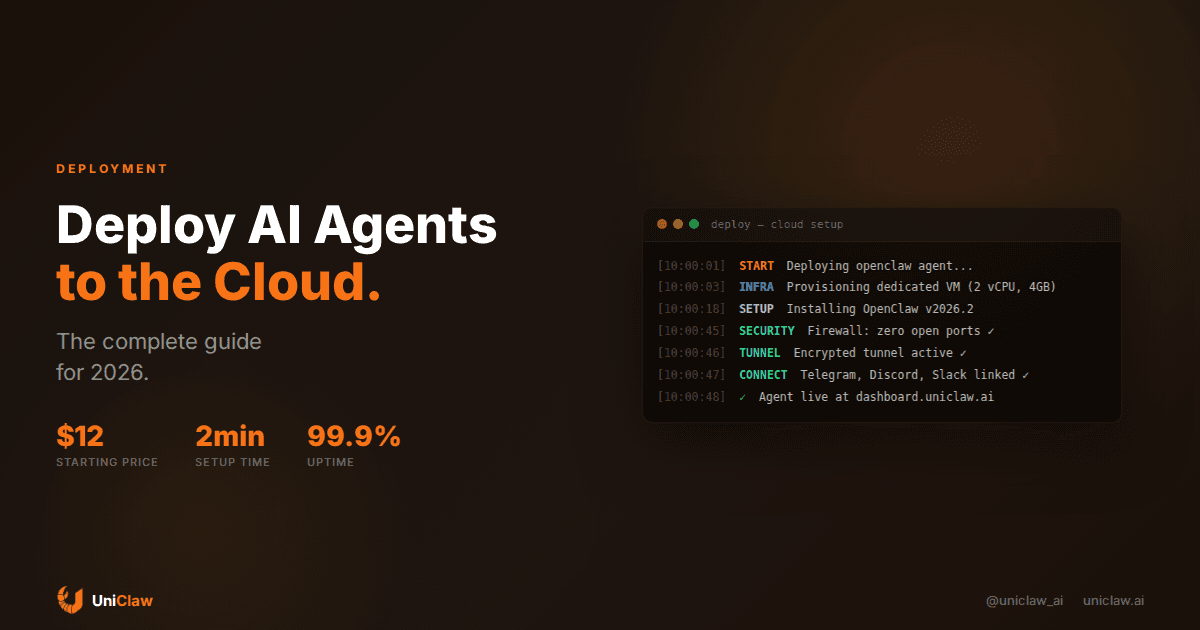
Running an AI agent on your laptop is fun for testing. Running one in production — reliably, securely, 24/7 — is a different challenge entirely.
In 2026, the AI agent space has matured enough that there are real options for cloud deployment. This guide breaks down every approach, from bare-metal VPS to managed platforms, so you can make the right choice for your use case.
Why Cloud Deployment Matters
Local AI agents have three fatal flaws:
- They stop when your machine stops. Close your laptop, lose your agent.
- They share your resources. Your agent competes with everything else you're doing.
- Security risk. An agent with shell access on your personal machine is one bad prompt away from disaster.
Cloud deployment solves all three. Your agent gets dedicated resources, runs continuously, and operates in an isolated environment where mistakes are contained.
Option 1: DIY VPS Hosting
The classic approach. Rent a virtual server, install your agent, manage everything yourself.
Best VPS Providers for AI Agents
| Provider | Starting Price | Best For |
|---|---|---|
| Hetzner | ~$4/mo | Budget European hosting |
| DigitalOcean | ~$6/mo | Developer-friendly |
| Linode | ~$5/mo | Reliable, good docs |
| Vultr | ~$5/mo | Global locations |
| Hostinger | ~$5/mo | Beginners |
What You Need
For most AI agents (including OpenClaw), the minimum specs are:
- 1 CPU core (2+ recommended)
- 1GB RAM (2GB+ recommended)
- 20GB storage
- Ubuntu 22.04+ or Debian 12+
The AI model runs remotely (via API), so you don't need a GPU. Your server is just the orchestration layer.
Setup Process
A typical VPS deployment for OpenClaw looks like:
# Update system
sudo apt update && sudo apt upgrade -y

# Install Node.js
curl -fsSL https://deb.nodesource.com/setup_22.x | sudo -E bash -
sudo apt install -y nodejs

# Install OpenClaw
npm install -g openclaw

# Configure
openclaw configure

# Run as a service
sudo systemctl enable openclaw
sudo systemctl start openclaw
The Hidden Costs
VPS pricing looks cheap, but factor in:
- Time: 2-4 hours initial setup, ongoing maintenance
- Security: You're responsible for firewall rules, SSH hardening, updates
- Monitoring: If it crashes at 3am, you're the one fixing it
- Scaling: Need more power? Manual migration
- Updates: Every OpenClaw update requires manual intervention
Option 2: Container Platforms
Docker-based platforms like Railway, Fly.io, or Render let you deploy containers with less ops overhead.
Pros
- Easier than bare VPS
- Auto-restart on crash
- Built-in logging
- Scaling options
Cons
- Container environments can be restrictive for AI agents
- Persistent storage is tricky (agents need to save files)
- Networking limitations (agents often need outbound access)
- Cost can escalate quickly with persistent compute
AI agents are fundamentally different from web apps. They need persistent state, file system access, and long-running processes — things containers weren't designed for.
Option 3: Managed AI Agent Platforms
This is the newest category, purpose-built for the AI agent era.
UniClaw
UniClaw takes a unique approach: instead of containers or serverless functions, every agent gets a full dedicated virtual machine.
What you get:
- Complete Linux machine (not shared, not containerized)
- OpenClaw pre-installed and configured
- Zero-exposure firewall (no open ports)
- Encrypted tunnel access
- Multi-platform messaging (Telegram, WhatsApp, Discord, Slack)
- Web dashboard for management
- App publishing to public URLs
- AI credits via OpenRouter (or BYO API key)
Pricing: $12-132/month depending on compute tier
Why it works for agents: AI agents need the full capabilities of a real computer. UniClaw gives them exactly that, without the ops burden.
How UniClaw Compares
| Feature | DIY VPS | Containers | UniClaw |
|---|---|---|---|
| Setup Time | 2-4 hours | 30-60 min | 2 minutes |
| Maintenance | You | Partial | Managed |
| Security | You | Partial | Built-in |
| Persistent Files | ✅ | ⚠️ | ✅ |
| 24/7 Uptime | Manual | Auto-restart | Managed |
| Messaging Apps | Manual config | Manual config | Built-in |
| App Publishing | Manual (nginx etc.) | Platform-specific | One command |
| Cost | $4-10/mo + time | $5-25/mo | $12-132/mo |
The Architecture That Works
After helping hundreds of users deploy AI agents, here's what we've learned about what works:
1. Dedicated Compute
Shared environments cause problems. Your agent needs predictable resources.
2. Persistent Storage
Agents maintain state — memory files, project files, databases. Ephemeral storage kills agents.
3. Network Isolation
Agents with shell access are powerful but dangerous. A proper firewall isn't optional.
4. Messaging Integration
The best agents are accessible from where you already are — Telegram, WhatsApp, Slack.
5. Automatic Recovery
Agents crash. The platform should handle restarts without human intervention.
Making Your Decision
Choose DIY VPS if:
- You enjoy infrastructure management
- You need maximum customization
- Budget is the primary concern
- You have DevOps experience
Choose containers if:
- Your agent has simple, stateless needs
- You're already on Railway/Fly.io
- You need horizontal scaling
Choose UniClaw if:
- You want to focus on what your agent does, not where it runs
- You need built-in messaging integration
- Security is important but you don't want to manage it
- You want the simplest path to a 24/7 AI agent
Getting Started Today
The barrier to running your own AI agent has never been lower. Whether you choose a $5 VPS and a weekend of setup, or a one-click deploy on UniClaw, the result is the same: an AI agent that works for you around the clock.
The question isn't whether to deploy an AI agent. It's how soon.
Follow us on X: @uniclaw_ai
Ready to deploy your own AI agent?
Get Started with UniClaw