
How to Connect Your AI Agent to Every App You Use
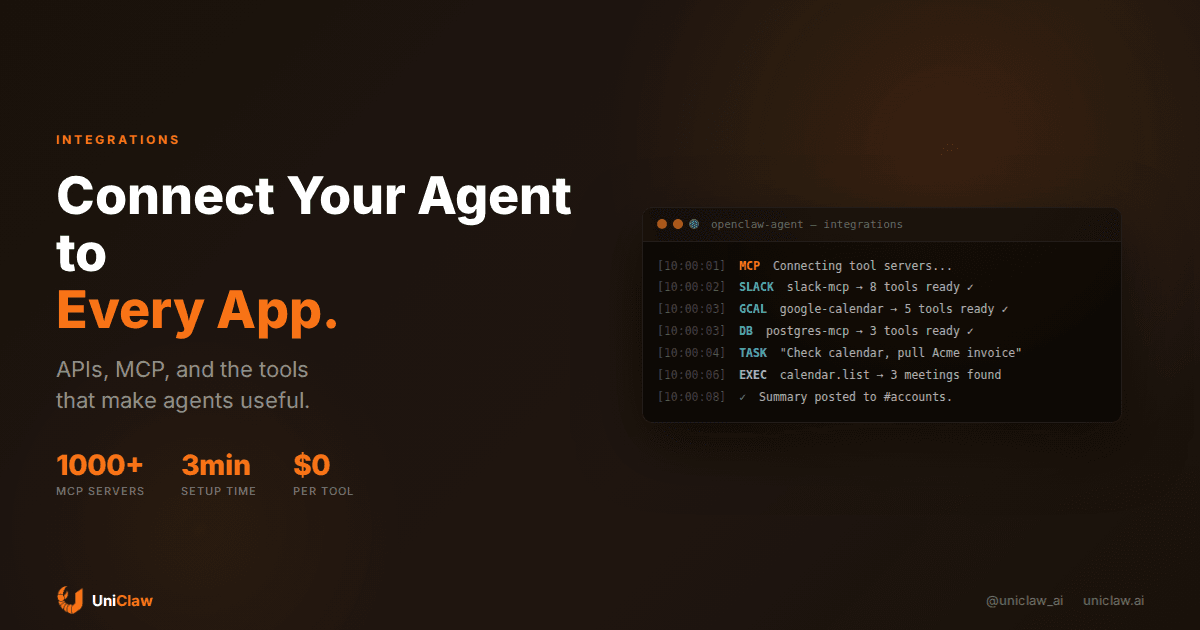
An AI agent that can't touch your actual tools is just a chatbot with a nicer resume.
I keep running into the same problem when people set up their first agent. They get it talking, maybe reading files, maybe even browsing the web. Then they realize: it can't create a calendar event. It can't update a Jira ticket. It can't post to Slack without someone copy-pasting the response. And suddenly the "autonomous agent" needs a human middleman for everything useful.
The gap between "agent that talks" and "agent that does things" comes down to integrations. Let me explain what actually works.
Most agents are stuck in a sandbox
Out of the box, most AI agents can do exactly two things: generate text and read text. Some can run code in a sandbox. A few can browse the web. That's the ceiling.
But the stuff you want automated lives elsewhere. Your email is in Gmail. Your tasks are in Linear or Notion. Your deploys go through GitHub Actions. Your team communicates on Slack or Discord. Your data sits in Postgres or a spreadsheet somewhere.
An agent without access to these systems is like hiring someone who can think really well but isn't allowed to touch a keyboard. Great opinions, zero execution.
Three ways agents connect to tools
There are basically three approaches, and they're not all equal.
Direct API calls. You write code that hits an API endpoint, and the agent calls that code as a "tool" or "function." This works fine when you have one or two integrations. Then it falls apart. Every API has different auth, different rate limits, different data formats. You end up maintaining a pile of custom wrappers, and each one breaks independently when the upstream API ships a breaking change. Ask me how I know.
Automation platforms (Zapier, Make, n8n). Thousands of app connectors, which sounds great. The catch: they're designed for trigger-based workflows, not for an AI agent that needs to call tools on demand and use the response. You can hack around this with webhooks, but the agent needs to fire a request, wait, get a response, and feed that into its next decision. Most automation platforms weren't built for that loop.
MCP (Model Context Protocol). This is what actually works for agents. MCP is an open protocol that lets agents discover and call tools through a standard interface. Think of it like USB for AI: you plug in a server, the agent sees what tools are available, and it calls them. Auth, discovery, input/output formats are all handled by the protocol.
OpenClaw supports MCP natively. You point it at an MCP server, it connects, and your agent can use whatever tools that server provides. No custom wrapper code. No webhook gymnastics.
What this looks like in practice
Say you want your agent to read and send Slack messages, check your calendar and create events, and query a Postgres database for customer data.
With direct API calls, you'd need to implement OAuth flows for Slack and Google, write API wrappers for each service, handle token refresh, and build a Postgres query tool with proper parameterization. That's a weekend of work minimum, plus another weekend debugging auth issues three weeks later.
With MCP, you install three servers (open-source ones exist for all of these), add them to your config, and restart. The agent connects, discovers available tools, and uses them.
Here's what the config looks like for OpenClaw:
{
  "mcpServers": {
    "slack": {
      "command": "npx",
      "args": ["-y", "@anthropic/mcp-slack"],
      "env": { "SLACK_BOT_TOKEN": "xoxb-..." }
    },
    "google-calendar": {
      "command": "npx",
      "args": ["-y", "@anthropic/mcp-google-calendar"],
      "env": { "GOOGLE_CREDENTIALS": "/path/to/creds.json" }
    },
    "postgres": {
      "command": "npx",
      "args": ["-y", "@anthropic/mcp-postgres"],
      "env": { "DATABASE_URL": "postgres://..." }
    }
  }
}
After that, your agent handles requests like: "Check my calendar for tomorrow, find meetings with Acme Corp, pull their latest invoice from the database, and post a summary to #account-management on Slack." One sentence, three services, zero manual steps.
What to connect first
If you're just starting out, don't wire up 20 tools on day one. Here's the order that made the most sense for me:
Messaging first. Connect your agent to wherever your team talks (Slack, Discord, Telegram). This is how you'll communicate with it and how it'll report back. If your agent can't reach you, nothing else matters.
Calendar second. This surprised me with how useful it turned out to be. Your agent can check for scheduling conflicts, remind you about upcoming meetings, create events when you ask. "Schedule a 30-minute call with Sarah next Tuesday afternoon" becomes a real action instead of a thing you have to go do manually.
Task manager third. Linear, Notion, Todoist, Jira, whatever you use. Letting your agent read and create tasks means it can track work. You can tell it to create a follow-up task after every meeting, and it will, every single time, without forgetting.
Then go deeper into email, databases, file storage, deployment pipelines. But start with those three and get comfortable before expanding.
Auth is the worst part (some ways to make it less bad)
Authentication is where most people get stuck. Every SaaS product has its own OAuth flow, and agent-based auth is weird because there's no browser to redirect to.
Some practical advice:
Use service accounts for internal tools. For Postgres, internal APIs, anything behind your firewall: API keys stored in environment variables. Simpler than OAuth by a mile.
For OAuth services, do the browser dance once. Tools like Google Calendar need OAuth tokens. Go through the auth flow in a browser, save the refresh token, and let your MCP server handle renewal from there. Most servers do this automatically.
Keep secrets out of the agent's context window. Pass credentials through environment variables that the MCP server reads. The agent never sees raw API keys in its conversation. This matters because conversation logs get stored, and you don't want tokens sitting in a text file.
Rotate credentials. Your agent runs 24/7 with access to real systems. Treat its credentials like production server credentials. Rotate keys, use least-privilege permissions, check access logs occasionally.
When things break
Integrations fail. APIs go down, tokens expire, rate limits get hit. Some things to have in place:
Retry logic. Most MCP servers handle transient errors (429s, 503s) automatically. Check that yours does. A temporary blip shouldn't crash your agent's workflow.
Honest failure messages. When your agent can't reach a tool, it should say so directly. "I tried to check your calendar but Google's API is returning errors. I'll try again in a few minutes." That's way better than silently failing or making up an answer.
Usage monitoring. Keep an eye on which tools your agent calls and how often they fail. UniClaw shows tool usage in the dashboard, so you can spot a broken integration before your agent quietly stops doing half its work.
The goal isn't zero failures. It's noticing them fast and recovering without human intervention when possible.
Where this is going
A year ago, "AI agent" mostly meant a chatbot that could call a search API. Now agents are booking meetings, filing expense reports, deploying code, managing support queues. The models got better, sure. But what really changed is that the integration layer caught up. There are MCP servers for hundreds of services now, and connecting a new one takes minutes instead of days.
Every app you connect to your agent removes a manual step from your day. That's really all it is. Not magic, not AGI. Just software that can use other software on your behalf.
If you're running an OpenClaw agent on UniClaw, you can configure MCP servers directly from your agent's workspace. The platform handles hosting, security, and uptime. Plans start at $12/month, and you can connect as many tools as your workflow needs.
Your agent is ready to do more than talk. Give it access to the tools and get out of the way.
Ready to deploy your own AI agent?
Get Started with UniClaw