
How to Choose the Right AI Model for Your Agent (Claude vs GPT vs Gemini)
Most people choosing an AI model for their agent start by reading benchmark leaderboards. That's a mistake. Not because benchmarks are useless, but because they measure the wrong things for the work agents actually do.
I've spent months running agents on Claude, GPT, Gemini, and a handful of open-source models. What I've learned about picking the right one is less straightforward than any comparison chart suggests.
What agents need vs. what benchmarks test
Benchmarks test math problems, code generation on isolated functions, and multiple-choice trivia. Agents do things like read a 40-message Slack thread, figure out what someone actually wants, call three different APIs in the right order, and write a response that doesn't sound robotic.
Those are different skills. A model that tops MMLU might fumble a simple multi-step task because it can't hold context across tool calls. A model that ranks lower on HumanEval might be better at following a complex SKILL.md file with fifteen conditional rules.
The gap between "scores well on paper" and "works well as an agent brain" is real, and it's wider than you'd expect. What actually matters:
Tool calling reliability. Your agent calls tools constantly. Search the web, read a file, send a message, check a calendar. Every tool call has a specific JSON schema the model needs to follow exactly. Some models are rock-solid at this. Others hallucinate parameter names or forget required fields, and your agent breaks at 3 AM with nobody watching.
Long context handling. Agents accumulate context fast. A morning routine might load memory files, scan emails, check calendars, and read previous conversations — easily 30,000+ tokens before the agent even starts working. The model needs to actually use that context, not just accept it and quietly ignore the first half.
Instruction following. Agents run on system prompts, skill files, and user preferences. A model that "creatively interprets" your instructions is a liability. When your AGENTS.md says "don't send emails without approval," the model needs to respect that every single time. Not 95% of the time. Every time.
Cost per token. Agents aren't one-shot. They run all day, sometimes making 50-100 API calls. A model that costs 10x more per token adds up fast when your agent is processing emails at 6 AM and monitoring Slack at 3 PM.
The actual contenders in 2026
Enough theory. Let's talk about specific models and where they land for agent work.
Claude (Anthropic)
Claude Sonnet is probably the best general-purpose agent model right now. Tool calling is consistent, it follows complex instructions without drifting, and it handles long system prompts well. When I give it a 2,000-word SKILL.md with conditional logic and edge cases, it usually nails the details.
Claude Opus is for tasks that need deeper reasoning. Research, analysis, complex multi-step planning. It costs more, but for high-stakes agent work — writing reports, making decisions with real consequences — you can feel the quality difference.
The downside: Claude can be wordy. Left unchecked, your agent's Slack messages will read like blog posts. Tune your prompts to keep responses tight.
Pricing: Sonnet runs about $3/M input tokens, $15/M output. For a typical agent doing moderate work, expect $30-60/month.
GPT-4o and GPT-4.1 (OpenAI)
GPT-4o is fast and cheap. For high-volume, straightforward agent tasks — triaging emails, answering simple questions, formatting data — it gets the job done at a fraction of the cost. Response latency is low, which matters when your agent sits in a Slack channel where people expect quick answers.
GPT-4.1 improved tool calling and instruction following significantly. It's competitive with Sonnet for many agent tasks.
Where GPT models can struggle: very long system prompts and complex multi-step reasoning chains. They sometimes lose track of earlier instructions when context gets deep. I've seen GPT-4o "forget" a rule from the system prompt by turn 15 of a conversation.
Pricing: GPT-4o is one of the cheapest capable models. A busy agent might spend $15-25/month.
Gemini (Google)
Gemini 2.5 Pro has a massive context window — over a million tokens. If your agent needs to ingest entire codebases, long document archives, or months of chat history, Gemini handles it without flinching.
Gemini Flash is the speed option. Very fast, very cheap, decent quality. Good for agents that do lots of small tasks where you want low latency and low bills.
The tradeoff: tool calling with Gemini can be less reliable than Claude or GPT in my testing. The format sometimes drifts, especially with complex nested schemas. If your agent uses simple tools, you probably won't notice. If it calls APIs with deeply nested JSON parameters, you might.
Pricing: Flash is dirt cheap. Pro is mid-range. A mixed setup — Flash for routine tasks, Pro for complex ones — can be very cost-effective.
Open-source (Llama, Qwen, Mistral)
Running your own model means zero API costs after hardware. For privacy-sensitive deployments where data can't leave your network, self-hosting is the only real option.
Reality check: open-source models are improving fast, but they still trail the big commercial models on tool calling and complex instruction following. Llama 4 and Qwen 3 can handle basic agent tasks. They need more prompt engineering and tend to make more mistakes on multi-step workflows.
You'll also need hardware. A 70B parameter model requires 40GB+ of VRAM. That's a $2,000+ GPU or cloud GPU instances running $1-3/hour.
Where self-hosted works well: single-purpose agents with well-defined tasks, high-volume workloads where API costs would be astronomical, or environments with strict data residency rules.
Mix your models
You don't have to pick one model for everything.
On UniClaw, you can set a default model and override it per task or per cron job. A setup I like:
- Daily routine stuff (email scan, calendar check): Gemini Flash or GPT-4o. Fast, cheap, reliable enough.
- Writing tasks (drafting emails, creating reports): Claude Sonnet. Better prose, more careful with nuance.
- Complex analysis (research, multi-document work): Claude Opus or Gemini Pro. Worth the extra spend.
- Quick Q&A in team chat: GPT-4o. People don't want to wait 8 seconds for a Slack reply.
This cuts costs by 40-60% compared to running everything on one expensive model. And honestly, the results are better because each model plays to its strengths.
How to actually test this
Don't trust benchmarks. Don't trust blog posts (this one included). Test with your actual workload.
Pick your top 5 agent tasks. The things your agent does most. Email triage, Slack monitoring, calendar management, web research, report writing — whatever your agent spends its day on.
Run each task on 2-3 models. Same prompt, same tools, same context. Compare what comes out.
Track what matters:
- Did it call the right tools with correct parameters?
- Did it follow system prompt rules without exceptions?
- How long did each response take?
- How much did it cost in tokens?
- Would you actually send this output to a colleague?
Run for a week, not an hour. Single tests don't catch drift. Models sometimes work fine initially but degrade over long conversations or after dozens of tool calls. Give it a full week to see the cracks.
Speed matters more than you think
When your agent is in a Slack channel and someone asks a question, a 2-second response feels natural. A 15-second response and people start wondering if it crashed. A 45-second response and they've already Googled the answer themselves.
Fastest options right now: Gemini Flash (consistently under 2 seconds for simple tasks), then GPT-4o (2-4 seconds), then Claude Sonnet (3-6 seconds), with Opus and Gemini Pro trailing at 5-15 seconds on complex work.
If your agent is mostly chat-based, lean toward faster models. If it runs overnight batch tasks while you sleep, quality matters more than speed.
What it actually costs
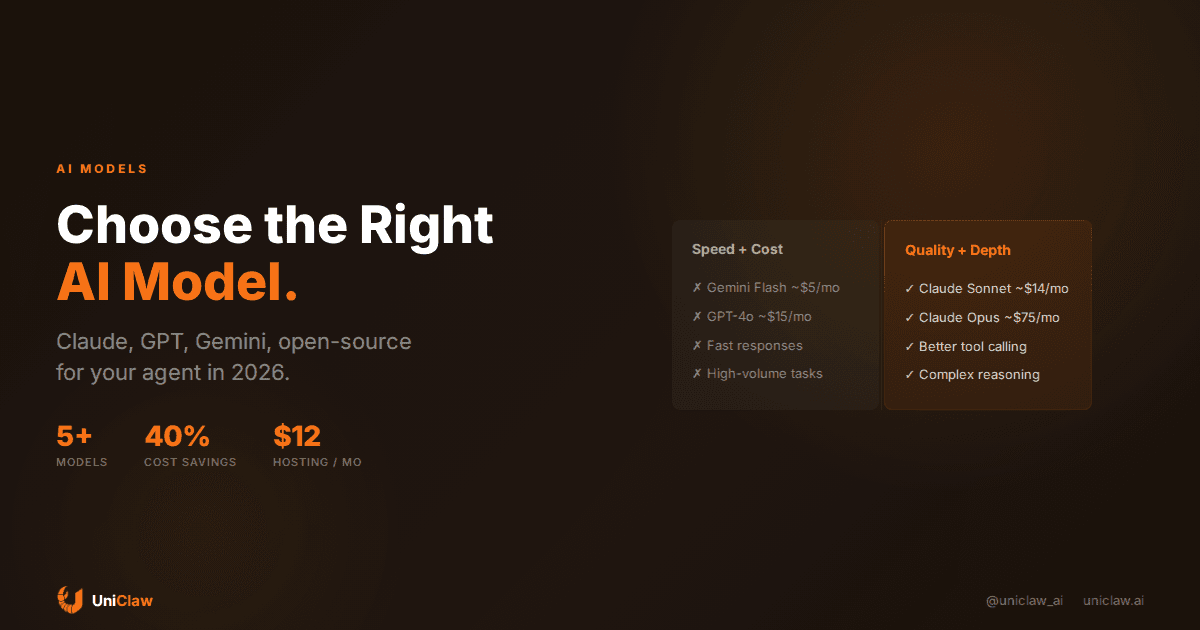
A moderately active agent, roughly 2M input tokens and 500K output tokens per month:
| Model | Monthly cost |
|---|---|
| Gemini Flash | ~$5 |
| Claude Sonnet | ~$14 |
| GPT-4o | ~$15 |
| Gemini Pro | ~$25 |
| Claude Opus | ~$75 |
Add $12/month for UniClaw hosting and you're looking at $17-87/month total. That's less than most SaaS tools — for an assistant that works around the clock.
Just pick one and start
If you're starting out, use Claude Sonnet. Best balance of reliability, instruction following, and writing quality for agent work. Optimize later.
If you're on a budget, GPT-4o or Gemini Flash for the everyday stuff, Sonnet reserved for writing and analysis.
If you need speed above all, Gemini Flash for interactive chat.
If privacy is non-negotiable, self-host Llama 4 or Qwen 3. Expect to invest time in prompt tuning.
Switching models is easy. On UniClaw you change one line in your config. No lock-in, no migration. Try something for a week, see if it works, swap if it doesn't.
Your agent doesn't care which model it runs on. It cares about clear instructions, good tools, and a system prompt that tells it what to do. Get those right, and most modern models will do the job.
Deploy your agent on UniClaw — pick any model, bring your own API keys or use built-in credits, running on a dedicated machine with zero-exposure security. Starts at $12/month.
Ready to deploy your own AI agent?
Get Started with UniClaw