
How to Build Custom Skills for Your AI Agent (With Real Examples)
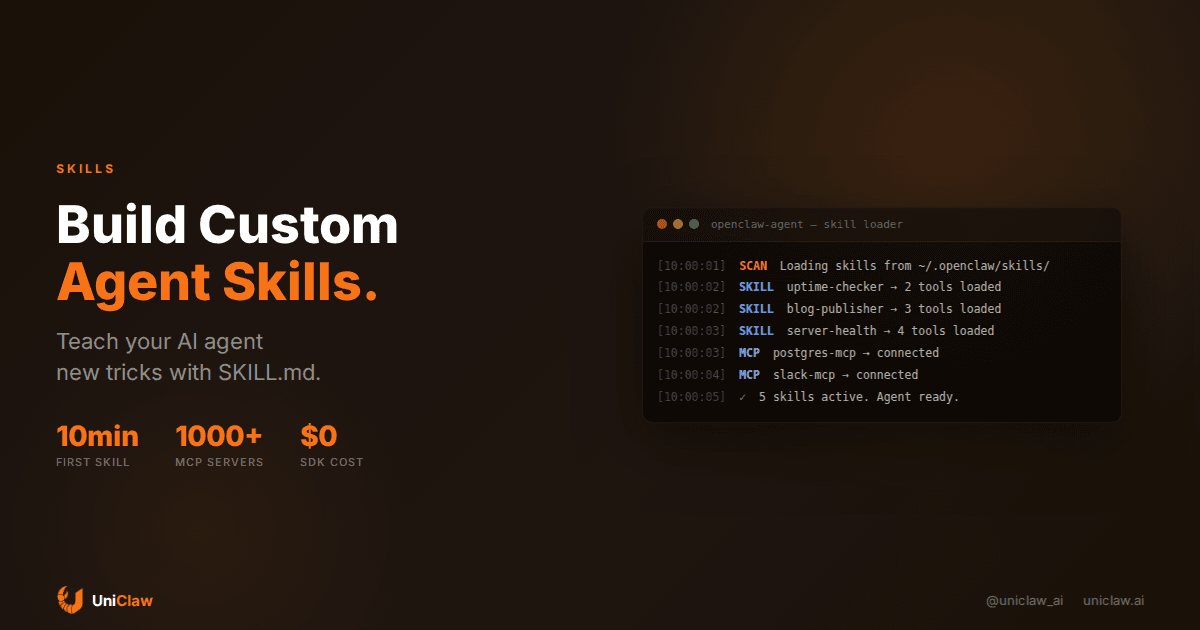
Most people set up an AI agent, connect it to a chat platform, and stop there. The agent can search the web, read files, maybe send a message. Fine. But it's like buying a Swiss Army knife and only using the bottle opener.
Custom skills change that. A skill is a set of instructions and tools that teach your agent something new. Blog publishing, server monitoring, home automation, Twitter management, whatever you need. You write it once, and the agent knows how to do it forever.
I've been building skills for OpenClaw agents for months. Some worked great on the first try. Others broke in ways I didn't expect. Here's what I've learned.
What a skill actually is
A skill is just a folder with a Markdown file and (optionally) some scripts.
That's it. No SDK. No compilation step. No framework to learn. You write SKILL.md describing what the skill does, what tools it can use, and how to use them. The agent reads it when it needs to, the same way a new employee reads documentation.
A typical skill folder looks like this:
~/.openclaw/skills/my-skill/
├── SKILL.md          # Instructions for the agent
├── scripts/
│   └── deploy.sh     # Helper scripts (optional)
└── templates/
    └── config.yaml   # Reference files (optional)
The SKILL.md file is the only required piece. Everything else is there if you need it.
Your first skill in 10 minutes
Let's say you want your agent to check if your website is up and alert you when it's down. Here's the full skill:
---
name: uptime-checker
description: Monitor website uptime and alert on downtime.
allowed-tools:
  - exec
  - message
---

# Uptime checker

Check if the target URL responds with HTTP 200 within 10 seconds.

## How to check

Run this command:
```bash
curl -o /dev/null -s -w "%{http_code}" --max-time 10 https://yoursite.com
If the status code is not 200, send a message to the user: "⚠️ yoursite.com returned HTTP {code} at {time}"
If the connection times out, send: "🔴 yoursite.com is unreachable (timeout after 10s)"
When to check
Run this during heartbeat cycles, roughly every 30 minutes.
That's a working skill. Save it as `~/.openclaw/skills/uptime-checker/SKILL.md`, and the agent picks it up. Pair it with a cron job or a heartbeat check, and you have a free uptime monitor running on your own machine.

No Datadog subscription. No PagerDuty. Just an agent that curls your site and texts you if something breaks.

## Skills that connect to APIs

The simple stuff is nice, but skills get interesting when they talk to external services. Here's a pattern I use constantly: wrapping a REST API as a skill so the agent can interact with it conversationally.

For example, a blog management skill might look like this:

```markdown
---
name: blog-manager
description: Create, edit, and publish blog posts via REST API.
allowed-tools:
  - exec
  - read
  - write
---

# Blog management

Base URL: https://api.yourblog.com/v1
Auth: Bearer token from $BLOG_API_KEY

## Create a post

POST /posts with JSON body:
- slug (required): URL-safe string
- title (required): Post title
- content (required): Markdown body
- tags: array of lowercase strings

## Publish a post

POST /posts/:id/publish

## Upload an image

POST /upload-image (multipart/form-data, field name: "image")
Returns: { "url": "https://..." }
Now you can tell your agent "write a blog post about X and publish it" and it knows exactly which endpoints to hit, what format to use, and in what order. The agent reads the skill, plans the steps, executes them.
I've seen people build skills for Notion, Linear, Airtable, Shopify, just about any API with decent documentation. The pattern is always the same: describe the endpoints, provide authentication details, explain the workflow.
MCP servers: when skills need more power
Sometimes curl and shell scripts aren't enough. Maybe you need a persistent database connection, or you want to stream data, or the API requires a specific client library.
MCP (Model Context Protocol) servers solve this. An MCP server exposes tools as a structured API that the agent can discover and call. It's basically a plugin system with a standard interface.
You can write an MCP server in any language. Here's a minimal one in Node.js that gives your agent access to a PostgreSQL database:
// mcp-server-postgres/index.js
import { McpServer } from "@modelcontextprotocol/sdk/server/mcp.js";

const server = new McpServer({ name: "postgres" });

server.tool("query", { sql: z.string() }, async ({ sql }) => {
  const result = await pool.query(sql);
  return { content: [{ type: "text", text: JSON.stringify(result.rows) }] };
});
Point your agent at this server, and now it can query your database directly. Ask it "how many users signed up this week?" and it writes the SQL, runs it, and gives you the answer.
OpenClaw supports both stdio-based MCP servers (running as local processes) and HTTP-based ones (running anywhere). UniClaw manages the networking for you if you're using their hosted platform, so your MCP servers can run on your agent's machine without exposing any ports.
Skills I actually use every day
After building a bunch of these, a few ended up running every single day:
Weather skill. Sounds trivial. But my agent checks the weather during morning heartbeats and mentions it if I should grab a jacket. Two API calls to wttr.in, wrapped in a skill, and it actually saves me from getting rained on.
Blog publisher. The agent writes posts, generates cover images, uploads them, and publishes. The skill file is about 60 lines describing the API endpoints. The agent handles the rest, including SEO metadata and image formatting.
Server health checker. Runs during heartbeats. Checks disk space, CPU load, memory, SSL cert expiry. Texts me if anything looks wrong. Replaced a $30/month monitoring service.
Git workflow helper. The agent knows how to check repo status, stage changes, write commit messages, and push. I use it for documentation repos where I want automatic commits when files change.
None of these are complicated. Each one is a SKILL.md file between 30 and 80 lines. But stack ten of them on an agent running 24/7, and you start to wonder how you ever managed without it.
Common mistakes (I made all of them)
Being too vague in SKILL.md. If you write "use the API to do stuff," the agent will guess. And guessing means hallucinated endpoints and wrong auth headers. Be specific. Include exact URLs, exact request formats, exact error codes.
Forgetting error handling. Your skill should say what to do when things fail. "If the API returns 429, wait 60 seconds and retry once. If it returns 5xx, alert the user and stop." Without this, the agent will retry in a tight loop or silently fail.
Making skills too big. A 500-line SKILL.md covering 20 different workflows is hard for the agent to follow. Split it up. One skill per domain. The agent can use multiple skills in the same task.
Not testing incrementally. Write the skill, test one operation, then add the next. I once wrote a full deployment skill in one shot. Spent two hours debugging because the agent was misreading one field name buried in paragraph 12.
Hardcoding secrets. Put API keys in environment variables, not in SKILL.md. The agent can read env vars. Your skill file might end up in a git repo.
How UniClaw makes this easier
If you're self-hosting OpenClaw, you manage everything yourself: the server, the skills folder, the MCP servers, the networking. That's fine if you like that kind of thing.
UniClaw handles the infrastructure. You get a dedicated cloud machine with OpenClaw pre-installed, zero-config firewall, and encrypted tunnels. Your skills run on your agent's machine. MCP servers stay local. Nothing is exposed to the internet unless you want it to be.
The setup takes about two minutes. You pick a plan starting at $12/month, connect your chat platforms (Telegram, Discord, WhatsApp, Slack), and start building skills. Your agent runs 24/7 with managed updates and automatic security patching.
For teams, this is particularly useful. Everyone connects to the same agent. Skills and memory persist across sessions. The agent accumulates knowledge about your codebase, your preferences, your workflows. It gets better the longer you use it.
Getting started
Here's what I'd recommend if you're building your first skill:
-
Pick something small and repetitive. Not "automate my entire business." More like "check if my SSL cert expires in the next 7 days."
-
Write the SKILL.md first. Describe exactly what the agent should do, step by step. Pretend you're writing instructions for a junior developer who's competent but doesn't know your setup.
-
Test it manually. Run the commands yourself before handing them to the agent. Make sure the API works, the auth is right, the output makes sense.
-
Deploy it. Drop the skill folder in
~/.openclaw/skills/(or wherever your agent looks for skills) and ask the agent to use it. -
Iterate. Your first version will have gaps. The agent will do something unexpected. Fix the SKILL.md, try again. After two or three rounds, you'll have something solid.
The MCP ecosystem is growing fast. There are already over a thousand community-built MCP servers on GitHub for everything from Slack to Kubernetes to home automation. Before building from scratch, check if someone's already done the hard part.
Custom skills are what turn a generic AI assistant into something that actually knows your setup. Your tools, your APIs, your weird internal naming conventions. The difference between "I have a chatbot" and "I have an AI coworker who knows where things are."
Build one skill this week. Something small and annoying that you do every day. I'll bet you build four more before the month is over.
Ready to deploy your own AI agent?
Get Started with UniClaw