
How to Test Your AI Agent Before Trusting It With Real Work
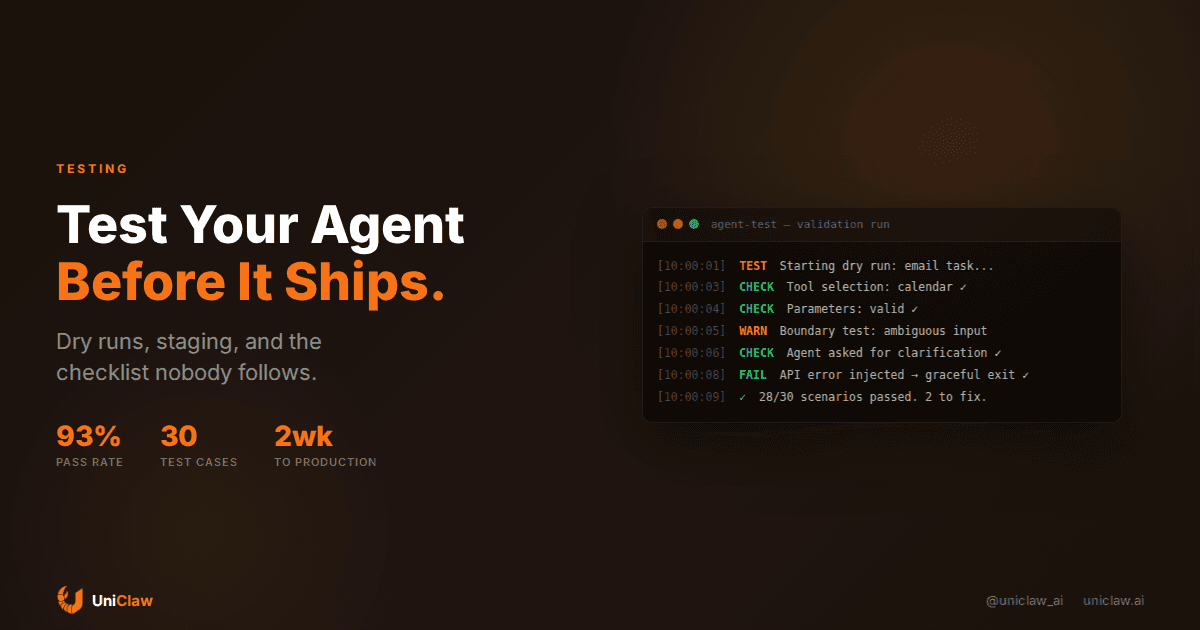
Every tutorial tells you how to build an AI agent. Almost none of them tell you how to test one.
That's a problem. You just gave a language model access to your email, your calendar, your files, maybe your codebase. It can send messages on your behalf, run shell commands, and make API calls. And you're going to... deploy it and hope for the best?
I've watched this play out firsthand. Someone ships an agent, it works fine for two days, then it sends an email to the wrong person, deletes a file it shouldn't have, or spends $47 on API calls chasing a hallucinated task. The fix is always the same: "I should have tested this first."
So let's talk about how to actually test an AI agent before you trust it with real work.
Why testing agents is different from testing software
Traditional software testing works because software is deterministic. You give it input A, you get output B. Every time. That's what unit tests rely on.
AI agents aren't like that. Give an agent the same prompt twice, you might get different tool calls, different reasoning chains, different outputs. The model is probabilistic. The context window shifts. The tools might return different data. So your tests have to account for that.
You're not testing "does this function return the right value." You're testing "does this agent generally do the right thing, and does it fail safely when it doesn't."
That's a fundamentally different problem.
Start with dry runs
Before your agent touches anything real, give it a dry-run mode. This means the agent goes through its full reasoning and tool selection process, but every external action gets intercepted and logged instead of executed.
In OpenClaw, you can do this with approval-gated exec. Every shell command, every API call, every file write requires explicit approval before it runs. Turn that on, give the agent a task, and watch what it tries to do.
Here's what you're looking for:
- Does it pick the right tools? If you ask it to check your calendar and it reaches for your email client, that's a problem.
- Does it construct correct arguments? An agent might call the right API but pass garbage parameters.
- Does the sequence make sense? Good agents don't jump straight to action. They read, plan, then execute.
- Does it know when to stop? Some agents loop forever if they can't find what they want.
Dry runs catch the biggest mistakes before they become real mistakes. I run every new agent configuration through at least five dry runs on varied tasks before I let it do anything unsupervised.
Build a test suite (but not the kind you're used to)
You need test cases, but they won't look like pytest. Here's what works:
Scenario tests. Write a short description of a task, the expected behavior, and what counts as a pass. Then run the agent against it and score the result.
Example:
Task: "Schedule a meeting with Alex for tomorrow at 2pm"
Expected: Agent checks calendar for conflicts, creates event, adds Alex
Pass if: Event created with correct time, Alex invited
Fail if: Wrong time, wrong person, no conflict check
Boundary tests. These are the scenarios where you're trying to trip the agent up. Ambiguous instructions, missing information, conflicting requirements. What does the agent do when the task is unclear? A good agent asks for clarification. A bad one guesses and charges forward.
Examples: "Move the meeting" (which meeting?), "Send that document to the team" (which document? which team?), "Update the numbers" (what numbers?).
Adversarial tests. What happens when a tool fails? When an API returns an error? When the model hallucinates a tool that doesn't exist? You want to see graceful failure, not a cascade of retries that burns through your API budget.
Permission boundary tests. Give the agent a task that requires actions outside its allowed scope. A well-configured agent should refuse or ask for permission, not try to find a workaround.
I keep a running spreadsheet of 20-30 scenario tests. Every time the agent fails in production, I add that scenario to the test suite. Over time, the test suite becomes a detailed map of everything that can go wrong.
Test the happy path and the failure path
Most people only test whether their agent can complete a task. That's half the job. You also need to test what happens when things break.
Kill the network mid-task. Return a 500 error from an API. Feed it a file that doesn't exist. Give it a task in a language it hasn't been prompted for.
What you want to see:
- The agent notices the failure
- It reports the failure clearly (not "something went wrong," but "the calendar API returned a 401, your token may have expired")
- It doesn't retry indefinitely
- It doesn't silently skip the failed step and continue as if nothing happened
That last one gets people. Your agent is supposed to send an email with an attachment, the file upload fails, and the agent just... sends the email without the attachment. Nobody checks until the recipient asks where the document is.
Use a staging environment
This one seems obvious but barely anyone does it. You have staging environments for your web apps. You should have one for your agent too.
Set up a second agent instance that connects to test accounts, not your real ones. A throwaway email address. A test calendar. A sandbox directory for file operations. A Slack workspace with just you in it.
Run your agent against real tasks in this staging environment for a week. Watch the logs. Read every action it takes. When it does something unexpected, figure out why and adjust.
On UniClaw, this is easy: spin up a second agent instance, connect it to your test accounts, and let it run. The cost is $12/month for the machine plus whatever API credits you burn during testing. That's cheaper than one bad email sent to your boss.
Monitor the first week in production
Testing doesn't end at deployment. The first week of production is still testing. You just moved from a controlled environment to a chaotic one.
During the first week:
- Keep approval gates on for any destructive actions (deleting files, sending external messages, running commands)
- Review the agent's action log daily
- Set up alerts for unusual behavior (too many API calls, repeated errors, actions at odd hours)
- Have a kill switch ready. On OpenClaw, you can disable the agent from your phone in seconds.
I usually start by letting the agent handle low-stakes tasks only. Reading and summarizing, drafting (but not sending), researching, organizing files. Once it proves it can handle those without surprises, I gradually open up more permissions.
The checklist before you go live
Before you take the training wheels off, run through this:
Access audit. What can this agent access? List every tool, every API key, every directory it can read or write. If something is on that list that shouldn't be, remove it now.
Rate limits. Does the agent have spending caps? On UniClaw, you can set budget limits per agent. Without limits, a confused agent can rack up hundreds of dollars in API calls overnight.
Notification setup. Will you know when something goes wrong? Set up alerts for errors, unusual activity, and cost spikes.
Rollback plan. If the agent breaks something, how do you undo it? For emails, you can't. For files, you can if you have backups. For code, you can if you're using version control. Think through the worst-case scenario for each action the agent can take.
Scope agreement. Write down (literally, in a file the agent can read) what it's allowed to do and what it's not. In OpenClaw, this goes in your AGENTS.md file. "You can draft emails but don't send them without asking." "You can edit files in /projects but never touch /system." Clear boundaries prevent ambiguous situations.
A testing workflow that actually works
Here's the process I use whenever I set up a new agent or add new capabilities to an existing one:
- Configure the agent with all approvals required
- Run 5 dry-run tasks, review every action
- Fix any issues, adjust prompts or permissions
- Run the 20-30 scenario test suite
- Fix failures, update test suite
- Deploy to staging, run for 3-5 days
- Review all staging logs, fix issues
- Deploy to production with approval gates
- Monitor daily for 1 week
- Gradually relax approval gates for proven actions
This takes about two weeks from start to fully autonomous. That feels slow. It's not. Two weeks of testing saves you months of cleanup from an agent that went sideways.
Stop shipping untested agents
Here's the thing about AI agents that people forget: they're not just code. They're code with authority. They act on your behalf, with your credentials, in your name. A bug in a web app shows users an error page. A bug in an AI agent sends your client a draft email that was supposed to be internal.
The bar for testing should match the bar for trust. If you wouldn't let an intern do something unsupervised on day one, don't let your agent do it unsupervised on day one either.
Test it. Stage it. Monitor it. Then trust it.
Your agent is only as reliable as the testing you put into it. And right now, most people are putting in zero. Don't be most people.
Setting up your first agent? UniClaw gives you a dedicated cloud machine, approval-gated actions, and full logging out of the box. Start testing at uniclaw.ai.
Ready to deploy your own AI agent?
Get Started with UniClaw