
How to Add an AI Agent to Your Team's Slack (Without Everyone Hating It)
We added an AI agent to our team Slack about four months ago. The first week was rough. People were confused, one person was actively trying to break it, and the head of engineering wanted it removed by Thursday.
By week three, half the team couldn't work without it. Getting there took more social engineering than technical setup, and most of the advice online skips the hard parts entirely.
The problem with dropping an AI into a group chat
Most people's first instinct is to add their AI agent to #general and let it respond to everything. This goes badly almost every time.
The agent floods the chat. It responds to messages nobody wanted a response to. It gives long, overly helpful answers to casual remarks. Someone says "ugh, Mondays" and the agent replies with a four-paragraph analysis of weekly productivity patterns.
Within two days, your team either mutes the channel or demands you remove the bot. I've seen this happen at three different companies now, mine included.
The fix isn't better prompting (though that helps). The fix is thinking about boundaries before you ever hit "add to channel."
Start with a dedicated channel
This sounds obvious, but people skip it constantly. Create a channel like #ai-agent or #ask-agent. Make that the agent's home. Anyone who wants to interact with it goes there.
People opt in. Nobody gets surprised by AI responses in their regular conversations. The people who find it useful will migrate there on their own.
At our company, #ask-agent became the second most active channel within two weeks. Not because we promoted it. People just got faster answers there than asking a colleague who was in a meeting.
Define when it should talk and when it should shut up
This is the part most teams skip, and it's the whole game.
Without clear rules, your agent will default to being helpful all the time. That sounds fine on paper but is exhausting in practice.
A starting point that's worked for us:
Talk when: directly @mentioned, when someone asks a question in the agent's channel, when a message matches a specific trigger like "can someone check..." or "what's the status of..."
Stay quiet when: casual conversation is happening, someone already answered, the message is in a channel the agent monitors but doesn't own.
With OpenClaw, you set this up through workspace files. The AGENTS.md file has a group chat behavior section. The agent reads those rules at the start of every session, so it actually follows them. Not "sometimes follows them when the prompt is long enough" — it reads the file, every time.
Give the agent a specific job
A vague mandate like "help the team" produces vague behavior. Narrow scope works better.
Some setups that have worked:
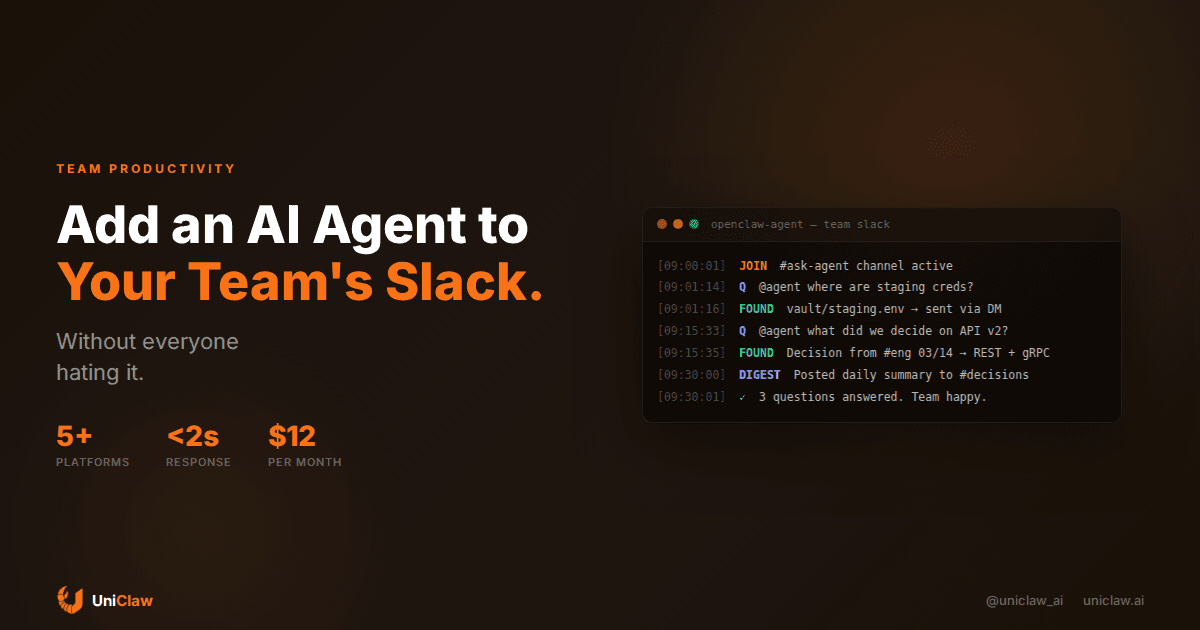
The documentation keeper. Agent monitors Slack for decisions and action items. End of day, it posts a summary to #decisions. No more "wait, what did we agree about the API format?" threads.
The onboarding assistant. New hire asks a question in #engineering? Agent searches internal docs, the codebase, and old Slack threads to find the answer. It doesn't replace the human mentor. It handles the "where are the staging credentials?" questions so senior engineers can focus on real onboarding.
The triage bot. Agent monitors #support and categorizes incoming requests. Urgent issues get flagged immediately with a ping. Routine questions get an automated first response while the support person catches up after lunch.
One thing well. Earn trust. Expand later.
The tone problem
AI agents default to a certain... quality. Overly polite. Overly thorough. Slightly robotic in a way that's hard to pin down but easy to feel.
In a team Slack, this stands out. Everyone else writes quick, casual messages. Abbreviations, inside jokes, half-sentences. Then the agent drops a four-paragraph response with perfect grammar and numbered bullet points. It feels like inviting a corporate consultant to your friend group.
The fix: configure your agent's personality. In OpenClaw, this is the SOUL.md file. If your team is casual, make the agent casual. If your team keeps things brief, tell the agent to keep responses under two sentences unless asked for more.
One of our team members said the turning point was when the agent started saying "yep" instead of "Yes, absolutely!" and "idk, let me check" instead of "I'm not certain about that. Let me investigate further."
Small adjustment. Completely changed how people felt about it.
Handling the skeptics
Every team has at least one. The person who's convinced the agent is going to leak secrets, give wrong answers, or somehow make their job worse.
You can't argue them out of it. They need to see it work.
What actually helped us:
Make everything visible. We set up a public #agent-log channel. Every action the agent takes shows up there. What tools it used, what decisions it made, what it read. Anyone can audit it in real time. Most people never look, but knowing they could look changes the dynamic.
Let people verify the guardrails. The agent asks before sending external messages. It flags when it's not confident. When it cites something, it links to the source. In OpenClaw, permission tiers let you control what the agent does autonomously versus what needs a human thumbs-up.
Invite the skeptics to break it. The fastest way to convert someone is to have them test edge cases. Either the agent handles them well (respect earned) or it fails (and you find a real gap to fix). Both are useful outcomes.
If your team uses more than one platform
Some teams run Slack internally but Discord for community. Or WhatsApp for quick messages when people are on the go.
If your agent only lives on Slack, every other platform becomes a dead zone. People message the agent on WhatsApp, get nothing, and assume it doesn't work.
This is where having a single agent on a dedicated machine matters. UniClaw runs your agent on its own cloud VM with connections to Slack, Discord, Telegram, and WhatsApp at the same time. Same agent, same memory, same personality regardless of where someone messages from.
I've tried the alternative — separate bots on each platform. You end up with fragmented memory, inconsistent answers, and triple the maintenance headaches. One agent, many channels, shared context. That's the setup that actually holds up.
The realistic timeline
First few days: Chaos. People test it with weird questions. Some love it immediately. Others complain. Your Slack will have some memorable screenshots from this period. Expect it, budget time for it.
Second week: You'll make your first big configuration changes. Too chatty? Dial it back. Responding in the wrong channels? Fix the rules. This is the iteration period where most teams give up. Don't. The agent isn't broken — it's just uncalibrated.
Third week: Things start clicking. Someone needs a past decision and the agent finds it in seconds. A new hire gets unstuck without waiting for a senior dev. You'll hear "oh wait, let me just ask the agent" in calls.
Fourth week: People stop thinking about it. They talk to the agent casually, without elaborate prompt-engineering. They just ask it stuff. That's the signal that it's working.
What you actually need to make this work
An always-on machine (the agent can't help your team if it only runs when someone opens a laptop). Multi-platform messaging, so people can reach it however they normally communicate. Configurable behavior rules, because every team has different norms. Permission controls, because "fully autonomous" is a bad idea for month one. And persistent memory, so the agent remembers what happened in yesterday's conversation.
UniClaw handles all of this. Dedicated cloud machine, pre-configured OpenClaw, connected to your team's messaging platforms, with zero-exposure security. Plans start at $12/month. Setup is about 10 minutes.
The infrastructure part is genuinely the easy part here. The harder part is getting your team comfortable with a new kind of participant in their daily conversations. That takes a few weeks and some patience.
Just start small
Don't wait for the perfect setup. Create a dedicated channel. Give the agent one job. Let your team interact with it for two weeks. Adjust.
You'll learn more from two weeks of real usage than two months of planning ever taught anyone.
Pick something simple: a daily standup summary. A question-answering bot for internal docs. A meeting notes compiler. Whatever removes friction for your team without trying to be everything at once.
Start at uniclaw.ai — you'll be up in minutes.
Ready to deploy your own AI agent?
Get Started with UniClaw