
How to Put Your Social Media on Autopilot With an AI Agent
You spend way too much time on social media. Not scrolling — managing. Writing posts, replying to comments, checking what competitors are up to, figuring out when to post for maximum reach. It adds up to hours every week, and most of it is repetitive enough that you resent doing it.
I've been experimenting with handing the boring parts to an AI agent. Not a scheduling tool like Buffer. Not a "social media management platform" with 47 tabs. An actual agent that reads your mentions, drafts replies, monitors competitors, schedules posts, and flags things that need your attention.
It works better than I expected. It also goes wrong in specific, predictable ways. This is what I've learned.
What an AI agent actually does with your social media
A social media scheduling tool posts content at times you pick. An AI agent does the thinking around it.
A typical morning for an agent running social media tasks:
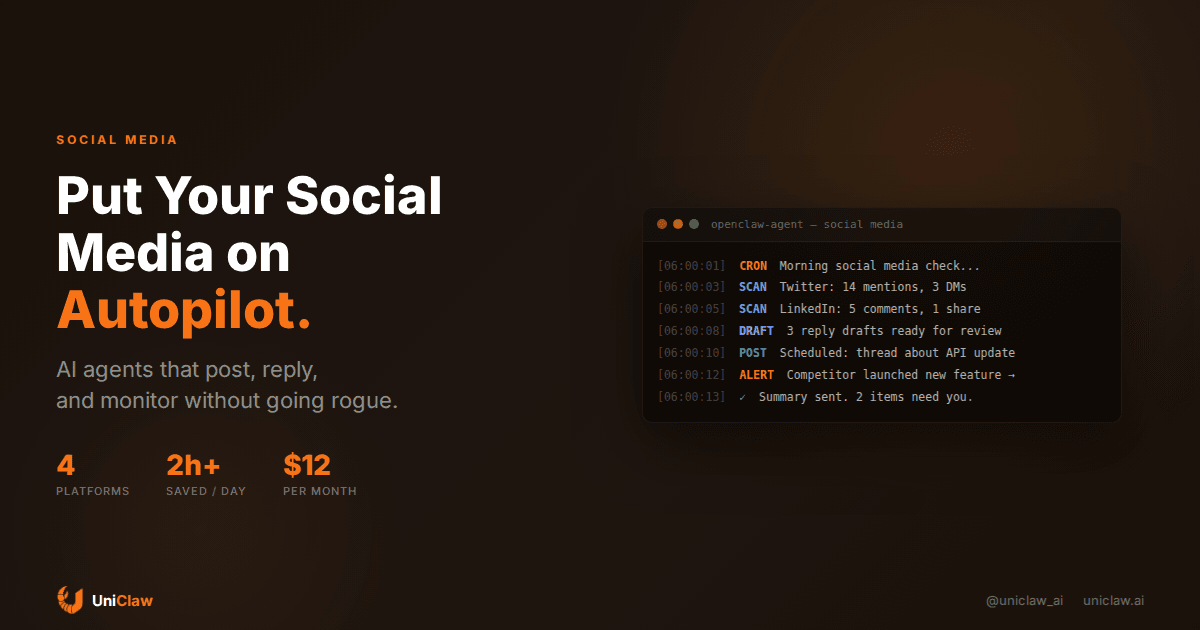
6:00 AM — It wakes up on a cron schedule. Checks Twitter mentions, LinkedIn notifications, Instagram DMs, wherever you've connected it.
6:01 AM — Reads every new mention, comment, and message. Categorizes them: spam, routine engagement (someone liked your post), questions that need a real answer, and anything that looks urgent.
6:02 AM — Drafts replies for the routine stuff. "Thanks for sharing!" responses, answers to FAQ-type questions, acknowledgments.
6:03 AM — Checks your content calendar. If there's a post scheduled for today, it preps it, pulls the copy from your notes, formats it for each platform, generates alt-text for images.
6:04 AM — Scans competitor accounts. Notices if anyone in your space launched something, posted a hot take, or got unusual engagement.
6:05 AM — Sends you a summary: "14 mentions (handled 11, 3 need you). Post scheduled for 10am. Competitor X announced Y."
Total human time required: about five minutes to approve the three things it couldn't handle and skim the competitor summary.
The tools that make it work
You need two things: an always-on agent and a way to connect it to social platforms.
For the agent itself, something like OpenClaw running on a dedicated machine works well. It needs to be on 24/7, because social media doesn't stop when you close your laptop. The agent runs scheduled jobs (cron), monitors feeds at intervals, and can be messaged via Telegram or Slack when you want to give it instructions on the fly.
For social platform access, you have options:
Twitter/X — The API still works for posting, reading mentions, and searching. Costs $100/month for Basic access, which gets you 10,000 tweet reads and 1,667 posts per month. For most small accounts, that's plenty. Some agents use browser automation as an alternative, but it's flaky.
LinkedIn — The official API is restrictive for personal accounts. Most people use browser-based posting through the agent's browser capabilities. It's slower but works.
Instagram — Meta's API supports business accounts. If you're using a personal account, you're back to browser automation.
Bluesky — Open API, no cost. Probably the friendliest platform for agents right now.
The agent connects to these via MCP (Model Context Protocol) tools or direct API calls, depending on the platform. On UniClaw, the agent comes with a browser built in, so even platforms without good APIs are accessible.
Content creation: where agents surprise you
I expected agents to be mediocre at writing social media posts. I was wrong about some types and right about others.
Where they're good: Reformatting long content into social-friendly posts. Give an agent your blog post and tell it to create a Twitter thread, and it does a decent job. Not perfect, but a solid first draft. Same with turning meeting notes into LinkedIn updates, or extracting quotable lines from podcasts.
Where they're okay: Writing original posts about topics you give them. The output reads fine, but it sounds generic unless you've spent time teaching the agent your voice. This means showing it 20-30 of your past posts and telling it explicitly what you like and don't like about each one.
Where they fall flat: Hot takes, humor, anything that requires genuine personality. Don't let your agent tweet spicy opinions without reviewing them first. I learned this the hard way when mine drafted a response to a competitor that was technically accurate but came across as hostile. Social media requires reading the room, and agents can't do that reliably.
The sweet spot is a workflow where the agent prepares everything and you approve or edit before publishing. Think of it as having a social media intern who never sleeps and drafts competently but needs you to add the personality.
Monitoring competitors without losing your mind
This is honestly where I get the most value. Manually checking what competitors are posting is tedious and easy to forget. An agent does it methodically.
Set it up with a list of competitor accounts and keywords to watch. Every morning (or every few hours, if you want), the agent scans their recent posts, notes anything with unusually high engagement, and flags new product announcements or messaging changes.
The summary might look like this:
Competitor roundup — April 18, 2026

@CompetitorA: Launched "AI Templates" feature. Post got 3x their
usual engagement. Pricing not announced yet.

@CompetitorB: Published blog post comparing themselves to us
(they got 3 things wrong). Link: [...]

@CompetitorC: Nothing notable. Regular posting schedule.
You'd need 30-45 minutes to gather this manually. The agent does it in under a minute and costs a few cents in API calls.
The reply problem (and how to not embarrass yourself)
Automated replies are where things get dangerous. Three approaches, ranked from safe to risky:
Tier 1: Draft and hold. The agent drafts every reply but sends none. You review and approve each one. Safe, but you're still doing manual work.
Tier 2: Auto-send simple replies, hold complex ones. Let the agent automatically post responses to straightforward engagement like answering a question that's clearly covered in your FAQ. Hold anything that's a complaint, involves a competitor, or requires judgment. This is where most people land.
Tier 3: Full autopilot. The agent handles everything, and you check the log periodically. Only works if your account is low-stakes and you've heavily tested the agent's judgment. I don't recommend this for any account where reputation matters.
The key setting is the approval workflow. On OpenClaw, you can configure the agent to message you on Telegram for approval before sending anything it's unsure about. The back-and-forth looks like a chat:
Agent: Drafting reply to @user123's question about pricing. Here's what I'd say: "Our starter plan is $12/mo, includes a dedicated cloud machine. Details at uniclaw.ai/pricing" — approve?
You: Yes, but add "happy to answer any questions"
Agent: Sent with your edit. ✓
That interaction takes 10 seconds. Multiply by 5-10 replies a day, and you're spending maybe two minutes instead of 30.
Setting up the content pipeline
A practical content pipeline for an AI agent:
Weekly planning. You spend 15 minutes on Sunday telling the agent what topics to cover this week. "Three Twitter posts about our new API feature, one LinkedIn article about AI agent trends, respond to any mentions of competitor X."
Daily execution. The agent writes drafts, schedules them based on when your audience is most active (it learns this from your analytics), and prepares the images or formatting.
Real-time monitoring. Throughout the day, the agent watches for mentions, DMs, and engagement. It handles the routine stuff and pings you for anything that needs a human touch.
Weekly recap. Friday, the agent generates a report: posts published, engagement numbers, follower changes, top-performing content, competitor activity. One document instead of logging into four different analytics dashboards.
What it costs
Breaking it down for a real setup:
- Agent hosting (UniClaw): $12/month for a dedicated cloud machine running 24/7
- AI model costs: $15-40/month depending on volume (Claude Sonnet handles social media well at ~$15/month for moderate use)
- Twitter API: $100/month for Basic (if you need API access; browser automation is free but less reliable)
- Other platform APIs: Usually free for basic posting
Total for a Twitter-focused setup: roughly $30-50/month without the Twitter API, or $130-150/month with it.
Compare that to a social media manager ($2,000-5,000/month) or even a scheduling tool like Hootsuite ($99/month) that still requires you to do all the thinking. The agent does more for less.
The mistakes I made (so you don't have to)
Not setting clear brand guidelines. Without explicit instructions about tone, the agent defaults to corporate-neutral. Write a style guide. Be specific: "We use informal language, occasional humor, never use exclamation points in more than 20% of posts, avoid buzzwords."
Auto-replying too aggressively. I initially set the agent to reply to every single mention. That included bot accounts, irrelevant tags, and people who were clearly just venting and didn't want a brand response. Now I filter: only reply to genuine questions and meaningful mentions.
Ignoring platform differences. A post that works on Twitter is wrong for LinkedIn. The agent needs separate instructions for each platform, not just different character limits, but different voice and content expectations. LinkedIn is more professional, Twitter is more casual, Instagram is more visual. Tell the agent this explicitly.
Forgetting to update the agent's context. Your product changes. Your messaging evolves. If the agent is working from stale information, it'll tweet about features you deprecated two months ago. Build in a weekly "context refresh" where you update its knowledge base.
Getting started
If you want to try this yourself, the minimal setup:
-
Get an always-on agent. UniClaw gets you a dedicated cloud machine with OpenClaw pre-installed for $12/month. The agent runs 24/7 and you talk to it via Telegram, Discord, Slack, or WhatsApp.
-
Connect your social accounts. Use MCP tools for platforms with APIs, browser automation for the rest. The agent's browser can log into your accounts and interact with them like you would.
-
Write your brand guidelines. Create a document the agent reads every session: your voice, your topics, your do-not-touch list, your competitors to watch.
-
Start with monitoring only. For the first week, have the agent only observe and report. Don't let it post or reply yet. Review its daily summaries and calibrate.
-
Graduate to draft-and-approve. Once you trust the summaries, let it draft replies and posts. Approve everything manually for another week.
-
Enable selective auto-posting. After two weeks of good drafts, enable auto-replies for low-risk interactions. Keep manual approval for original posts and anything involving competitors or complaints.
The whole ramp-up takes about three weeks. That patience at the beginning prevents the "my AI agent just insulted a customer" scenario that gives everyone nightmares.
Is it worth it?
For me, it saves about two hours per day. I went from spending 2-3 hours on social media management to about 15-20 minutes of review and approval. The quality is comparable, sometimes better, because the agent never forgets to post and never misses a mention.
The honest caveat: it only works this well because I spent time upfront teaching the agent my voice and setting guardrails. If you skip that part and let a generic agent loose on your accounts, you'll get generic results at best and PR problems at worst.
Social media is one of those tasks where an AI agent fits naturally. It's high-frequency, mostly routine, time-sensitive, and runs across multiple platforms. The judgment-heavy parts (brand voice, crisis response, creative direction) stay with you. Everything else? Let the agent handle it while you do actual work.
Ready to deploy your own AI agent?
Get Started with UniClaw