
How to Manage Secrets for Your AI Agent (Without Leaking Them to the World)
How to Manage Secrets for Your AI Agent (Without Leaking Them to the World)
Your AI agent needs API keys. Lots of them. It needs access to your email, your database, your cloud provider, your Slack workspace, maybe even your bank. And right now, most people handle this about as carefully as writing passwords on sticky notes.
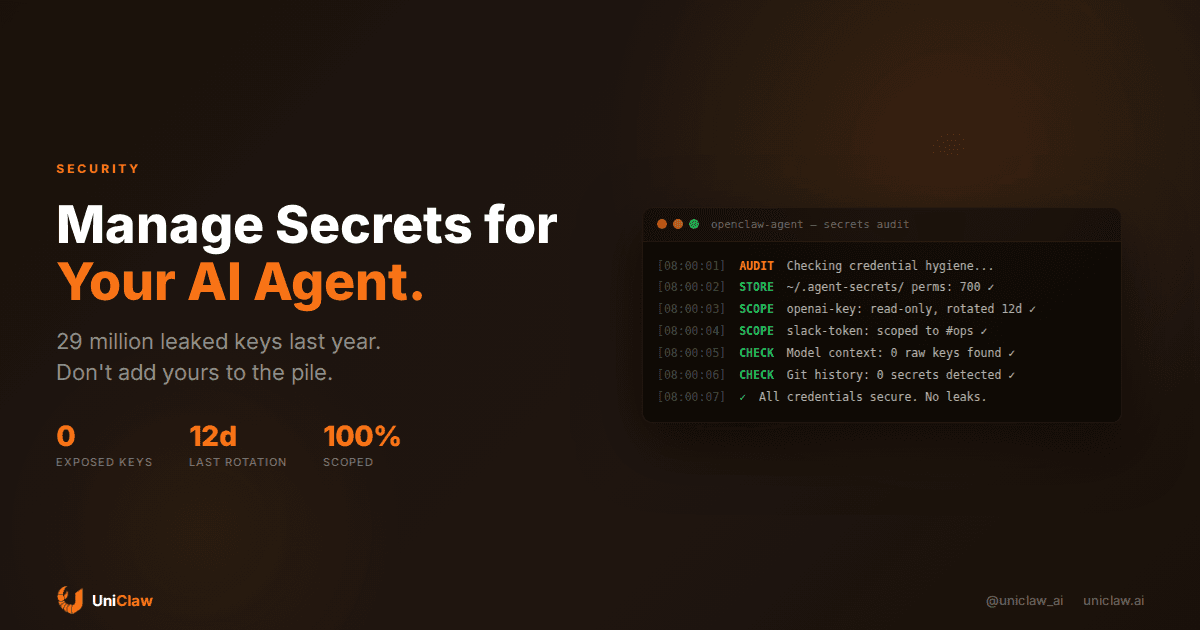
GitGuardian's 2026 report found 29 million hardcoded secrets leaked in public GitHub commits last year. That's a 34% jump from the year before. Even scarier: commits co-authored by AI coding tools leaked secrets at roughly double the baseline rate. The more we automate, the more credentials we create, and the more places they end up exposed.
If you're running an AI agent that touches real systems, you need to think about this seriously. Here's how.
The problem is worse than you think
A typical AI agent setup touches six to twelve different services. Email API, calendar, database, search, cloud storage, messaging platforms, maybe payment APIs. Each one needs a credential. That's six to twelve secrets that need to live somewhere your agent can reach them.
Most people do one of three things:
- Paste keys into a
.envfile and call it done - Hardcode them somewhere in config and hope nobody pushes it
- Store them in a shell profile that gets synced to dotfiles repos
All three work until they don't. The .env file gets accidentally committed. The config ends up in a Docker image layer. The dotfiles repo goes public because you forgot to check the visibility setting.
And with AI coding assistants generating code faster than humans can review it, secrets get copied into prompts, pasted into chat windows, and scattered across context that may or may not be logged by your model provider.
What "good" looks like for agent credentials
There's no perfect system, but good practice boils down to a few principles:
Separate secrets from code and config. Your agent's credentials should never sit in the same directory as your agent's code. If someone gets read access to your repo, they shouldn't get access to your keys.
Use environment variables as the transport layer, not the storage layer. Env vars are fine for passing secrets to a running process. They're bad as the canonical source of truth. Env vars get inherited by child processes, show up in /proc, and get dumped in crash reports.
Rotate on a schedule. Any key that's lived for six months is a key that's had six months of potential exposure. Set calendar reminders if nothing else.
Scope narrowly. Your email agent doesn't need database admin privileges. Your code review agent doesn't need access to production. Create service accounts with the minimum permissions each agent actually needs.
Practical setup: how I'd do it today
Here's a concrete approach that works for a single AI agent running on a dedicated machine (which is how UniClaw deploys them):
Step 1: Use a secrets file with strict permissions
Create a dedicated secrets directory that only your agent's user can read:
mkdir -p ~/.agent-secrets
chmod 700 ~/.agent-secrets
Store each secret in its own file:
echo "sk-abc123..." > ~/.agent-secrets/openai-key
echo "xoxb-..." > ~/.agent-secrets/slack-token
chmod 600 ~/.agent-secrets/*
Your agent loads these at startup. If someone compromises a less-privileged process on the same machine, they still can't read the secrets directory.
Step 2: Load secrets through a wrapper script
Instead of putting secrets in .bashrc or .env, use a launcher that injects them:
#!/bin/bash
export OPENAI_API_KEY=$(cat ~/.agent-secrets/openai-key)
export SLACK_TOKEN=$(cat ~/.agent-secrets/slack-token)
export DATABASE_URL=$(cat ~/.agent-secrets/database-url)
exec openclaw gateway start
The secrets exist in memory only for the running process. They don't persist in shell history, don't get logged, and don't show up in env output from other processes.
Step 3: Never pass secrets through the model
This is the one most people get wrong. Your agent's prompts and context windows should never contain raw API keys. If your agent needs to call an API, the key should be injected at the tool execution layer, not in the prompt itself.
In OpenClaw, this happens automatically. When the agent calls a tool, the runtime injects credentials from environment variables. The model never sees the actual key string. It just knows "call this tool with these parameters" and the infrastructure handles authentication separately.
Step 4: Use per-service keys and track them
Don't reuse keys across agents or services. If you have three agents, create three separate API keys for each service. Label them clearly:
openai-key-research-agentopenai-key-support-agentopenai-key-devops-agent
When one agent gets compromised or decommissioned, you revoke its specific key without affecting the others.
If you're running multiple agents
Things get more complex with multi-agent setups. Each agent should run as its own OS user with its own secrets directory. No shared credentials between agents unless absolutely necessary (and "convenient" doesn't count as necessary).
A secrets manager like HashiCorp Vault or Infisical makes sense once you're past three or four agents. Below that threshold, the filesystem approach above works fine and has fewer moving parts to break.
The pattern I recommend:
/home/agent-research/.agent-secrets/
/home/agent-support/.agent-secrets/
/home/agent-devops/.agent-secrets/
Each agent's process runs as its own user. Linux file permissions handle isolation. Simple, auditable, and nothing fancy to configure.
What about OAuth and token refresh?
Some APIs use OAuth with refresh tokens instead of static keys. This is actually better because tokens expire, but it introduces complexity: your agent needs to handle token refresh gracefully.
If your agent framework doesn't handle this (OpenClaw does), you need a sidecar process that manages token lifecycle. The agent gets fresh tokens on demand without storing long-lived credentials.
The worst thing you can do is store a refresh token in a .env file and hard-code the OAuth flow in your agent's prompt. I've seen this in the wild. It goes about as well as you'd expect.
The UniClaw approach
When you deploy an agent on UniClaw, secrets management is handled at the infrastructure level:
- Each agent runs on its own dedicated VM. No shared hosting, no container neighbors reading your memory.
- The firewall blocks all inbound connections by default. There's nothing to attack from the outside.
- Secrets are stored in an encrypted volume that only the agent's OS user can access.
- The agent runtime injects credentials at the tool execution layer, keeping them out of prompts and model context.
- All external communication goes through encrypted tunnels.
You bring your API keys, set them through the dashboard, and the platform handles the rest. No .env files sitting in repos, no accidental commits, no secrets traveling through model context.
Quick checklist
Before you deploy an agent with access to real systems, run through this:
- Secrets stored separately from code (different directory, different permissions)
- No credentials in shell history or dotfiles
- Each service has its own scoped key
- Keys are labeled by agent and purpose
- Model never sees raw credential values in prompts
- Rotation schedule exists (even if it's manual)
- You know which keys are active and where they're used
- Unused keys are revoked, not just forgotten
The 29 million lessons
That GitGuardian number isn't going down. AI coding tools generate more code, which creates more credentials, which leak in more places. The old advice of "just use a .env file" worked when you were the only one writing code. When an AI assistant is generating half your commits, the attack surface has changed.
Your agent isn't evil. It's just not careful. It doesn't know that the database URL in context is sensitive. It doesn't distinguish between "information I should share" and "credentials that must stay local." That separation has to happen at the architecture level, not by hoping the model figures it out.
If you take one thing away: keep secrets out of your agent's context window, scope them narrowly, store them properly, and assume everything eventually leaks. Build your system so that when a key does escape (and it will, eventually), the blast radius is small and the rotation is fast.
UniClaw gives every AI agent its own isolated machine with encrypted secrets storage, zero-exposure firewall, and credential injection that keeps keys out of model context. Deploy an agent that's secure by default at uniclaw.ai.
Ready to deploy your own AI agent?
Get Started with UniClaw