
How to Use an AI Agent as Your Research Assistant
How to Use an AI Agent as Your Research Assistant
Most people treat AI like a search engine with opinions. You type a question, get an answer, move on. But that's leaving most of the value on the table.
An AI agent that runs on its own machine, stays on around the clock, and has access to real tools can do something qualitatively different from a chatbot. It can research. Not "here are some bullet points" research. The kind where it reads 30 pages, cross-references sources, pulls data from your files, and hands you a brief you can actually use.
I've been running an OpenClaw agent that handles research tasks for about four months now. Some of what it does has surprised me. Some of it still frustrates me. Here's what I've figured out about setting up an AI agent as a real research assistant, and where the limits still bite.
What "research" actually means for an agent
When I say research, I don't mean asking Claude a question. I mean multi-step information gathering: the agent searches the web, reads full articles, checks multiple sources, pulls relevant documents from your files, and produces a synthesis. The kind of work that takes a human 2-4 hours and an agent 5-10 minutes.
A few examples from the past month:
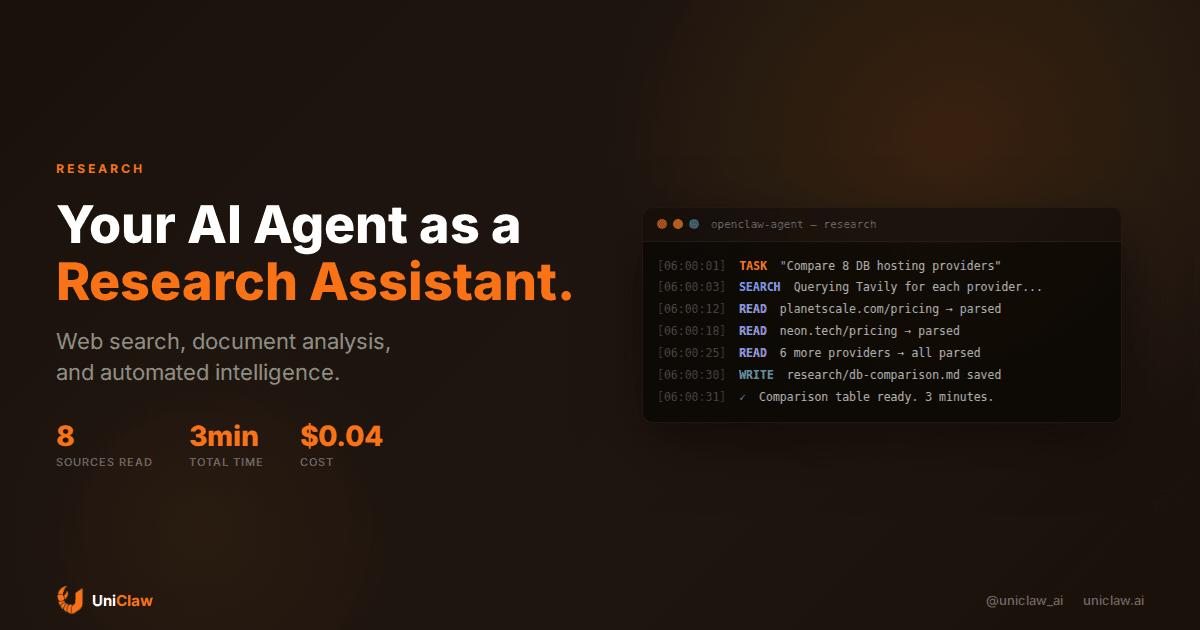
- I asked my agent to compare pricing and features of eight database hosting providers. It searched each provider's site, read their pricing pages, extracted the numbers into a comparison table, and flagged which ones had free tiers. Took about three minutes. It would have taken me most of an afternoon.
- Before a meeting with a potential partner, I asked it to research their company. It pulled their website, recent news articles, LinkedIn presence, funding history, and key people into a one-page brief. Some of the details were stuff I wouldn't have thought to look for.
- I had it read through a 40-page government regulation document, extract the sections relevant to our product, and summarize the compliance requirements. It found three requirements we'd missed.
None of this is magic. It's what a good human research assistant does. The difference is the agent works at 3am, costs pennies per task, and never forgets to check a source.
The tools that make research work
An AI model alone can't research anything. It can only recall what's in its training data, which is months or years old and full of gaps. For actual research, an agent needs tools.
The minimum:
Web search. The agent queries search engines and gets back real results. Not hallucinated URLs, but actual search results. MCP servers like Brave Search or Tavily give your agent this ability. When someone asks me "did your agent just make that up?" the answer is almost always no, because it searched for it first.
Web page reading. Search results give you snippets. For real research, the agent needs to open URLs and read the full content. A web fetch tool strips HTML into readable text. Some agents can even control a full browser, handling JavaScript-heavy pages and content behind logins.
File access. About half of my research requests involve internal information. "What did we decide about X in the design doc?" or "Check the contract for the termination clause." The agent needs read access to your documents. On OpenClaw, this works naturally because the agent lives on its own machine with its own filesystem.
Note-taking. Good research produces artifacts. The agent should save its findings somewhere, not just paste them into chat and let them scroll away. When my agent researches something, it writes the results to a markdown file I can reference later. It also means the agent can build on previous research without starting from zero every time.
How to give research instructions that actually work
The single biggest mistake: vague prompts. "Research competitors" returns garbage. "Research the top 5 competitors in the AI agent hosting market, focusing on pricing, supported platforms, and deployment speed" returns something you can use.
The structure I've settled on after a lot of trial and error:
What to find. Be specific. Names, numbers, comparisons, timelines. The more concrete, the better the output.
Where to look. Point the agent at specific sources when you can. "Check their pricing page" beats "find out what they charge."
What format you want. "Put it in a markdown table" or "write a one-page summary" or "bullet points, no fluff." This matters more than you'd expect. Without format guidance, agents default to meandering paragraphs.
What you'll use it for. Context changes how the agent prioritizes information. "I'm preparing for a sales call with their CTO" produces different research than "I'm writing a blog post about the market."
A real prompt I used last week: "Research the Model Context Protocol (MCP). Read the official spec at modelcontextprotocol.io, check the GitHub repo for recent commits, and search for critical blog posts from the past 30 days. Write a 500-word summary covering: what it is, how it works technically, who's adopted it, and what's broken or missing. I'm writing documentation for developers."
That produced something I could actually work with. A vague "tell me about MCP" would not have.
Recurring research is where it gets interesting
One-off research requests are fine, but the real payoff is automation. My agent runs several research tasks on a schedule:
Daily competitor monitoring. Every morning at 6am, the agent checks a list of competitor websites and news mentions. If anything changed, it sends me a summary. Most days the summary is "nothing new," and that's fine. But twice in the past three months, it caught product launches the same day they happened, before anyone on our team noticed. Those two catches alone justified the entire setup.
Weekly industry digest. Friday evenings, the agent searches for articles about AI agents, reads the top 10-15, and produces a digest with one-paragraph summaries and links. I skim it Saturday morning with coffee. Takes me five minutes to get through what would have taken two hours to compile myself.
Meeting prep, 30 minutes before every external call. The agent researches the person and company I'm meeting with and sends a brief to my phone. This one surprised me the most. Walking into a call knowing the person just published a blog post about a problem your product solves? That's a real edge.
On OpenClaw, you set these up with cron jobs. A cron job fires at a specific time with a specific prompt, the agent does its thing independently, and the output goes to your messaging app or gets saved to a file. No babysitting.
Where agents still struggle with research
I should be honest about the failure modes.
Recency confusion. Web search helps, but the agent can still mix up current information with outdated training data. I've watched it confidently state a company's pricing from 2024 while the 2026 numbers were sitting right there in the search results it just pulled. The fix: tell it "only use information from the search results, not your training data." Annoying that you have to, but it works.
Defaulting to breadth. Agents skim. They'll check 20 sources and give you surface-level coverage of all of them. Getting actual depth requires explicit instructions: "Read this entire document and extract every relevant detail" instead of "summarize this document." If you want depth, you have to say it twice.
Confident mistakes. The agent will occasionally get facts wrong and sound certain about it. Numbers are the worst. I now include "cite your sources with URLs" in every research prompt, which makes spot-checking easy. Roughly 90% of the time, the sources check out. The other 10% is why you still need a human reviewing the output.
Paywalled content. A lot of the best sources are behind paywalls. The agent reads free articles fine, but when a useful result leads to a Bloomberg or WSJ article, it hits a wall. Browser-based agents can sometimes work around this if you have a subscription, but it's clunky and breaks often.
Long documents. Context windows have gotten bigger, but feeding a 200-page PDF into an agent still loses information. It reads the beginning and end well, gets fuzzy in the middle. For long documents, I break them into chunks or tell the agent to focus on specific sections.
Getting started
If you haven't tried using an AI agent for research, start small.
Give your agent web search and web reading tools. On UniClaw, these come pre-configured. If you're self-hosting OpenClaw, add the Brave Search or Tavily MCP server, it takes about five minutes.
Then try one concrete task. Something you'd normally spend 30 minutes googling. "Find the top 5 open-source alternatives to Notion, compare their features, and tell me which one supports self-hosting." Compare the output to what you'd produce yourself. I think you'll be surprised.
Once that works, set up one recurring task. Daily competitor checks are a good starting point because they're low risk and high information value. You'll learn how to tune prompts quickly when you see the same task run every day.
After a couple weeks, start telling the agent to save research outputs to a specific folder. You end up with a searchable knowledge base that grows on its own. Future research gets better because the agent can reference its own past work.
The gap between "I asked ChatGPT a question" and "I have an agent that independently researches things for me" is mostly a gap in setup. The models are good enough. The tools exist. It comes down to giving the agent the right access, clear instructions, and a place to work.
UniClaw gives you a dedicated machine with web search, file access, and scheduling already configured. Set it up once, and your research assistant runs while you sleep. Plans start at $12/month.
Ready to deploy your own AI agent?
Get Started with UniClaw