
How to Use an AI Agent to Manage Your Money (Without Giving It Your Bank Password)
How to Use an AI Agent to Manage Your Money (Without Giving It Your Bank Password)
Personal finance is tedious. Not hard, exactly, but tedious in the way that makes you put it off until the credit card statement arrives and you think, "Wait, I spent how much on DoorDash?"
Most people know what they should do: track spending, review subscriptions, pay bills on time, keep a budget. The problem is that doing those things takes time, attention, and the kind of boring discipline that nobody signed up for. So they don't get done. Or they get done sporadically, which is almost worse because you end up with half a spreadsheet and zero useful insights.
This is where an AI agent actually shines. Not as a robo-advisor making investment decisions (leave that to the professionals or your own research). But as the boring-task machine that scans your inbox for bills, logs expenses, tracks subscriptions, and tells you when something looks off.
I've been running a personal finance workflow on my agent for a few months now. Here's what I've learned and how to set one up yourself.
What an AI agent can actually do with your finances
Let me be clear about what I'm talking about. This is not about giving an AI access to your bank account. No API connections to Plaid, no automated transfers, no algorithmic trading. If you want that, there are dedicated fintech apps.
What we're talking about is an agent that:
- Scans your email for bills, receipts, and subscription notices
- Logs expenses into a spreadsheet or CSV you control
- Tracks recurring charges and alerts you before renewals
- Compares spending month-over-month and flags anomalies
- Sends you a weekly summary so you actually know where your money goes
The agent reads your incoming email (or whatever messaging surface you use), extracts financial data, organizes it, and reports back. All the data stays on your machine in files you can read, edit, or delete. Nothing gets sent to a third party beyond the LLM API call to process the text.
The daily finance routine
The setup that works best is a cron job running at 6 AM. The agent wakes up, checks for new financial emails, and does its thing before you're even awake.
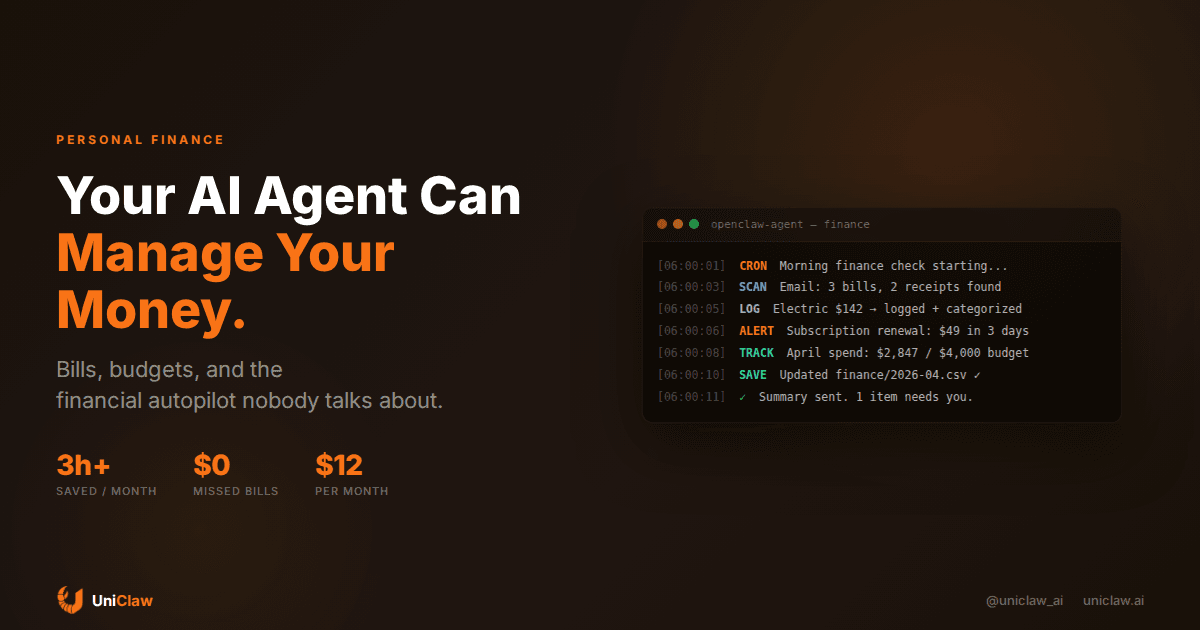
Here's roughly what the morning routine looks like:
[06:00] SCAN    Checking email for bills and receipts...
[06:01] FOUND   Electric bill — $142.37 (due May 1)
[06:01] FOUND   Amazon order — $34.99 (headphones)
[06:01] FOUND   Netflix renewal — $22.99 (charged yesterday)
[06:02] LOG     3 items → finance/2026-04.csv
[06:02] TRACK   April total: $2,847 of $4,000 budget (71%)
[06:03] ALERT   Hulu renewal ($17.99) in 3 days — still want it?
[06:03] DONE    Summary sent to Telegram
That Hulu alert is the part that pays for itself. I'd forgotten I even had that subscription. The agent found the renewal notice in my email, cross-referenced it with my tracked subscriptions, and asked me about it before the charge went through.
Setting it up step by step
You need three things: an AI agent that can read email, a place to store financial data, and a messaging channel for summaries.
1. Email scanning
If you're running OpenClaw, you probably already have email access configured. The agent scans your inbox on a schedule, looking for messages that match financial patterns: subject lines with "receipt," "invoice," "payment," "renewal," or specific sender addresses like [email protected].
You don't need to write complex regex. The LLM handles pattern recognition naturally. Just tell it: "Look for bills, receipts, subscription notices, and payment confirmations. Extract the amount, vendor, date, and category."
2. The expense tracking file
I keep it simple: a CSV per month in a finance/ folder.
date,vendor,amount,category,source
2026-04-01,Spotify,10.99,subscriptions,email
2026-04-02,Whole Foods,87.34,groceries,email
2026-04-03,Electric Company,142.37,utilities,email
2026-04-05,Amazon,34.99,shopping,email
Nothing fancy. The agent appends new rows as it finds them. At the end of the month, I have a complete record. You could use a Google Sheet, a Notion database, or a local SQLite file instead. Pick whatever you'll actually look at.
3. The subscription tracker
This is a separate file that lists all your recurring charges:
service,amount,frequency,next_renewal,status
Netflix,22.99,monthly,2026-05-15,active
Spotify,10.99,monthly,2026-05-01,active
Hulu,17.99,monthly,2026-04-24,review
AWS,12.00,monthly,2026-05-01,active
Gym,49.00,monthly,2026-05-05,active
The agent keeps this updated. When it sees a charge email for a known subscription, it updates the next_renewal date. When it sees a new recurring charge, it adds a row and asks if you want to track it.
The "review" status means the agent flagged it for you. Maybe it noticed you haven't used the service in a while, or the price changed.
4. Weekly summaries
Every Sunday, the agent sends a summary:
Week of April 14-20:
- Total spent: $634.18
- Biggest category: Groceries ($234.12)
- Compared to last week: up $89 (mostly groceries)
- Upcoming: Hulu renewal ($17.99 on 4/24)
- Budget status: 71% used, 10 days left in April
- Note: Your Amazon spending is up 40% from March
That last line is the kind of thing you'd never catch on your own. The agent compares month-over-month and says, "Hey, you're spending more on Amazon this month." Not a judgment. Just a fact.
What doesn't work (yet)
Direct bank connections. I've seen people try to connect agents to bank APIs. It's technically possible but the security trade-offs are real. Read-only bank data through something like Plaid requires OAuth flows that most agent frameworks don't handle well. For now, email scanning catches 80-90% of transactions anyway.
Investment advice. An LLM can summarize market data and fetch stock prices. It should not make buy/sell decisions for you. The confidence-to-accuracy ratio is all wrong. Use it for information gathering, not decision making.
Tax filing. Your agent can organize receipts and categorize deductions all year long, which is actually useful when tax season arrives. But it shouldn't prepare your return. The stakes are too high and the rules are too specific.
Negotiating bills. Some AI tools claim they can call your cable company and negotiate a lower rate. Maybe. But this involves giving your account details to a third-party service, which is a different risk profile than a local agent parsing your email.
The security question
People get nervous about AI and money, and they should. Here's how to think about it:
Your agent reads your email. It doesn't have write access to your bank. It stores data in local files on your machine, not in someone else's cloud. The only external call is to the LLM API, and you control what gets included in that prompt.
If you're running a managed agent on UniClaw, the machine is yours, the firewall has zero open ports, and all traffic goes through encrypted tunnels. Your financial data lives on a VM that only you access.
That said, if your email contains full credit card numbers or bank account details, you should filter those before they hit the LLM. Most bill notifications don't include full account numbers, but check. A simple pattern-matching filter that redacts anything matching \d{13,19} (credit card number length) adds a safety layer.
A month-by-month breakdown of what it costs
Running a personal finance agent is cheap:
- Agent hosting: $12/month on UniClaw (includes the VM, messaging, everything)
- LLM API costs: $3-8/month depending on model (the finance cron job uses maybe 50K tokens per day)
- Total: about $15-20/month
Compare that to Mint (now Credit Karma, and worse), YNAB ($14.99/month), or a bookkeeper ($200+/month). The agent does less than a bookkeeper but more than most budgeting apps, and your data never leaves your machine.
Getting specific: the cron job setup
Here's a practical example of the cron configuration for a morning finance check:
{
  "name": "morning-finance",
  "schedule": { "kind": "cron", "expr": "0 6 * * *", "tz": "America/Los_Angeles" },
  "payload": {
    "kind": "agentTurn",
    "message": "Check email for new bills, receipts, and subscription notices from the last 24 hours. Log any new expenses to finance/2026-04.csv. Update subscriptions.csv if you find renewal notices. Send me a summary of what you found."
  },
  "sessionTarget": "isolated"
}
The weekly summary is a separate job:
{
  "name": "weekly-finance-summary",
  "schedule": { "kind": "cron", "expr": "0 10 * * 0", "tz": "America/Los_Angeles" },
  "payload": {
    "kind": "agentTurn",
    "message": "Read finance/2026-04.csv and subscriptions.csv. Generate a weekly spending summary comparing this week to last week. Flag any unusual spending patterns or upcoming renewals. Send the summary to me."
  },
  "sessionTarget": "isolated"
}
Both jobs run independently. If one fails, the other keeps going. The data is just files, so you can always read or fix them manually.
Where this is going
Personal finance management through AI agents is still early. Email parsing catches most transactions but misses cash, Venmo payments between friends, and some in-app purchases. As agent tooling improves and more services offer proper APIs, coverage will get better.
The interesting trend is that people are starting to run these agents not just for themselves but for small businesses. A freelancer tracking invoices, a landlord logging rent payments, a small shop reconciling Square transactions against their bank. The same setup scales because the pattern is identical: scan inputs, extract data, organize, report.
If you spend more than an hour a month on personal finance admin, an agent can probably cut that to ten minutes of reviewing summaries. And the summaries end up being useful because the agent looks at everything every single day, while you only look once a month when guilt kicks in.
Want to try it? UniClaw gives you a dedicated cloud machine with an AI agent that runs 24/7. Set up the finance workflow in under 30 minutes, and let it handle the boring parts of money management while you focus on the parts that actually matter. Plans start at $12/month.
Ready to deploy your own AI agent?
Get Started with UniClaw