
Which Tasks Should Your AI Agent Do Alone?
I let my AI agent send an email to a client last month without reviewing it first. The email was fine. Grammatically correct, professional, even included the right meeting link. But it signed off with a joke I would never make in a business context, and the client responded with "...is this a bot?"
That's the permissions question right there. Not whether your agent can do something, but whether it should do it without checking with you first.
Autonomy isn't a light switch
Most guides about AI agents treat autonomy as binary. The agent either does things or it doesn't. That's not how it works in practice.
There's a spectrum. On one end, your agent reads files and checks your calendar without asking — because why would it need permission for that? On the other end, sending money or posting publicly under your name. Between those extremes is where it gets interesting, and where most people get it wrong.
Full auto works for low-stakes, high-frequency stuff. Checking your calendar, filing receipts, sorting emails into folders, running local scripts. If it screws something up here, nobody notices or you can fix it in seconds.
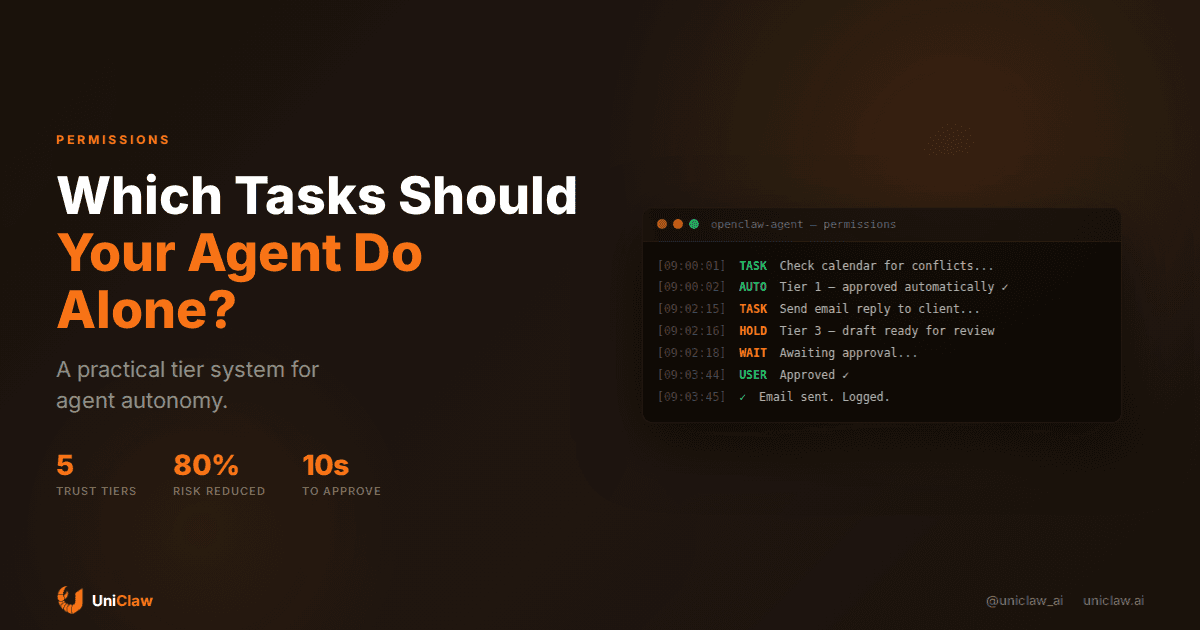
Draft-and-wait is where the agent does the work but holds it for you. Email replies, social media posts, anything that goes out under your name. You get a message like "here's what I'd send, approve?" and it takes 10 seconds of your time instead of 10 minutes of writing.
Ask first is for anything with real-world consequences. Spending money, deleting files, calling third-party APIs that change production data. The agent says "I think we should do X, want me to?" and waits.
Off limits is for things your agent shouldn't touch at all. Legal documents, compliance decisions, anything where getting it wrong has serious and hard-to-reverse consequences.
Most people start with everything on "ask first" and slowly move things toward "full auto" as trust builds. That instinct is correct.
Three ways people mess this up
Going full auto too fast. Someone gets excited about their new agent, gives it permission to send emails, post to Slack, and manage their calendar all in week one. By day six, the agent sends a message to the wrong Slack channel or double-books a meeting. Trust evaporates. Everything goes back to manual. Progress reversed.
Never loosening the leash. The opposite. Every action requires approval. The agent pings you 40 times a day to ask whether it should do obvious things. You develop notification blindness and start ignoring it. Congratulations, you're now paying for an expensive to-do list.
Treating every action the same. Reading a file and sending an email carry totally different levels of risk. But plenty of setups use a single permission level for everything. Either the agent can take all external actions or none. That's like giving a new hire either no access or admin access — neither makes sense.
A tier system that actually works
Here's what I've landed on after running agents in production for a while:
Tier 1 — Let it run. Reading files, web searches, checking calendars, organizing notes, running approved scripts. These are read-only or private actions. Nobody's harmed if the agent reads a file it didn't need to. Let it go.
Tier 2 — Auto, but logged. Internal messages to yourself (summaries, daily briefings), filing documents, sorting, basic data entry. You don't approve each one, but there's a log you can skim once a week to spot-check.
Tier 3 — Draft and hold. Anything that reaches another human. Emails, chat messages to colleagues, social media, public-facing content. The agent prepares it, you read it, you hit send. This is where my client-email disaster would have been caught.
Tier 4 — Ask before acting. Financial transactions, modifying or deleting data, API calls to production systems, anything that's hard to undo.
Tier 5 — Human only. Legal, HR, compliance. Your agent shouldn't be making these calls, period.
How this works in OpenClaw
OpenClaw has a permission system that maps to these tiers naturally. When the agent attempts something that needs elevated access, it pauses and asks you. You can approve once, approve always for that action type, or deny.
What I like about this approach is that permissions evolve organically. The first time your agent tries to restart a service, it asks. You approve. By the tenth time, you've seen it do this correctly nine times, so you set it to auto-approve. No upfront configuration spreadsheet required.
The other piece that matters: OpenClaw runs on a dedicated machine. The agent's filesystem is its own. So "Tier 1" actions are genuinely sandboxed — reading files on the agent's machine can't accidentally touch your laptop's data. That's a physical boundary, not just a software flag.
UniClaw adds cloud isolation on top of this. Each agent gets its own VM with a zero-exposure firewall. No inbound connections unless you explicitly configure a tunnel. The default state is locked down. You open things up when you're ready.
Calibrating over time
Start with everything at Tier 3 or 4. Use the agent for a week. You'll quickly spot which approvals feel pointless and which feel reassuring.
Keep a mental (or actual) tally. If you've approved the same action type every day for a week without once denying it, bump it down a tier. If you denied something even once, it stays.
Skim your logs weekly. Not every line. You're scanning for surprises. An action you didn't expect is a sign your tiers need adjusting, one way or the other.
You can also just tell your agent the rules in plain language. "Don't send emails to people outside the company without my review." It'll follow that. The permission model doesn't have to be purely mechanical.
The trust curve
Your relationship with your agent follows a predictable arc. Week one, you're hovering over every action. Week four, half the routine stuff is on auto. By month three, you've got a stable permission set and you only step in on edge cases.
This is the same way you'd onboard a human employee. You don't hand someone the production credentials on day one. You watch, build confidence, and gradually expand access. The difference is that your AI agent won't get offended when you revoke a permission after a screw-up. It won't passive-aggressively Slack you about being micromanaged. And it works at 3 AM, which means your Tier 1 and 2 lists matter — those are what the agent does while you're asleep.
Why this is blowing up right now
If you follow the enterprise AI space at all, you've probably noticed a wave of articles this month about "agentic AI governance" and "execution control layers." Forbes, the Cloud Security Alliance, and a bunch of security vendors are all saying the same thing: companies figured out the AI part but not the permission part.
For teams larger than a few people, you need role-based access (your marketing agent shouldn't see payroll), audit trails (who approved what), escalation paths (what happens if the approver's offline), and budget caps. That's a bigger conversation than this post, but it's worth knowing the enterprise world is wrestling with the exact same question as individual users. Just with more committees involved.
Where to start
If your agent currently asks you before doing anything, pick three things it handles daily and move them to Tier 1. Calendar checks, file reads, web searches. You'll notice the difference immediately when it stops asking "should I check your calendar?" for the fortieth time.
If you've been burned by too much autonomy, add the approval step back for outbound communications. Most agent mistakes that actually matter involve sending something to someone else. Gate that one category and you've cut 80% of the practical risk.
The goal isn't zero mistakes. It's the right level of oversight for each action. Your agent checking your inbox at 3 AM? Zero risk. Your agent replying to your boss at 3 AM? Very different story.
Get these tiers right and your agent becomes the kind of useful that makes you wonder how you managed without it.
Want an AI agent with built-in permission controls and its own isolated machine? UniClaw sets up your agent on a dedicated cloud VM with approval gating, zero-exposure firewall, and multi-platform messaging. Running in minutes. Starts at $12/month.
Ready to deploy your own AI agent?
Get Started with UniClaw