
What to Do When Your AI Agent Screws Up
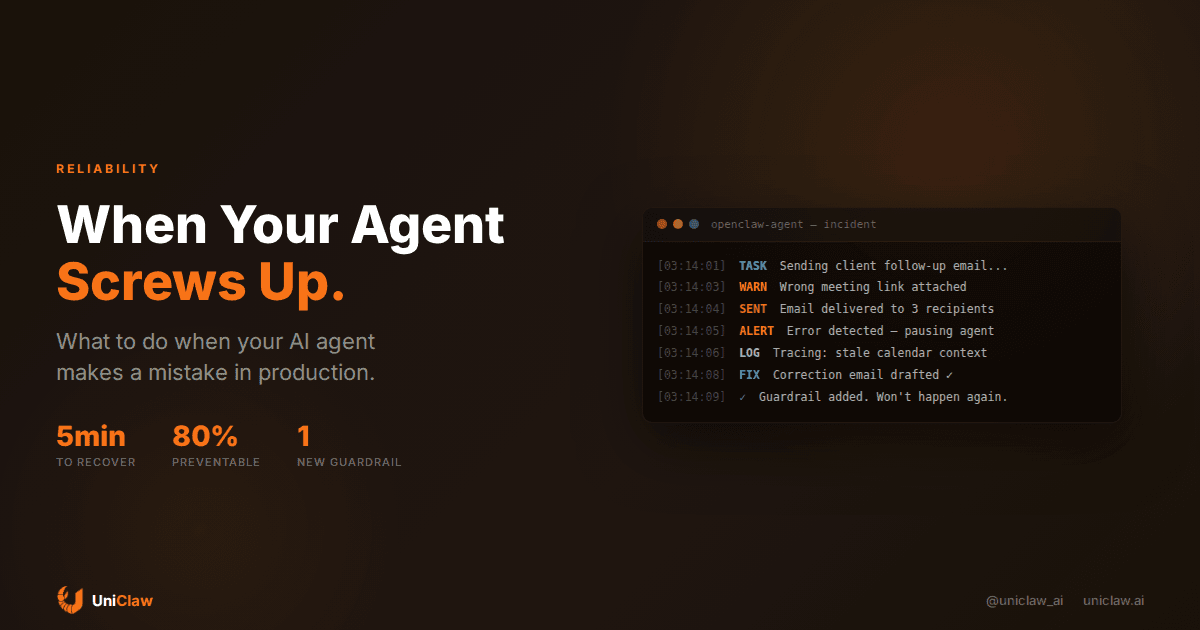
Your AI agent will make mistakes. Not might. Will.
I'm not being pessimistic. I run agents in production every day, and the dirty little secret of this whole industry is that the question was never "will it screw up?" but "what happens when it does?"
A Deloitte study from 2025 found that only 11% of organizations have agentic AI running in production. The other 89%? A big chunk of them got burned by an agent doing something stupid and pulled the plug. The difference between companies that stick with agents and companies that quit isn't the quality of their models. It's how they handle the inevitable failure.
So let's talk about what actually goes wrong, and what you can do about it.
Agents break in boring ways
Most agent failures aren't dramatic. Nobody's Skynet. The real failures look like this:
- Your agent sends a customer the wrong meeting link. Three times.
- It drafts an email that's technically correct but sounds like a passive-aggressive robot wrote it.
- It reads your calendar wrong and double-books a Tuesday afternoon.
- It tries to call an API that's been down for two hours, burns through retry loops, and racks up a $40 token bill overnight.
These are the kinds of mistakes that make you want to turn the thing off and go back to doing everything manually. They're also fixable, if you plan for them.
Why agents fail (it's not the model's fault)
People blame the model when their agent misbehaves. Sometimes that's fair. But most of the time, the failure is architectural. The agent was set up wrong.
Bad context. The single biggest cause of agent mistakes is feeding it garbage context. If your agent's memory files are messy, its tool descriptions are vague, or it doesn't have access to the information it needs, it will fill in the gaps with whatever sounds plausible. That's a hallucination, and it's your fault, not the model's.
No guardrails on actions. Letting an agent send emails, post to social media, or modify databases without any human checkpoint is asking for trouble. The agent doesn't know what it doesn't know. A human glancing at an outgoing email takes five seconds and prevents the kind of mistake that takes five hours to clean up.
Stale tools. APIs change. Endpoints move. Auth tokens expire. If your agent's tools haven't been updated in a month, some of them are probably broken, and the agent will try to use them anyway.
Unclear instructions. Agents are literal. If your system prompt says "handle customer emails" without specifying what "handle" means, you'll get creative interpretations. Sometimes that creativity is useful. Sometimes your agent tells a customer to restart their computer when they asked about billing.
The five-layer safety net
Here's what works. Not theory, but actual practices from running agents that handle real tasks on real data.
1. Separate "read" from "write"
The simplest rule: let your agent read anything it wants, but gate every write action. Reading your calendar, scanning emails, checking databases, searching the web, all of that is safe. Let it run free.
But sending a message? Updating a record? Publishing something? Those need a checkpoint. On UniClaw, agents can be configured to require approval before external actions. The agent drafts the email, you tap "send." The agent prepares a calendar invite, you confirm.
This single change eliminates maybe 80% of the scary failure modes.
2. Log everything
You cannot fix what you cannot see. Every tool call, every model response, every decision your agent makes should be logged somewhere you can read it.
When something goes wrong (and it will), you need to trace back through the agent's reasoning. Did it misread the context? Did a tool return an error it ignored? Did it make a reasonable decision based on bad information?
Good logging turns "the agent screwed up" into "the agent screwed up because X, and here's how to prevent it." Without logs, you're just guessing.
3. Set spending limits
Token costs can spiral fast when an agent gets stuck in a loop. It tries something, fails, tries again with more context, fails again, adds even more context, and suddenly you've burned through $50 in API calls at 3 AM for a task that should have cost $0.08.
Set a per-task budget. Set a daily budget. Set an alert threshold. If an agent spends more than $5 on a single task, something is probably wrong. Kill the task and investigate.
4. Build in "I don't know"
Most agent failures happen because the agent tried to do something it shouldn't have attempted. It didn't have enough information, or the task was outside its capabilities, but it tried anyway because language models are pathologically eager to help.
Train your agent (through its system prompt and instructions) to say "I don't have enough information to do this" or "this seems outside what I should be doing, let me check with you first." An agent that admits uncertainty is ten times more useful than one that confidently does the wrong thing.
In OpenClaw, this means writing clear boundaries in your AGENTS.md file. Something like: "If a customer email mentions legal issues, don't reply. Flag it for me." Specifics beat general instructions every time.
5. Review and iterate weekly
Look at your agent's logs once a week. Find the failures (there will be some). Ask: was this a bad prompt? A missing tool? Stale context? Fix the root cause, not the symptom.
The agents that work well in production aren't the ones that never fail. They're the ones where someone pays attention, notices the failures, and tightens things up each week. After a month of weekly reviews, your agent will be dramatically better than the one you deployed on day one.
When you should NOT use an agent
Some tasks shouldn't be automated. I know that's heresy in the "AI agents can do everything" discourse, but it's true.
Don't use an agent for anything where a single mistake has irreversible consequences and no human is in the loop. Don't use one for tasks that require genuine empathy (firing someone, delivering bad news to a client). Don't use one when the cost of failure is higher than the cost of doing it manually.
The best agents handle the repetitive, time-consuming, low-stakes work that eats your day. They triage your inbox, not compose your resignation letter. They schedule meetings, not negotiate contracts. They monitor your servers, not make architectural decisions.
Recovering from a real screwup
Okay, but what if it already happened? Your agent sent a weird email, posted something wrong, or made a bad API call. Here's the playbook:
First, stop the bleeding. Pause the agent. On UniClaw, that's a single click. On self-hosted setups, kill the process. Don't let it keep running and compound the mistake.
Second, assess the damage. What did the agent actually do? Check the logs. Check the external systems it touched. Was an email sent? Was data modified? Scope the impact before you start fixing.
Third, fix the immediate problem. Send a correction email. Revert the database change. Apologize to whoever was affected if needed. Do this manually and quickly.
Fourth, do the post-mortem. Why did this happen? Trace through the agent's reasoning. Usually the root cause is obvious once you look: bad context, unclear instructions, a missing guardrail.
Fifth, add the guardrail. Whatever went wrong, add a specific check that prevents it from happening again. Agents learn from their instructions, and the best instructions come from real failures.
The 3 AM test
Here's my personal rule for agent reliability: would I be comfortable with this agent running at 3 AM, while I'm asleep, with no one watching?
If the answer is no, the agent needs more guardrails before it should run autonomously. If the answer is yes, you've probably done the work of setting up proper safety nets.
Most agents aren't ready for the 3 AM test on day one. That's fine. Run them supervised for a week. Review the logs. Tighten the instructions. Then try again. Eventually you'll get there, and that's when agents actually start saving you serious time.
Getting started the safe way
If you're deploying an agent for the first time, start with read-only tasks. Let it monitor your inbox and summarize what's there. Let it watch your calendar and send you a morning briefing. Let it scan competitor websites and flag changes.
Once you trust its judgment on read-only tasks, start adding write actions one at a time, with approval gates. Email drafting first (you review before sending). Then calendar management. Then whatever else makes sense for your workflow.
UniClaw makes this progression straightforward because your agent runs on a dedicated machine with built-in security and monitoring. You get logs, spending controls, and the ability to pause everything with one click. No need to set up your own infrastructure, no need to worry about exposure.
The agents that survive in production are the ones with guardrails, logging, and a human who checks in regularly. They're not perfect. They don't need to be. They just need to fail safely and get better over time.
Ready to deploy your own AI agent?
Get Started with UniClaw