
How to Use an AI Agent for Meeting Notes (So Nothing Falls Through the Cracks)
How to Use an AI Agent for Meeting Notes (So Nothing Falls Through the Cracks)
You sit through a meeting. Somebody says "I'll handle the API migration by Friday." Three people nod. Nobody writes it down. Friday comes, nobody did it, and the meeting might as well have not happened.
This is the meeting notes problem, and it's been a running joke in offices since offices existed. The usual fix is some app that joins your Zoom call, transcribes everything, and gives you a summary you never read. That helps a little. But the real problem was never transcription. It was what happens after the transcript exists.
An AI agent can solve the whole chain: attend the meeting (or read the transcript), pull out what matters, create the actual tasks, send the follow-up emails, and bug people before deadlines hit. Not "summarize the meeting" — actually close the loop.
Here's how to set that up without spending your weekends on configuration.
Why meeting note apps aren't enough
Otter, Fireflies, Fathom, whatever you use — they're fine at what they do. Record audio, generate transcripts, highlight "action items." But then what?
The transcript sits in Otter's dashboard. You maybe glance at it. The action items don't automatically become Jira tickets or Asana tasks. Nobody gets reminded. The context disappears into a tool nobody checks after Monday.
The gap isn't recording. It's execution.
An AI agent bridges that gap because it doesn't just observe meetings — it acts on them. It reads the transcript, figures out who committed to what, creates real tasks in your project management tool, and follows up when deadlines are close. The agent treats meeting output as input for actual work, not as a document to file away.
What a meeting agent actually does
Let me walk through what this looks like in practice. Say you have a 30-minute product sync every Tuesday:
During the meeting: Your existing tool (Zoom AI, Otter, whatever) records and transcribes. This part isn't changing.
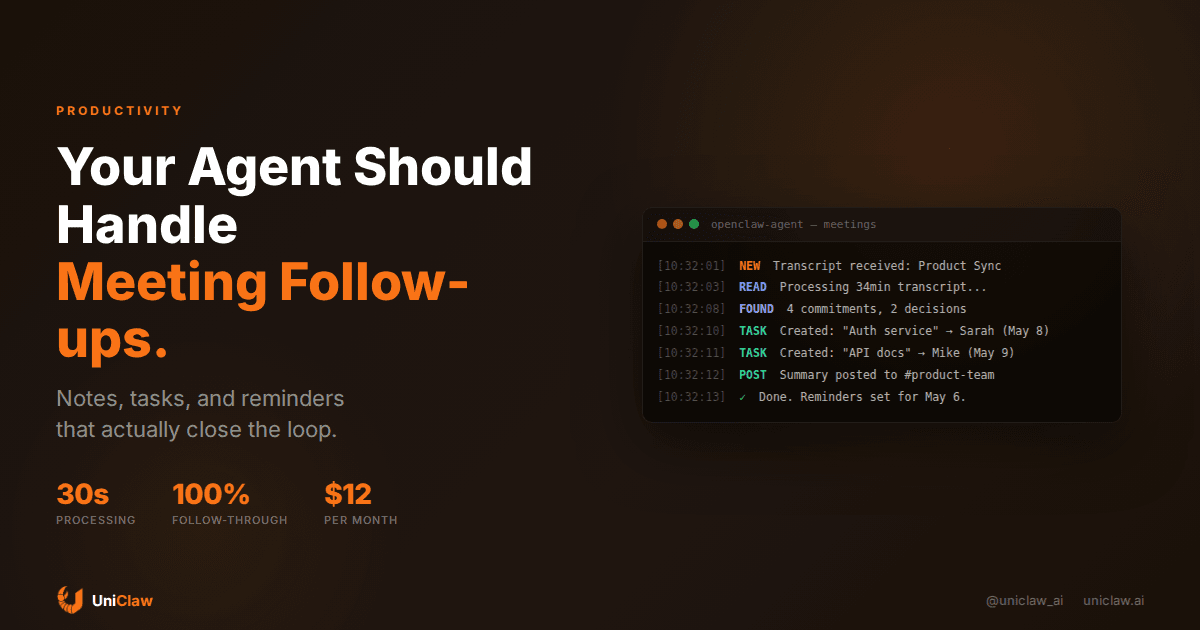
Right after the meeting ends: Your AI agent picks up the transcript. It reads through the full conversation — not just the bolded "action items" your transcription tool guessed at, but the full context. When someone said "yeah I can look into that" buried in minute 22 of the recording, the agent catches it.
Within 5 minutes of the meeting ending:
- A structured summary lands in your team's Slack channel
- Tasks get created in your project tracker with the right assignees
- Calendar holds get placed for any follow-up meetings mentioned
- A follow-up email gets drafted for external participants
48 hours before a deadline: The agent messages the assignee: "Hey, you said you'd have the API docs ready by Thursday. Still on track?" If they reply yes, great. If they don't reply, it escalates to the meeting organizer.
That's the difference between a note-taking app and a meeting agent. One gives you a file. The other makes sure the meeting led somewhere.
Setting this up with OpenClaw
You don't need a fancy enterprise tool for this. Here's the practical setup:
Step 1: Get your transcripts somewhere accessible
Most meeting tools let you send transcripts somewhere — email, Slack, a webhook, Google Drive. The specifics depend on your tool:
- Otter.ai can email summaries or push to Slack
- Zoom AI saves transcripts to a shared folder
- Fathom pushes to Notion or Slack
- Some tools expose a webhook you can point at your agent
The goal: get the raw transcript (or at least the summary) into a place your agent can read. A shared folder, an email inbox the agent monitors, or a Slack channel all work.
Step 2: Give your agent a meeting-processing skill
On OpenClaw, this means writing a skill file that tells your agent what to do when it encounters a meeting transcript. Something like:
When you receive a meeting transcript:
1. Identify all commitments (who said they'd do what, by when)
2. Create tasks in Linear/Asana/Jira for each commitment
3. Post a summary to #team-updates in Slack
4. Draft follow-up emails for any external attendees
5. Set reminders for yourself to check on overdue items
The agent reads this skill when it processes transcripts. You write the rules once, then forget about them.
Step 3: Connect your tools
Your agent needs access to:
- Your task tracker (Linear, Jira, Asana — via MCP or API)
- Your messaging tool (Slack, Teams — for summaries and nudges)
- Your calendar (Google Calendar, Outlook — for scheduling follow-ups)
- Your email (for drafting follow-up messages to external folks)
With OpenClaw, you'd connect these through MCP servers. There are existing MCP servers for Slack, Google Calendar, Linear, and most major tools. Point them at your agent and it can create tasks, post messages, and check calendars natively.
Step 4: Set up the trigger
Two options depending on your setup:
Option A: Agent monitors a folder/channel. You configure a cron job that checks for new transcripts every 15 minutes. When it finds one, it processes it.
Option B: Webhook trigger. Your meeting tool hits a webhook when a transcript is ready. The agent wakes up and processes it immediately.
Either works. Option B is faster but slightly more setup.
What good meeting summaries look like
Bad AI summaries read like a high-school book report. "The team discussed the API migration. Several concerns were raised. Next steps were identified."
A good meeting agent produces something you'd actually read:
## Product Sync — Apr 29

### Decisions
- Ship v2 API without the bulk endpoint (revisit in May)
- Move launch from May 5 → May 12 (blocked on auth)

### Who's doing what
- Sarah: finish auth service by May 8
- Mike: update API docs + migration guide by May 9
- Priya: customer comms email draft by May 7

### Open questions
- Do we need a feature flag for the rollout? (Sarah checking)

### Follow-up needed
- External: email Design Agency re: updated timeline
- Internal: sync with infrastructure team on rate limits
Notice what's different: no filler, specific names and dates, and the "open questions" aren't pretending to be action items. Your agent should produce output like this, not a paragraph of mush.
The follow-up problem (and why agents are better than humans at it)
Here's something I keep noticing: the meetings aren't the hard part. Humans are actually decent at talking through problems and making decisions in real time. The failure mode is always after the meeting. Things don't get done because nobody follows up.
Following up is tedious, socially awkward, and easy to forget. "Hey, did you do that thing you said you'd do?" Nobody wants to be that person. So nobody does it, and commitments drift.
An AI agent has none of that social friction. It's perfectly happy to message someone at 9am on Wednesday asking about a Thursday deadline. It doesn't worry about being annoying. It doesn't forget. It doesn't decide "eh, they probably have it handled" and skip the check-in.
Set up your agent to:
- Track every commitment with an owner and deadline
- Send a reminder 48 hours before the deadline
- On the deadline day, ask for a status update
- If something's late, notify the meeting organizer
That's it. Four rules, and suddenly your team's follow-through rate goes from the industry-standard 30% to something much higher.
Handling the messy parts
Real meetings are messy. People don't say "I commit to delivering X by Y date." They say "yeah, I guess I could probably take a look at that sometime this week." Your agent needs to handle ambiguity.
A few tips:
Teach your agent to ask. If a commitment is vague ("I'll look into it"), the agent should message that person afterward: "You mentioned looking into the caching issue. Want me to create a task for this? Any deadline in mind?"
Let humans override. Sometimes the agent will misinterpret something. Give people a way to say "that's not actually a task" or "wrong assignee." A simple emoji reaction in Slack (thumbs down = not a real task) works well.
Start with internal meetings only. Don't let your agent send follow-ups to external clients until you've tested it thoroughly on internal calls. The stakes of a weird auto-generated email to a customer are much higher.
Review the first 5-10 summaries yourself. Tune the agent's behavior based on what it gets wrong. Too many tasks? Tell it to only track things with explicit deadlines. Missing context? Tell it to include more background.
What this costs
If you're running this on UniClaw:
- Hosting: $12/month for the agent
- AI model costs: roughly $0.02-0.05 per meeting processed (depending on transcript length and model choice)
- Tool connections: most MCP servers are free/open-source
For a team doing 10 meetings a week, you're looking at maybe $15-20/month total. Compare that to the dedicated "meeting intelligence" platforms charging $15-30 per user per month, and the math is obvious.
The difference is you own the workflow. You decide exactly what happens with your transcripts, who gets notified, and how tasks get created. No vendor lock-in, no data leaving your infrastructure if you don't want it to.
Getting started today
Here's what I'd do if I were setting this up from scratch:
- Pick one recurring meeting. Don't try to automate everything at once.
- Get the transcript flowing somewhere your agent can see it. Slack channel is easiest.
- Deploy an OpenClaw agent on UniClaw ($12/month, 2 minutes to set up).
- Write a simple skill that processes transcripts into structured summaries + tasks.
- Connect Slack and your task tracker via MCP.
- Run it for 2 weeks. Review every summary. Tune the prompt.
- Once it's solid, expand to more meetings.
The whole thing takes an afternoon to set up. The payoff is hundreds of hours of meeting follow-up you'll never have to do manually again.
Your meetings already happen. The conversations already contain decisions and commitments. Right now, most of that information evaporates within 24 hours. An AI agent captures it and makes it real — not by giving you another document to ignore, but by turning talk into action.
Ready to stop losing meeting outcomes? Deploy an OpenClaw agent on UniClaw and start processing your first meeting transcript today. $12/month, 2-minute setup, and your meetings will finally lead somewhere.
Ready to deploy your own AI agent?
Get Started with UniClaw