
Your AI Agent Should Manage Your Calendar. Here's How to Set It Up.
Most people spend about 12 hours a week on scheduling. Coordinating meetings, moving things around, sending "does 3pm work?" emails back and forth. It feels productive in the moment. It isn't.
I started letting an AI agent handle my calendar six months ago. Not one of those "smart link" tools that just lets people book slots. An actual agent that reads my email, understands context, and decides what goes where.
Here's what I learned, and how to set something similar up yourself.
The scheduling tool problem
There are dozens of AI scheduling tools out there. Reclaim, Motion, Clockwise, Calendly with its AI add-ons. They all do some version of the same thing: you set rules, the tool follows them.
The problem is that scheduling isn't rule-based. It's context-dependent.
When your CEO wants to meet this week, you don't apply the same "30-minute buffer between meetings" rule you'd use for a vendor call. When a client emails at 5pm asking for a morning slot tomorrow, you don't wait for your weekly calendar optimization pass. You look at what's there, weigh the trade-offs, and make a judgment call.
That's what an agent does. Not "smart automation." Actual reasoning about your time.
What a scheduling agent actually does
Here's a typical morning for my calendar agent. It starts before I'm awake.
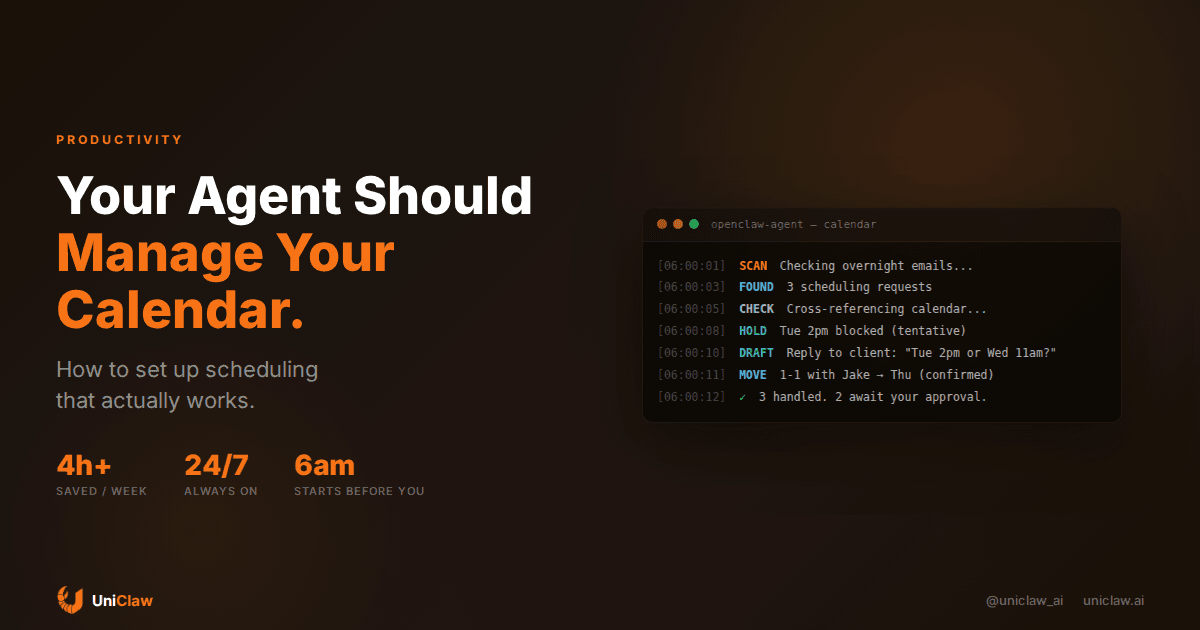
Around 6am, it scans overnight emails for anything that needs scheduling. A client wants to meet next week, a teammate suggests a sync, a conference sends a reminder to register. It cross-references my calendar, checks existing commitments, travel time for in-person meetings, focus blocks I've set, and my historical patterns. (I'm useless before 10am on Mondays. The agent figured this out on its own after about two weeks of watching me reschedule Monday morning calls.)
Then it drafts responses. "How about Tuesday at 2pm or Wednesday at 11am?" with real availability baked in. It holds tentative blocks so nothing double-books while people reply.
By the time I check my phone, there's a short summary waiting: three scheduling requests handled, one conflict resolved, two responses drafted and waiting for my OK before they go out.
That "waiting for my OK" part matters. I don't let the agent send everything automatically. Internal team stuff, full autonomy. External contacts, clients, investors, anyone where tone really matters, it drafts and waits. This boundary took me a while to get right.
Setting this up (the practical part)
You need three things: an always-on agent, calendar access, and email access.
The agent itself
Your agent needs to run continuously. Not just when you open a chat window. If someone emails you at 2am with a meeting request, the agent should process it before you wake up.
This is where chatbot-based solutions fall apart. ChatGPT can help you think about your schedule if you paste in your calendar. It can't watch your inbox at 3am and hold a slot before someone else grabs it.
On UniClaw, your agent runs on a dedicated cloud machine 24/7. It doesn't go to sleep when you close your laptop. You can also self-host with OpenClaw if you'd rather run everything on your own hardware, but the non-negotiable is that the agent stays running.
Calendar integration
Your agent needs read and write access to your calendar. With MCP (Model Context Protocol), you can connect Google Calendar or Outlook in a few minutes. The agent gets tools like calendar.list, calendar.create, calendar.update and it figures out the rest.
What surprised me was how much the reading matters compared to the writing. Most of the value comes from the agent understanding what your week looks like, not from it creating events. When it sees you have four hours of back-to-back meetings on Tuesday afternoon, it stops suggesting Tuesday afternoon to anyone.
Email or messaging access
The trigger for most scheduling is a message. Someone asks to meet, and that kicks off the whole dance. Your agent needs to see those messages when they arrive.
I use the agent across Telegram, email, and Slack. When a scheduling request comes in on any channel, the agent handles it in context. A Slack message gets a Slack reply. An email gets an email reply. The person on the other end has no idea they're talking to an agent unless they ask.
The hard parts nobody mentions
Time zone math
This sounds trivial until you're booking a call between Tokyo, London, and California. The agent needs to track each participant's timezone, find overlapping windows, and present options in each person's local time.
I've watched mine propose "Tuesday 9am PT / 5pm GMT / Wednesday 2am JST" and then correct itself mid-response: the 2am slot is obviously unreasonable for the Tokyo participant. Finding that better window is the kind of judgment that separates an agent from a scheduling script.
Not all meetings are equal
When your biggest client asks for time, you might move other things around. When cold outreach asks for 30 minutes, you offer low-priority slots only.
I handle this with a simple priority list in the agent's memory file:
## Scheduling priorities

Tier 1 (move things for them): [client names], [board members]
Tier 2 (suggest good slots): team members, partners
Tier 3 (low-priority windows only): cold outreach, sales calls
The agent reads this and adjusts. Tier 1 people get your best available times. Tier 3 people get Friday afternoon.
Double-booking prevention
When the agent proposes Tuesday at 2pm to someone, it immediately creates a tentative calendar event for that slot. If a second person asks for the same window before the first replies, the agent sees the hold and offers something else.
Without this, you get the classic problem where an agent offers the same time to three people, two accept, and now you have a conflict to untangle manually.
What this actually saves
I tracked my scheduling time for a month. Before: roughly 45 minutes per day on reading requests, checking my calendar, writing responses, handling conflicts, rescheduling. After a month with the agent: about 8 minutes per day, mostly reviewing the summary and approving external messages.
That's about 4 hours per week. Not a revolutionary number, but it's 4 hours of the most annoying kind of work. The kind that interrupts whatever you're trying to focus on. Scheduling has this way of fragmenting your day into little pieces even when the actual meetings haven't started yet.
There's a secondary benefit I didn't expect. My calendar is more organized now. The agent is more consistent than I am about protecting focus time and spacing out meetings. It doesn't get tired by Thursday and start double-booking Friday out of laziness. (I absolutely did this. Regularly.)
Getting started
Here's the minimum version that actually works:
-
Get an always-on agent. UniClaw gives you a dedicated machine running 24/7 starting at $12/month. You can also use OpenClaw on your own server.
-
Connect your calendar. Install a calendar MCP server (google-calendar-mcp or outlook-calendar-mcp). Takes about five minutes once you have OAuth tokens sorted.
-
Connect your messaging. Link the channels where scheduling requests come in: Telegram, Slack, Discord, email.
-
Write a scheduling brief. Tell the agent your working hours, default meeting lengths, buffer preferences, and priority contacts. Store it in a memory file the agent can reference.
-
Start with supervision. Have the agent draft responses and wait for approval. After a week or two, give it autonomy for internal scheduling. Keep the approval step for external contacts until you're genuinely confident.
The whole setup takes about 30 minutes. The OAuth part for calendar access is the fiddliest bit, but once it's connected, it stays connected.
When it goes wrong
My agent has made some bad calls. It once proposed a Saturday meeting to a client because it didn't know they observe Shabbat. Another time it double-booked me because a tentative hold expired before the other person replied.
These happen less often now. The agent learned to ask about scheduling preferences when it encounters a new contact for the first time. But mistakes still happen. Keep the approval step for external messages until you trust the agent's judgment, and that trust should come from watching it get things right over weeks, not from optimism.
The right question isn't whether an AI agent handles scheduling perfectly. It doesn't. The right question is whether it handles it better than you currently do, which for most of us means juggling requests between tasks while half paying attention. I'll take the agent.
Your agent should work while you sleep, and that includes your calendar. UniClaw gives you a dedicated cloud machine, always-on uptime, and connections to every messaging platform your contacts use. Set up a scheduling agent in 30 minutes. Plans start at $12/month.
Ready to deploy your own AI agent?
Get Started with UniClaw