
How to Let Your AI Agent Organize Your Files (So Your Desktop Isn't a Graveyard)
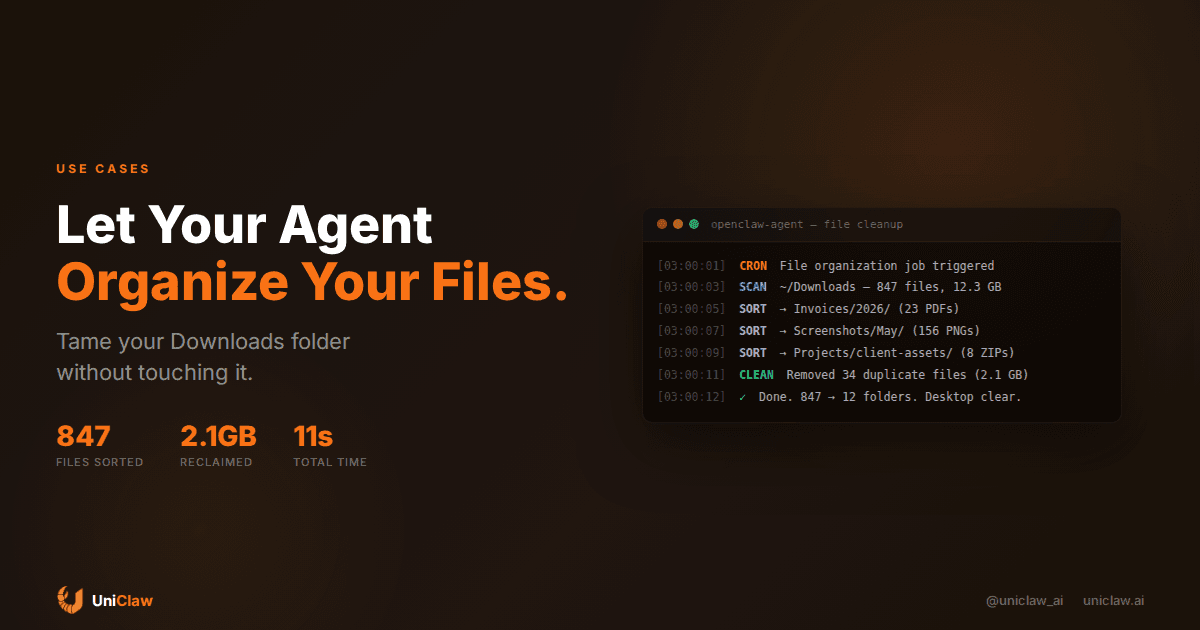
Right now, somewhere on your hard drive, there's a folder called "Downloads" with 800+ files in it. Some are from last week. Some are from 2023. There are PDFs you opened once, screenshots you'll never look at again, and at least three copies of the same invoice named slightly differently.
You know you should organize it. You never will. Let's be honest about that.
But here's the thing: an AI agent running on your machine can see your filesystem. It can read file names, check dates, look at extensions, even peek inside documents. And it can move things around, rename them, deduplicate them, and archive what's old.
This is one of those use cases that sounds mundane until you actually set it up and realize you've been wasting hours per month on something a script could handle. Except it's not a script. Scripts are brittle. They follow rules you wrote months ago and forgot. An agent can reason about what "client-final-v3-REAL.pdf" probably is.
Why file organization is an agent problem, not a script problem
Bash scripts can sort files by extension. That's been possible since the 90s. The problem is that file organization requires judgment calls:
- Is "report.pdf" a financial report or a school assignment?
- Does "IMG_4521.png" go in Screenshots or in the project folder you were working on when you took it?
- Should you keep three versions of a contract, or just the latest one?
These questions need context. An AI agent has that context because it knows what you've been working on, what projects exist, and what your folder structure looks like. It can read the first page of a PDF and decide where it belongs.
A cron job running mv *.pdf ~/Documents/PDFs/ doesn't cut it. Never did.
What this looks like in practice
Here's a real setup using OpenClaw. The agent runs a file-organization job every night at 3 AM:
# In your agent's cron config
Schedule: daily at 03:00
Task: "Organize ~/Downloads. Sort files into appropriate folders
based on content and type. Deduplicate. Archive anything older
than 30 days that hasn't been opened. Report what you did."
The agent wakes up, scans the target folder, and starts making decisions:
- PDFs with invoice numbers go to
~/Documents/Invoices/2026/ - Screenshots get sorted by month into
~/Pictures/Screenshots/May/ - Code archives (
.zip,.tar.gzwith code inside) go to~/Projects/downloads/ - Duplicate files get removed (keeping the newest copy)
- Anything untouched for 30+ days gets moved to
~/Archive/
After it finishes, it writes a quick summary: "Sorted 47 files, removed 12 duplicates (freed 1.8 GB), archived 23 old files."
You wake up. Your Downloads folder has 6 items in it. You didn't do anything.
Setting up file permissions correctly
Before you point an AI agent at your filesystem, think about boundaries. You don't want it reorganizing your system files or messing with active project directories that have specific structures (like node_modules or .git folders).
Good boundaries to set:
Allowed directories: ~/Downloads, ~/Desktop, ~/Documents/unsorted
Off-limits: Anything with a .git folder, anything in /etc, project roots that have their own organizational logic
Actions allowed: Move, rename, copy, create folders
Actions requiring confirmation: Delete (use trash instead), modify file contents, touch anything in ~/Projects directly
With OpenClaw, you can configure this through the agent's skill file. Tell it where it can operate and what it should never touch. The agent respects those boundaries because it reads its instructions every session.
The smart inbox pattern
The most useful pattern I've seen: treat a single folder as an "inbox" that the agent processes. Everything lands in ~/Inbox/ (or just ~/Downloads/). The agent's job is to empty that inbox by filing things where they belong.
This works because:
- You only need one dump location for files
- The agent handles the "where does this go" decision
- You build up a clean file hierarchy over time without manually creating it
- Duplicates get caught before they pile up
Think of it like having an assistant who empties your physical inbox every morning. They know your filing system because they built it with you over weeks.
Handling edge cases
What about files the agent doesn't know what to do with? Good agents don't guess when they're uncertain. They have a few options:
Ask you: "Found a file called 'contract_draft_NDA_v2.pdf' in Downloads. It mentions Acme Corp. Should I file it under ~/Documents/Legal/Acme/ or somewhere else?"
Use an unsorted folder: Move ambiguous files to ~/Documents/Unsorted/ and flag them for your review later.
Learn from corrections: If you move something out of Unsorted into a specific location, the agent can note that pattern for next time.
Over time, the agent gets better at this. It learns that .sketch files always go in your design folder. That PDFs from your bank go in Finance. That anything with "receipt" in the name is a purchase receipt.
Naming conventions the agent can enforce
One underrated feature: consistent file naming. The agent can rename files as it sorts them.
A file arrives as Screenshot 2026-05-08 at 3.42.15 PM.png. The agent renames it to 2026-05-08-screenshot-login-page.png based on what's in the image (or at minimum, the date format you prefer).
An invoice comes in as INV-39281.pdf. The agent reads it, sees it's from your hosting provider, and renames it to 2026-05-invoice-digitalocean-$49.pdf.
This means when you search your files six months later, you find what you need because everything follows a pattern. Not a pattern you had to maintain yourself. One the agent maintains for you.
Deduplication that actually works
Duplicate detection is where agents outperform scripts by a wide margin. A script can hash files and find exact copies. An agent can find:
- Near-duplicates:
report-final.pdfandreport-final (1).pdfthat are the same thing - Version chains: Five drafts of the same document where you only need the latest
- Cross-folder duplicates: The same photo in Downloads, Desktop, and a project folder
The agent can ask: "Found 3 copies of 'Q1-results.xlsx'. The one in ~/Projects/quarterly/ was modified most recently. Keep that one and remove the others?"
Or if you've configured it to be more autonomous: it keeps the newest, trashes the rest, and tells you what it did in the morning summary.
A note on photos
Photo organization deserves special mention because it's where most people's file chaos lives. Thousands of photos with unhelpful names, scattered across folders.
An agent with vision capabilities can actually look at photos and categorize them: family, travel, screenshots, documents (photos of whiteboards or receipts), and so on. It can group vacation photos by trip based on dates and location data in EXIF metadata.
This goes beyond what any rules-based photo organizer can do. It's the difference between "sort by date taken" and "put all the Barcelona trip photos together, including the ones I took with my other phone."
Getting started in 10 minutes
If you're running OpenClaw (or really any agent framework that has filesystem access), here's the quick version:
- Pick your inbox folder. Usually
~/Downloadsis fine. - Define your target structure. Where should documents, images, code, and archives end up? Don't overthink this. The agent can adjust later.
- Set up a daily cron job. Run it overnight when you're not actively downloading things.
- Start conservative. First week: agent only moves files with high confidence, asks about everything else. Second week: expand what it handles autonomously.
- Review the summaries. The agent should report what it did. Correct anything wrong. It'll learn.
On UniClaw, your agent already has filesystem access on its dedicated machine. You can sync folders to it via the tunnel, or just let it manage files on the cloud instance that sync back to you.
The compound effect
File organization is boring. Nobody writes blog posts about how excited they are to rename PDFs.
But the compound effect is real. After a month of an agent handling this, you have:
- A clean, searchable file system
- No duplicates eating your disk space
- Consistent naming you can actually grep through
- Zero time spent on file management
- An archive structure you can trust
It's like having a clean apartment. Not exciting in isolation. But it removes friction from everything else you do.
Why this matters for AI agents specifically
This use case is a good litmus test for whether an AI agent is actually useful in your life. It's not flashy. It doesn't generate art or write novels. It just takes a mundane chore that you've been ignoring for years and makes it disappear.
That's what agents are for. Not the demo-worthy stuff. The stuff you've been meaning to do for six months and never got around to.
If your agent can't do this kind of work, it's a chatbot with extra steps. If it can, it's actually helping.
Want an AI agent that manages your files while you sleep? UniClaw gives your agent a dedicated cloud machine with full filesystem access, running 24/7. Set up file organization, inbox triage, backups, and more in minutes. Start at $12/month.
Ready to deploy your own AI agent?
Get Started with UniClaw