
How to Automate Your Email With an AI Agent (and Actually Trust It)
Your inbox is a mess. Not because you're bad at email, but because email is bad at being manageable. Every morning you open it and there's 47 new messages. Maybe 3 of them matter. The rest are newsletters you signed up for in 2019, vendor follow-ups, and that one coworker who treats email like Slack.
You know the drill. Thirty minutes of sorting, flagging, archiving, replying to things that could've waited. By lunch the pile is back. The McKinsey number that everyone cites says knowledge workers spend 28% of their workday on email. That figure is probably low if you count the mental overhead of seeing 200 unread messages while trying to do actual work.
In 2026, AI agents can actually handle this. Not the way Gmail's "smart replies" pretend to help by suggesting "Thanks!" and "Sounds good!" — I mean an agent that reads your mail, understands what needs attention, drafts real replies in your voice, and handles the rest while you sleep.
I want to walk through how this works in practice, what the setup looks like, and where you should absolutely not let an agent near your inbox.
The gap between email AI and email agents
Most "AI email" tools are still glorified autocomplete. They sit inside your mail client, suggest sentence completions, maybe summarize a long thread. Useful, sure. But they share the same limitation: they wait for you to open the email first.
An AI agent doesn't wait. It connects to your mailbox, checks for new messages on a schedule or via push, and takes action before you wake up. A tool helps you do email faster. An agent does email for you.
Spell-checker versus ghostwriter.
What a morning looks like with an email agent
Here's a realistic scenario. Nothing hypothetical. This is what my test setup actually did last Tuesday:
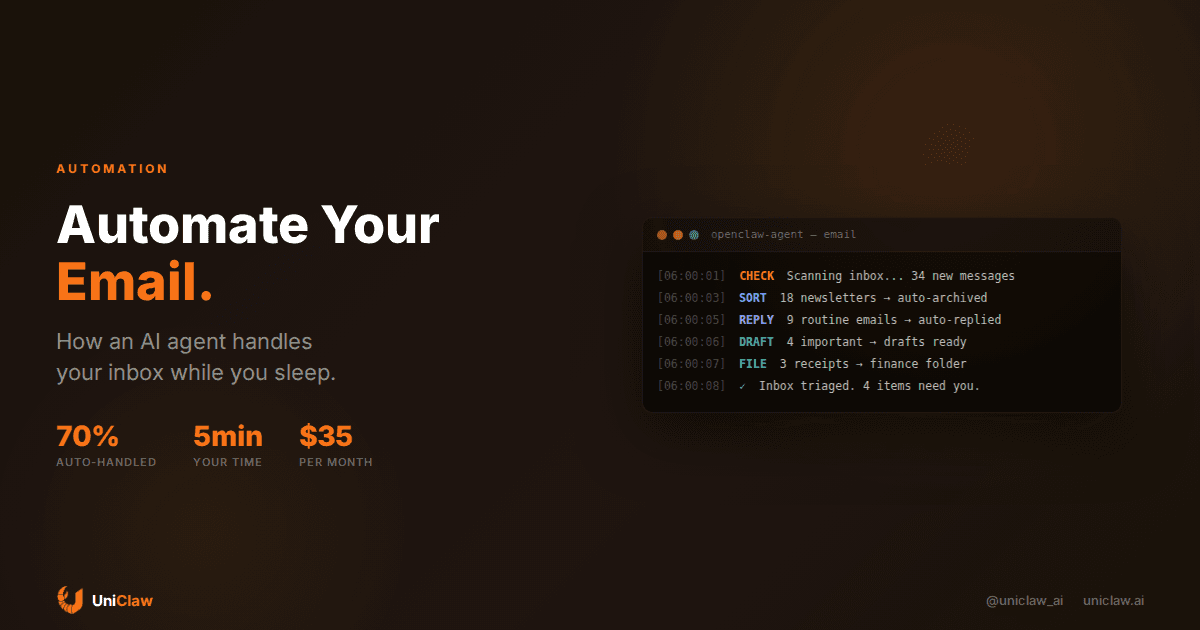
6:00 AM — Agent checks inbox. 34 new messages overnight.
6:01 AM — 18 newsletters and promotional emails get auto-archived. Not deleted, because I might want that Stratechery issue later. Just moved out of the way.
6:02 AM — 9 messages get auto-replied. "Can you confirm the meeting time?" type emails where the answer is on the calendar. The agent checks, confirms, sends.
6:03 AM — 4 messages flagged as "needs human." A client asking about pricing changes. My boss wanting input on a strategy decision. The agent writes a draft reply for each but doesn't send it.
6:04 AM — 3 messages categorized and filed. Receipts to finance folder. Support ticket forwarded to the right team.
When I opened my inbox at 8:30, I had 4 flagged items with draft replies waiting. The 30-minute morning ritual became a 5-minute scan. I edited one draft, approved the other three, and moved on with my day.
How to set this up with OpenClaw
If you're running OpenClaw or any agent framework that supports tool integrations, the email setup is more straightforward than you'd expect.
Connect your mailbox first. Most setups use IMAP or the Gmail/Outlook API. OpenClaw agents can use MCP tool servers for this — you configure an email MCP server that gives your agent read and send permissions on your account.
Then define your rules. This is where most people mess up. They either go too broad ("handle everything") or too narrow ("only sort newsletters"). The sweet spot is a tiered system:
- Auto-handle: newsletters, receipts, shipping notifications, calendar confirmations
- Draft and wait: anything from known contacts that needs a real reply
- Flag only: unknown senders, anything involving money, anything emotionally sensitive
Train the agent on your voice. If it's going to reply as you, it needs examples. Feed it 50-100 of your sent emails. A good agent picks up your patterns. Do you sign off with "Best," or "Cheers,"? Are you terse or do you write paragraphs? Do you use exclamation marks or are you a period person?
And set a review period. For the first two weeks, don't let the agent auto-send anything. Review every draft. Correct what feels wrong. This feedback loop is how it calibrates.
Trust is the whole game
Nobody talks about this in AI email demos. You can build the most sophisticated agent and people will still hover over the send button, because the downside of a bad email is real. A wrong reply to a client can tank a deal. An accidentally forwarded message becomes an HR incident. Email is personal and permanent in ways that most automation targets aren't.
So start with the boring stuff and work outward.
Let the agent sort newsletters for a week. Then auto-reply to calendar confirmations. Then draft replies to routine vendor emails. Each step builds evidence that the agent understands your context.
The agents that work best here are the ones with memory. If your agent remembers that you told a client you'd follow up on Friday, it can draft that follow-up unprompted. If it remembers you prefer moving long threads to calls, it'll suggest "Let's hop on a quick call" instead of writing a five-paragraph response.
OpenClaw handles this through persistent memory files that the agent reads at session start. Context from previous interactions carries forward. This is meaningfully different from stateless AI tools that treat every email like they've never seen your inbox before.
Where to draw the line
Not everything should be automated, and the "automate everything" crowd needs to hear this.
Don't let an agent respond to emotional emails. If someone shares bad news or expresses frustration, a human needs to reply. People can tell when empathy is generated.
Don't automate negotiation. Salary, contract terms, pricing — these require judgment calls that depend on context your agent doesn't have.
Don't automate first impressions. The first email to a new client, a potential employer, an investor. You get one shot and "my AI wrote this" is not where you want to land.
Don't automate anything legally sensitive. Contracts, compliance, anything that could end up in discovery.
The rule of thumb is straightforward: if it requires judgment, nuance, or emotional intelligence, keep it human. If it's routine and predictable, hand it off.
Is it worth it?
Rough math. If you get 50 emails a day and spend about 2 minutes per email reading, deciding, replying, filing — that's 100 minutes daily. Call it an hour and a half.
A well-configured agent handles 60-70% of those autonomously. That's roughly an hour back. Over a month, 20+ hours. Over a year, 10 full work weeks you currently spend on email.
Cost: if you're running OpenClaw on a managed VM, about $12-15/month for infrastructure plus $20-40/month in LLM API costs depending on volume. So $30-55/month to reclaim 20 hours a month. That works out to less than $3/hour for your time back.
Getting started
My honest suggestion: start with inbox triage only. Don't let the agent send anything at first. Just let it sort, categorize, and summarize incoming mail. Set it up on a cron schedule to check every 15 minutes, review results at end of day.
After a week, you'll know whether the agent gets your email patterns. If it's sorting correctly 90%+ of the time, enable draft replies. If it's making mistakes, adjust rules and feed it more examples of how you'd handle each category.
The goal isn't zero-touch email. Some emails genuinely need you. The goal is to only see the ones that do.
You can get started with OpenClaw at uniclaw.ai. Setup takes about 10 minutes if you have an email MCP server configured, and the community has shared email automation skill templates that work out of the box.
Ready to deploy your own AI agent?
Get Started with UniClaw