
Your AI Agent Should Write Your Docs (Before They Rot)
Your AI Agent Should Write Your Docs (Before They Rot)
Nobody likes writing documentation. And the thing about docs that nobody writes? They rot. Fast.
You ship a feature on Monday. The API changes shape by Wednesday. The docs still say POST /v1/users when the endpoint moved to /v2/accounts three weeks ago. Your new hire spends half a day debugging something that the README swore would work.
I've watched this cycle play out in every team I've been part of. Docs start strong, decay within months, and eventually become a liability. People stop trusting them. They ping each other on Slack instead. Tribal knowledge wins. The docs sit there, technically public, functionally useless.
Here's the fix that's been working for me: give the job to an AI agent.
Why documentation rots (and why humans won't fix it)
The core problem isn't laziness. It's incentives. Writing docs feels like overhead. You just built something cool. The PR is merged. The tests pass. Now you're supposed to go update a markdown file in a different repo? Nobody does this voluntarily, and code review rarely catches it.
Documentation rot compounds. One outdated section erodes trust in the whole document. Once developers learn they can't rely on the docs, they stop reading them entirely. At that point, you might as well delete them.
Agents fix this because they don't experience the motivation problem. An agent running at 4am doesn't feel bored or resentful about scanning your codebase for drift. It just does it.
What doc maintenance actually looks like with an agent
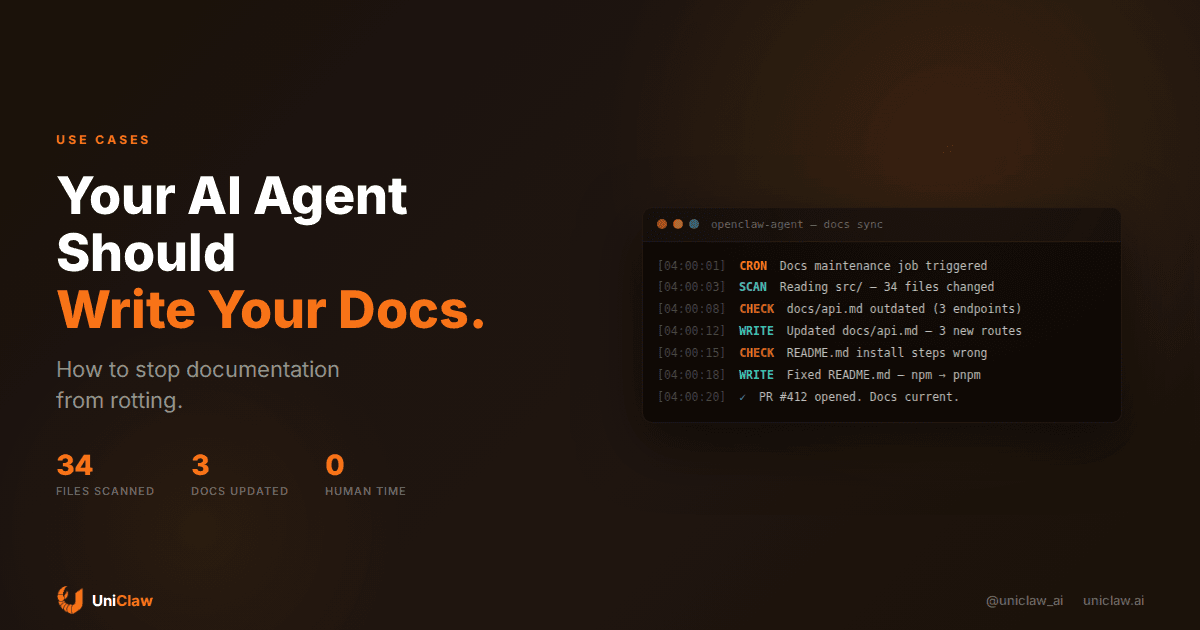
Here's a real workflow I run with an OpenClaw agent on a cron job (every night at 4am):
- The agent pulls the latest code from main
- It reads through source files that changed in the last 24 hours
- It compares those changes against existing documentation
- When something is outdated, it writes a fix and opens a PR
That's it. No fancy framework. No custom tooling. Just an agent with filesystem access, git credentials, and a scheduled task.
The PRs look like any other PR. A teammate reviews them, merges or suggests edits, and the docs stay current. The agent doesn't replace your doc writers. It replaces the grunt work that nobody was doing anyway.
Setting this up (the practical version)
You need three things:
1. An agent with file access and git
If you're running on UniClaw, your agent already has a dedicated machine with full filesystem access. Install your project repo, give it a deploy key with write access, and you're set.
If you're self-hosting OpenClaw, same deal. The agent needs read access to your code and write access to your docs repo (or the same repo, if docs live alongside code).
2. A scheduled trigger
Set up a cron job or heartbeat task. Daily is usually enough. Some teams run it on every merge to main, which is more responsive but burns more tokens.
Here's what the cron config looks like in OpenClaw:
Schedule: 0 4 * * * (daily at 4am)
Task: "Check for documentation drift in the project repo.
       Compare recent code changes against docs/.
       If anything is outdated, fix it and open a PR."
3. Clear instructions about what to check
Your agent needs to know what "documentation" means for your project. Give it a file that says something like:
## Docs maintenance scope

- docs/api.md should match all routes in src/routes/
- README.md install section should match package.json scripts
- docs/config.md should reflect all env vars in .env.example
- CHANGELOG.md should have entries for all merged PRs
The more specific you are about what maps to what, the better the agent performs. Vague instructions like "keep docs updated" produce vague results.
Beyond API docs: other stuff your agent can write
API reference is the obvious one, but I've found agents handle several other doc types well:
Onboarding guides. Your agent can read your setup scripts, docker-compose files, and Makefiles, then generate a "getting started" doc that reflects the actual current state. Every time the setup process changes, the doc updates automatically.
Architecture decision records (ADRs). After a significant PR merges, your agent can draft an ADR summarizing what changed, why (from PR description and commit messages), and what the tradeoffs were. A human still approves it, but the first draft is done.
Release notes. Your agent reads the commits between two tags, groups them by type (feature, fix, chore), writes human-readable descriptions, and formats them. I've saved probably 2 hours per release cycle with this one.
Runbooks. When your monitoring agent handles an incident, it can write up what happened and what fixed it. Next time the same alert fires, the runbook exists.
The quality question
"But AI-written docs are bad" is something I hear from people who haven't tried this recently. The quality depends entirely on your setup.
Bad version: tell an agent "write documentation" with no context. You'll get generic fluff.
Good version: point the agent at specific source files, tell it what the docs should cover, and have it produce diffs against existing docs. The output is constrained by reality. The agent isn't hallucinating an API. It's reading actual code and describing what's there.
Two things that improve quality dramatically:
First, give the agent examples of docs you like. If you have one well-written page, tell the agent "match this style." It will.
Second, always route through PR review. The agent opens a pull request, not a direct commit. A human reads it. Bad explanations get caught. Over time, you can give the agent feedback on its PRs, and it adjusts.
What this costs
Running a daily docs maintenance job is cheap. A typical run reads maybe 50 files, compares against 10 doc pages, and writes updates to 1-3 of them. That's roughly 30k-80k input tokens and 2k-5k output tokens per run.
With Claude Sonnet pricing, that works out to about $0.15-0.40 per run. Call it $10/month for daily runs. If you're using a cheaper model like Gemini Flash for the scanning step and only escalate to a stronger model for actual writing, you can cut that in half.
Compare that to the developer time you'd spend doing this manually (if anyone did it at all), and it's not really a question.
On UniClaw, the hosting itself starts at $12/month, and you get AI credits included. So your agent can run docs maintenance as one of many jobs on the same machine that handles your other automation.
Mistakes I made early on (so you don't have to)
Giving the agent too broad a scope. "Keep all documentation up to date" is too vague. The agent will hallucinate connections between code and docs that don't exist. Be explicit about which files map to which docs.
Not using PR review. I tried having the agent commit directly for speed. It worked 90% of the time. The other 10% introduced subtle errors that lasted weeks before anyone noticed. PR review adds a day of latency but catches problems.
Ignoring the token budget on large repos. If your repo has 10,000 files, don't tell the agent to scan everything. Use git diff to narrow scope to recent changes. Otherwise you're burning tokens reading files that haven't changed.
Formatting inconsistency. The agent will sometimes switch between markdown styles (ATX vs setext headings, different list styles). Give it a brief style guide or a linter config, and this goes away.
Getting started in 15 minutes
If you want to try this today:
- Set up an agent on UniClaw (or locally with OpenClaw)
- Clone your project repo onto the agent's machine
- Write a simple scope file listing what docs should reflect which code
- Create a cron job that runs nightly: "Check docs for drift, fix what's wrong, open a PR"
- Review the first few PRs carefully and give feedback
After a week, you'll have a feel for how the agent writes. Adjust the instructions. Add more scope. Tighten the style guide. Within a month, your docs will be more current than they've been in years.
The bar isn't perfection. The bar is "better than nobody doing it," which is what happens in most teams. An agent that catches 80% of doc drift and fixes it overnight is infinitely better than a human who intends to update docs but never gets around to it.
Documentation doesn't have to rot. You just need to stop relying on willpower and start relying on automation.
UniClaw gives your AI agent a dedicated cloud machine that runs 24/7. Set up cron jobs, connect your repos, and let your agent handle the work nobody wants to do. Plans start at $12/month.
Ready to deploy your own AI agent?
Get Started with UniClaw