
How to Give Your AI Agent a Daily Routine (Cron Jobs, Heartbeats, and What Actually Works)
Most people set up an AI agent, ask it a few questions, and forget it exists until they need it again. That's like hiring someone and only talking to them when something breaks.
The real value of a 24/7 AI agent isn't answering questions on demand. It's what it does when you're not looking.
I've been running agents nonstop for months. The ones that actually earn their keep all share one thing: a daily routine. Not a vague "be helpful" instruction. A specific schedule of tasks that run whether I'm awake or not.
Why your agent needs a schedule
An AI agent without a schedule is reactive. It waits for you to type something. That's fine for chatbots, but agents are supposed to do things.
Think about your own morning. You check email, look at your calendar, skim the news, maybe review yesterday's tasks. Nobody asks you to do those things. They're habits.
Your agent should have habits too.
Scheduled tasks turn a passive assistant into something closer to a coworker. One that checks your inbox before you wake up, pulls yesterday's metrics and has a summary waiting, monitors your servers and alerts you before a customer notices. The gap between "my agent is kind of cool" and "I genuinely can't work without this" is almost always a schedule.
Two types of scheduling: cron jobs and heartbeats
Most agent platforms give you at least one way to schedule tasks. On OpenClaw (which runs under the hood at UniClaw), there are two.
Cron jobs fire at exact times. "Every weekday at 8am, check Hacker News and send me a summary." "Every Monday at 9am, pull last week's revenue from Stripe." They're precise, run in isolated sessions so they don't clutter your main conversation, and you can route output to any channel: Discord, Slack, Telegram, whatever you actually check.
Heartbeats are periodic check-ins. The agent wakes up every 30 minutes or so, reads a checklist file, and decides if anything needs attention. Less precise than cron, but more flexible. The agent batches multiple checks together and uses judgment about what's worth reporting versus what can wait.
The rule of thumb: cron for anything time-sensitive ("9am sharp every Monday"), heartbeats for softer checks ("a few times a day, glance at my inbox").
What a real daily routine looks like
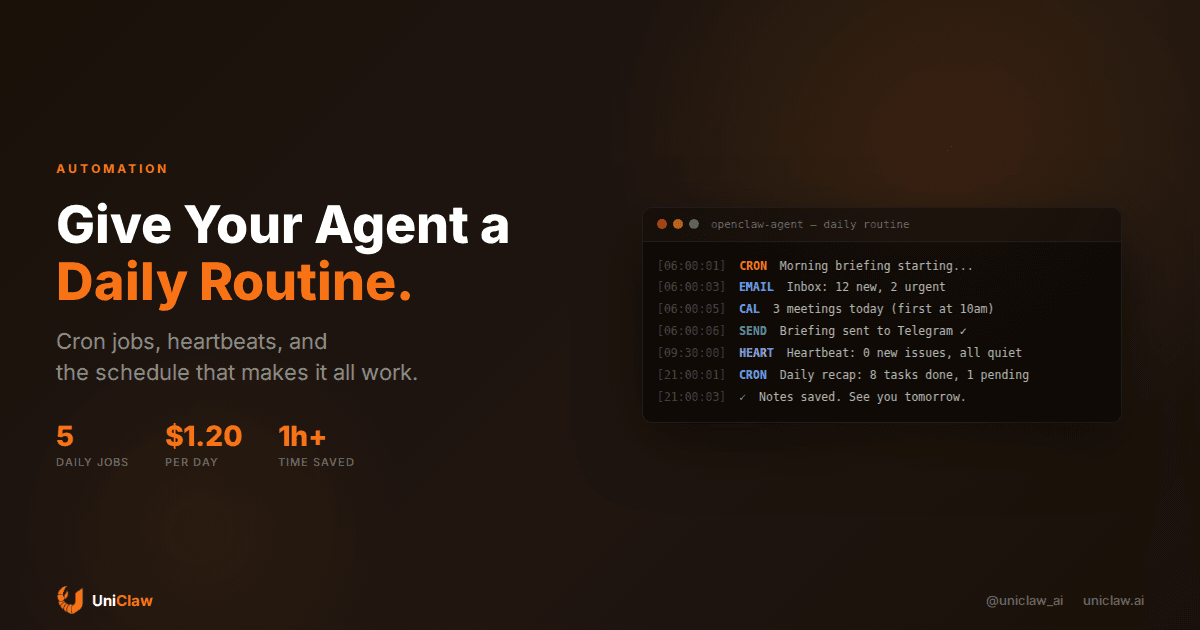
Here's roughly what one of my agents does on a typical day:
6:00 AM — Checks email for anything urgent, scans today's calendar, checks weather (I bike to work when it's nice). Sends me one message with everything I need before I open my laptop.
8:00 AM — Pulls top stories from Hacker News, filters for topics relevant to my work, posts a short summary to a Discord channel. Takes about 15 seconds and costs under a penny.
Every ~30 min — Heartbeat checks. Glances at unread messages, monitors a couple GitHub repos for new issues, checks if any servers are acting weird. Stays quiet unless something genuinely needs my attention. Most heartbeats result in silence, which is exactly right.
9:00 PM — Summarizes the day: tasks completed, emails handled, anything pending for tomorrow. Writes a note in its memory file so it has context when it wakes up fresh the next morning.
Total cost for all of this? The cron jobs run 4-5 times per day, a few cents each. Heartbeat checks add maybe a dollar per day. Roughly $30-40/month for an agent that saves me an hour or more daily. I've spent more on worse subscriptions.
Setting this up (it's easier than you think)
Write down what you'd check every morning if you had unlimited patience. Be specific. "Check email" is too vague for an agent to execute well. "Check Gmail for emails from clients or with 'urgent' in the subject line, summarize any that need a response" gives it something concrete to work with.
Pick your timing. Morning briefing before you start work. News scan during breakfast. End-of-day recap after dinner. Don't over-schedule. Start with two or three tasks and grow from there once you trust the setup.
Tell your agent what to do. On OpenClaw-based platforms, you do this in plain English:
"Set up a cron job: every weekday at 6am Pacific, check my email and calendar, then send a morning briefing to this chat."
The agent creates the job. No config files, no dashboards to click through.
Set up a heartbeat checklist. This is just a text file the agent reads each cycle:
- Check for unread emails (if urgent, alert me)
- Check GitHub repos for new issues assigned to me
- If it's been >6 hours since last weather check, check weather
Keep it short. Heartbeats should be quick and cheap. Save thorough, expensive tasks for cron jobs with dedicated sessions.
Let it run for a week, then adjust. Some tasks will be too noisy, others not frequent enough. That's normal. My morning briefing went through three iterations before the format felt right. Expect to tinker.
Mistakes I've seen (and made)
Scheduling too aggressively is the biggest one. Your agent doesn't need to check email every 5 minutes. An agent that sends you 30 messages a day is worse than no agent. Start slow.
The second thing people miss: memory between tasks. If your morning briefing agent doesn't know what happened yesterday, it can't tell you what changed. Scheduled tasks need to read and write persistent state. OpenClaw agents write daily notes to memory files that carry over between sessions, which makes this automatic.
Cost sneaks up on people too. Each cron job is a separate API call. A job that runs hourly using a top-tier model costs more than you'd expect. Use smaller models for simple checks (Gemini Flash runs at pennies) and save the heavy reasoning models for tasks that actually need them.
And think about where output goes. A morning briefing that lands in your email is useless if you don't check email until 10am. Most people reach for their phone first thing, so Telegram or a messaging app is usually the better target.
Try it this week
There's something genuinely satisfying about waking up to a summary of everything that happened overnight. Not because the technology is impressive, but because you start your day already caught up instead of spending the first hour triaging.
A good daily routine takes maybe 20 minutes to configure. After that, it runs on its own. You'll check in occasionally to tweak a schedule or add a new task, but the core loop just works.
If your agent is still purely reactive, give it a morning briefing and an end-of-day recap. Run it for a week. See how it feels. Most people don't go back to the old way.
UniClaw agents come with cron scheduling and heartbeat monitoring out of the box. Deploy one, tell it what to check every morning, and let it handle the rest.
Ready to deploy your own AI agent?
Get Started with UniClaw