
How to Stop Your AI Agent From Burning Through Your Budget Overnight
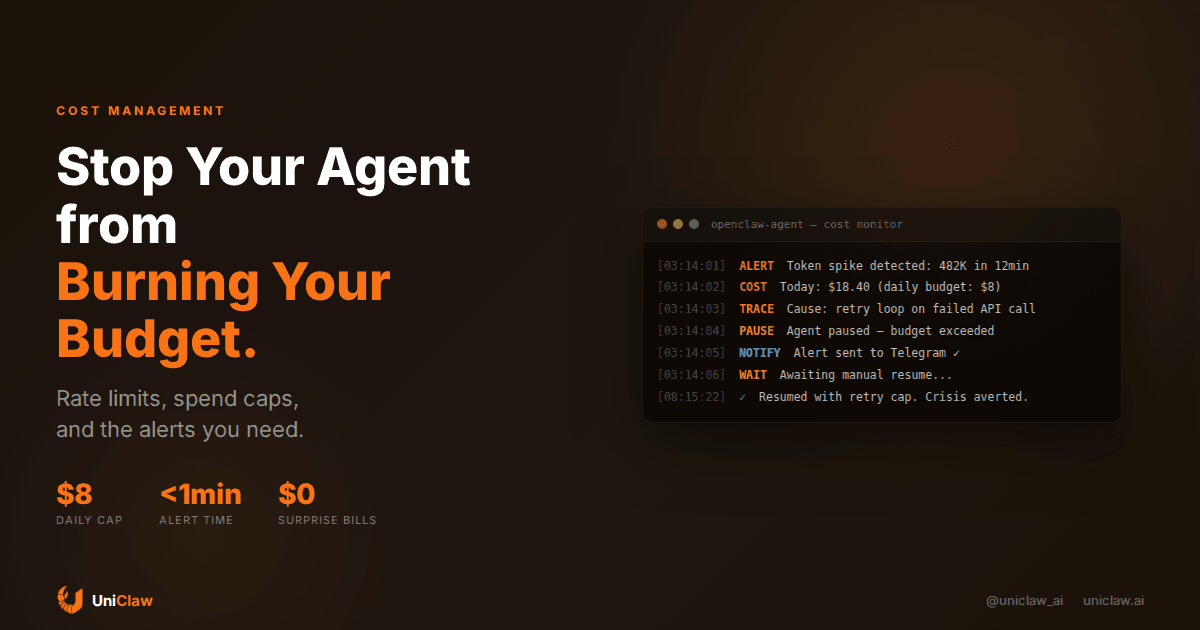
You wake up on a Monday morning, check your OpenRouter dashboard, and see $47 in charges. Your agent was supposed to spend about $3 per day. What happened?
A retry loop. Some API it was calling returned a 500 error, the agent kept trying, and each retry included the full conversation context. Four hundred eighty-two thousand tokens in twelve minutes. While you slept.
This happens more often than anyone wants to admit. And it's not a model problem or a hosting problem. It's a guardrails problem. Your agent doesn't know what things cost, and it has no reason to stop spending until you tell it to.
Why agents blow budgets
Most AI agent cost overruns come from three places.
Retry loops are the obvious one. The agent calls a tool, the tool fails, the agent tries again. Each attempt sends the full context window back through the model. Ten retries on a long conversation can eat $5-10 in tokens without producing anything useful.
Context bloat is sneakier. As conversations grow, every message in the context window gets re-processed on each turn. A conversation that started at 2K tokens balloons to 80K tokens over a few hours. The cost per turn goes up 40x, but the agent doesn't notice and you aren't watching.
Then there are runaway tasks. You ask the agent to "research competitors" and it takes that literally, searching 200 websites, reading 50 full pages, and writing a 30-page report when you wanted three bullet points. The model itself is cheap per token, but multiply by enough tokens and the bill gets real.
None of these are exotic edge cases. They're Tuesday.
The $8/day rule
Before you do anything else, set a daily budget. Pick a number you'd be fine losing every day for a month. For most personal agents, that's somewhere around $5-10 per day. For business use cases with heavier workloads, maybe $25-50.
The exact number matters less than having one at all. An agent without a spend cap is a credit card with no limit handed to an intern who never sleeps.
On UniClaw, you can set spending limits through your OpenRouter key configuration. When the limit hits, the agent stops making API calls. No drama, no negotiation. It just pauses and waits.
Other setups need you to build this yourself. The simplest version: a cron job that checks your API provider's usage endpoint every 15 minutes and kills the agent process if spend exceeds your threshold. Crude, but effective.
Token-level awareness
Daily budgets catch runaway spend after the fact. Token limits catch it in real time.
Set a per-turn token cap. Most agent frameworks let you configure max_tokens on the model call. For routine tasks like inbox triage and quick lookups, 1,000-2,000 output tokens is plenty. For longer work like writing and analysis, you might go up to 4,000-8,000. Going beyond that usually means the agent is rambling, not thinking harder.
Set a per-conversation token cap too. When total context exceeds some threshold, say 60K tokens, trigger a summarization step that compresses the history down to 5-10K tokens before continuing. This keeps costs linear instead of quadratic.
The math is straightforward. Claude Sonnet charges about $3 per million input tokens and $15 per million output tokens as of mid-2026. An 80K-token context window costs roughly $0.24 per turn in input alone. Do 50 turns in a conversation and you've spent $12 just on re-reading old messages. A summarization step at 30K tokens cuts that by 60%.
Retry caps with backoff
Retry loops are the single most common cause of agent cost spikes. The fix takes five minutes.
Set a maximum retry count per tool call. Three attempts is reasonable for most external APIs. After three failures, the agent should report the error and move on, not keep hammering.
Add exponential backoff between retries. First retry after 2 seconds, second after 8, third after 30. This prevents the agent from burning through retries in milliseconds when a service is down.
If you're running OpenClaw on UniClaw, the agent framework already handles basic retry logic. But you should still configure tool-level timeouts in your skill definitions. A tool call that hangs for 60 seconds waiting for a response is holding your agent hostage, accumulating context tokens the whole time.
Model routing saves real money
Not every task needs your most expensive model. A quick "what time is it in Tokyo" lookup doesn't need Claude Opus. It barely needs Gemini Flash.
Model routing means sending cheap tasks to cheap models and reserving expensive models for work that actually benefits from them. In practice:
- Triage and classification go to Gemini Flash or GPT-4o Mini, around $0.15 per million input tokens
- Standard tasks like email drafts and scheduling go to Claude Sonnet or GPT-4o, around $3 per million input tokens
- Complex reasoning like code review or multi-step planning goes to Claude Opus, around $15 per million input tokens
Some agent frameworks handle this automatically. Others need you to configure it. Either way, routing drops your average cost per turn by 40-60% without any noticeable drop in quality for most tasks.
On UniClaw, you can swap models through your dashboard or by changing the model field in your agent config. No redeployment needed.
Alerts that actually work
A budget limit that silently pauses your agent is better than nothing. But you also need to know it happened.
Set up a warning alert at about 70% of your daily budget. This gives you time to check what's happening before the agent hits the wall. Maybe it's doing legitimate heavy work. Maybe it's in a loop. Either way, you want to know before it stops.
Then the hard stop at 100%. Agent pauses, you get a notification, you investigate before resuming.
The notification should go to wherever you'll actually see it. For most people, that's a phone notification through Telegram, Discord, or Slack. Whatever your agent is already connected to. An email alert about overspending that you read six hours later doesn't help.
If you're on UniClaw, your agent is already connected to a messaging platform. Route the alert there. If you're self-hosting, a simple webhook to a Telegram bot works. Three lines of curl in a bash script.
Audit your spend weekly
Set a reminder. Every week, spend five minutes looking at your agent's token usage. You're looking for two things.
First, cost per task type. Is your agent spending $0.80 to file an email but $0.02 to write a blog draft? Something's backwards. Maybe the email task is loading unnecessary context, or it's using a model that's too expensive for the job.
Second, cost trends over time. Is daily spend creeping up? That usually means context windows are growing or the agent is taking on more complex tasks without you realizing it. Neither is automatically bad, but you should know about it.
OpenRouter has decent usage dashboards. Most API providers show token counts per request. If yours doesn't, log it yourself. Append each API call's token count and cost to a CSV file. A five-line script handles this.
The overnight problem
Agents that run 24/7 can do their most expensive work while you're asleep. That's the whole point of having them, but it's also the riskiest window for cost overruns.
Reduce autonomy at night. Set your agent to only handle pre-approved task types between midnight and 8am. Anything else queues for morning. This way a broken tool at 3am triggers a queue entry, not a hundred-dollar retry loop.
Lower the nightly budget too. If your daily budget is $8, give the overnight window (midnight to 8am) just $2. That limits the blast radius of anything that goes wrong while you're not watching.
And schedule expensive work for daytime. Large research tasks, batch processing, long document analysis. Run these when you're around to spot problems early.
What this actually costs in practice
With decent cost controls in place, here's what a typical personal AI agent costs on UniClaw:
- Hosting: $12/month for a dedicated machine that's always on
- AI model credits: $15-45/month depending on usage and model choice
- Tools and APIs: $0-10/month, since most MCP servers are free
Total: roughly $30-65 per month for an agent that handles email, calendar, research, coding tasks, and monitoring around the clock.
Without cost controls? People hit $200+ in a single weekend because a research task went recursive. One retry loop on a long context window can cost more than a month of normal usage.
The difference between those two numbers is about an hour of setup time.
Go set a budget
If you don't have an agent yet, UniClaw gets you running in two minutes with built-in spend management. Dedicated machine, zero-exposure firewall, multi-platform messaging, starting at $12/month.
If you already have an agent and no budget limits, stop reading and go set one. Right now. Before your agent decides 3am is a great time to rewrite your entire codebase using the most expensive model available.
Your future self and your credit card will both appreciate it.
Ready to deploy your own AI agent?
Get Started with UniClaw