
Your Chat App Is the Best Interface for AI Agents
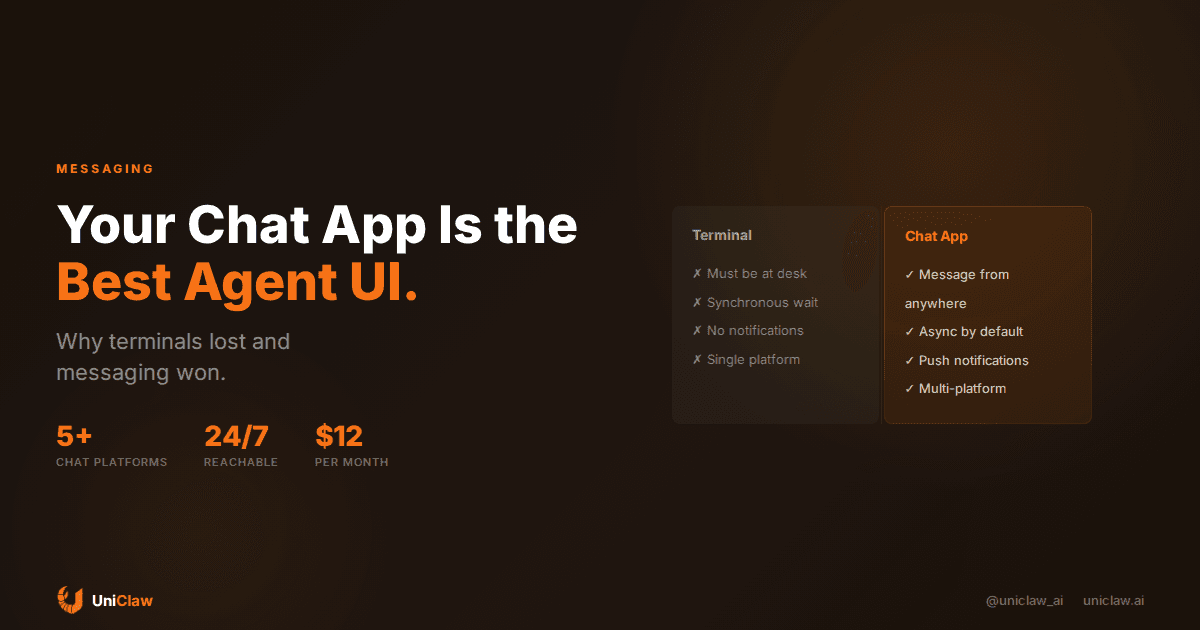
Anthropic shipped Claude Code Channels this week. The pitch: let people talk to their coding agent from Discord and Telegram instead of sitting at a terminal. The internet treated it like a revelation.
It's not. OpenClaw has done this for over a year.
But the fact that Anthropic built it anyway tells you something interesting about where AI agents are headed. The terminal is dying as the default agent interface. Chat apps are replacing it. And if you haven't thought about why, you're probably still running your agent the hard way.
The terminal was never the right interface for this
When AI agents first showed up, everyone assumed you'd interact with them the same way you interact with code: through a terminal or an IDE. That made sense at the time. The people building agents were developers. Developers live in terminals.
But agents aren't code. They're coworkers. And nobody manages their coworkers by SSH-ing into a command line.
Think about how you actually assign work to a human. You send a Slack message. You fire off a quick text. You drop something in a group chat and move on. You don't open a dedicated application, type a structured command, and wait for synchronous output. That would be insane.
Yet that's exactly what most agent setups still look like. Open a terminal. Type a prompt. Wait. Read the output. Type another prompt. You're stuck there, babysitting.
The moment you move your agent into a chat app, that whole dynamic flips. You send a message when you think of something. The agent works on it. It messages you back when it's done. You're not waiting. You're living your life.
Why messaging works so well for this
Messaging apps solve problems that terminals can't.
First, you already have them open. Nobody opens a terminal while eating lunch or sitting in a meeting. But your phone is in your hand, and Telegram or Discord or Slack is right there. Your agent becomes reachable the same way your colleagues are: always, without ceremony.
Second, async is the natural mode. Chat is inherently asynchronous. You send a message and go do something else. The reply shows up whenever it's ready. This matches how agents actually work. Most tasks take seconds or minutes, not milliseconds. A terminal forces you to sit and wait. Chat doesn't.
Third, context lives in the thread. Every interaction creates a history you can scroll back through. What you asked, what the agent did, what went wrong. Try doing that with a terminal session you closed three days ago.
And there's a reason people don't talk about much: chat apps already handle notifications. Your agent finishes a task at 3 AM? You see it when you wake up. It spots something urgent? Your phone buzzes. You don't need to build a notification system. It already exists.
What Anthropic got right (and what they missed)
Claude Code Channels is a good idea. Letting developers message their coding agent from Discord instead of keeping a terminal tab open all day is a genuine improvement. VentureBeat even called it an "OpenClaw killer."
Here's what they got right: the interface insight. People want to talk to their agents from wherever they already are. That's correct. That's been correct since the beginning.
Here's what they got wrong: scope.
Claude Code Channels is specifically a coding agent that you can message. It connects to Discord and Telegram, and it runs Claude Code sessions against your project files. That's one model, one agent type, two platforms.
OpenClaw is an open-source gateway that connects any model to any messaging platform, with tools, skills, memory, and a full agent runtime. It works with Claude, GPT, Gemini, Llama, Qwen, or whatever you want. It connects to Discord, Telegram, Slack, WhatsApp, iMessage, and more. It doesn't just do coding. It does email, calendars, file management, web research, home automation, and anything else you give it tools for.
That's not shade at Anthropic. They built a focused product for a specific use case, and it works well. But if you want an agent that actually manages your life through chat, you need something broader.
How this actually works in OpenClaw
For people unfamiliar with the setup: OpenClaw runs a local gateway on your machine (or a cloud VM). You connect your chat platforms. When you send a message in Discord or Telegram or wherever, the gateway picks it up, routes it to the agent, and sends the response back through the same channel.
From your perspective, you're just texting. From the agent's perspective, it has access to your files, your tools, your calendar, your memory, and whatever else you've configured.
A few things make this work in practice:
Multi-platform, one agent. You can message the same agent from Telegram on your phone, Discord on your desktop, and Slack at work. Same memory, same context. You pick the app that's convenient right now.
Group chats. Your agent can participate in group conversations. Add it to a team channel, and it answers questions, runs tasks, or just lurks and learns context. This is wildly useful for small teams who want a shared AI assistant without building custom software.
Proactive messages. The agent doesn't just respond. It can reach out. Calendar reminder before your meeting. Weather check in the morning. A summary of overnight emails. Your chat app becomes an inbox for your agent's work.
File and media handling. Send your agent a photo, a PDF, a voice message. It processes them. Ask it to generate an image or a document, and it sends it back in the chat. No switching apps.
The "just use the API" fallacy
Some people hear this and think: "Why not just build a bot? The Discord API is pretty straightforward."
Sure. Building a Discord bot that responds to messages takes an afternoon. Building an AI agent that persists memory across sessions, handles tool calls, manages multiple conversation threads, deals with rate limits, processes files, maintains personality, and stays online 24/7 takes months. And then you need to do it again for Telegram. And again for Slack.
That's the plumbing that OpenClaw (and now services like UniClaw) handle for you. You don't need to think about webhook routing, message formatting differences between platforms, or keeping a process alive. You configure your agent, connect your channels, and start talking.
If you want to get an agent running in chat without maintaining infrastructure, UniClaw gives you a dedicated cloud machine with OpenClaw pre-installed. You connect your messaging apps, pick your model, and you're live. Agents start at $12/month, which includes the hosting, the security hardening, and the always-on uptime. You bring your own API key or use UniClaw's AI credits.
This changes who can use agents
The shift to messaging as the agent interface changes more than just convenience. It changes who can use agents.
When agents live in terminals, they're developer tools. When agents live in chat apps, they're everyone tools. Your marketing person can message the agent to draft social posts. Your ops person can ask it to check server status. Your CEO can ask it to summarize yesterday's metrics. Nobody needs to learn a new interface.
This is probably why Anthropic built Claude Code Channels, and why Manus just launched on Telegram, and why every agent framework is scrambling to add messaging integrations. The market figured out that the best interface for an AI agent is the one people already use a hundred times a day.
Getting started
If you want to try the messaging-first approach, there are two paths.
The free one: install OpenClaw on any machine you control. Connect a Telegram bot, a Discord bot, or both. Point it at your model of choice and start talking. The whole setup takes about ten minutes if you've done it before, maybe thirty if you haven't.
The easy one: sign up at uniclaw.ai. You get a dedicated cloud VM with OpenClaw pre-configured, a zero-exposure firewall, encrypted tunnels, and messaging integrations ready to go. Starts at $12/month. Bring your own API key or use UniClaw's credits.
Either way, start small. One platform, one use case. Have the agent manage your calendar, or triage your email, or just be a search tool you can text while you're on the bus. Add complexity once you trust it.
The terminal had a good run. But your AI agent belongs in your group chat, right between your coworkers and your lunch plans.
Ready to deploy your own AI agent?
Get Started with UniClaw